1
Downloading Images Using the Camera (Direct
Transfer)
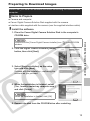
Use this method to download images using camera operations. Install
the supplied software and adjust the computer settings before using this
method for the first time (p. 15).
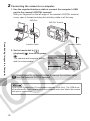
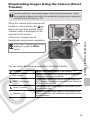
When the camera and computer will
be able to communicate, the
button will light blue and the Direct
Transfer menu is displayed on the
camera's LCD monitor.
At this point, images can be
transferred using camera operations.
button
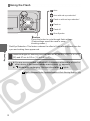
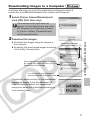
You can select the following methods in the Direct Transfer.
All Images
New Images
DPOF Trans. Images
Select & Transfer
Wallpaper
Transfers and saves all images to the computer.
Transfers and saves to the computer only the images that
have not been previously transferred.
Transfers and saves to the computer only the images with
DPOF Transfer Order settings (Advanced Guide: Setting the
DPOF Print Settings p. 65).
Transfers and saves single images to the computer as you
view and select them.
Transfers and saves single images to the computer as you
view and select them. The transferred images display on the
computer desktop.
19
Downloading Images to a Computer
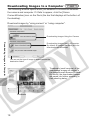
If the Direct Transfer menu is not
displayed, press the MENU
button.