1
VIVOTEK
URL Command Document for VS8401-VVTK
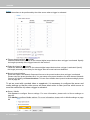
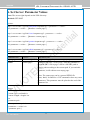
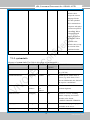
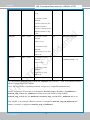
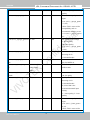
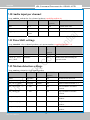
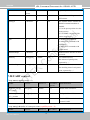
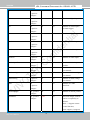
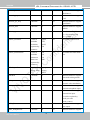
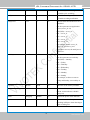
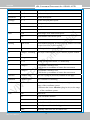
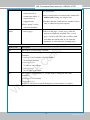
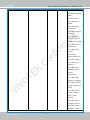
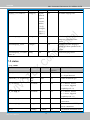
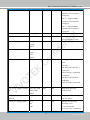
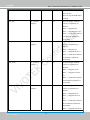
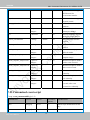
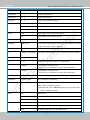
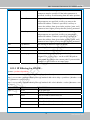
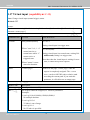
speedtilt
-5 ~ 5
Set the tilt speed.
speedzoom
-5 ~ 5
Set the zoom speed.
speedfocus
-5 ~ 5
Set the focus speed.
speedapp
-5 ~ 5
Set the auto pan/patrol speed.
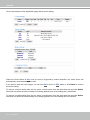
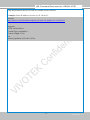
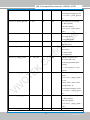
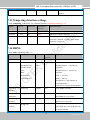
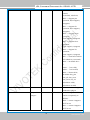
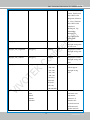
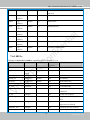
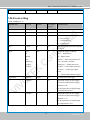
auto
pan
Auto pan.
patrol
Auto patrol.
stop
Stop camera.
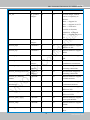
wide
Zoom larger view with current speed.
tele
Zoom further with current speed.
stop
Stop zoom.
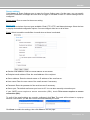
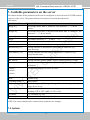
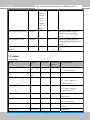
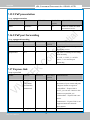
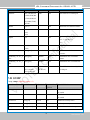
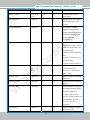
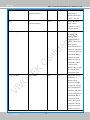
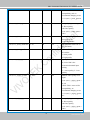
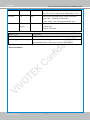
zooming
wide or tele
Zoom without stopping for larger view or further view with
zs speed, used for joystick control.
zs
0 ~ 11
Set the speed of zooming, “0” means stop.
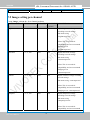
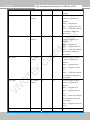
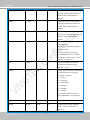
vx
<integer , excluding
0>
The slope of movement = vy/vx, used for joystick control.
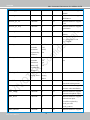
vy
<integer>
vs
0 ~ 11
Set the speed of movement, “0” means stop.
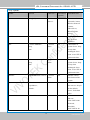
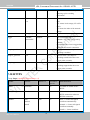
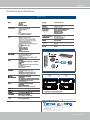
x
<integer>
x-coordinate clicked by user.
It will be the x-coordinate of center after movement.
y
<integer>
y-coordinate clicked by user.
It will be the y-coordinate of center after movement.
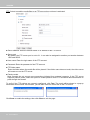
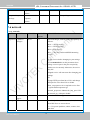
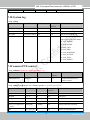
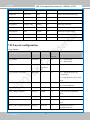
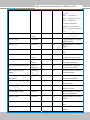
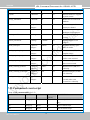
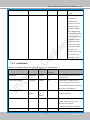
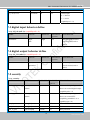
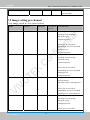
videosize
<window size>
The size of plug-in (ActiveX) window in web page
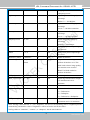
resolution
<window size>
The resolution of streaming.
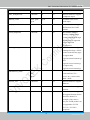
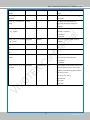
stretch
<boolean>
0 indicates that it uses resolution (streaming size) as the
range of the coordinate system.
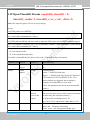
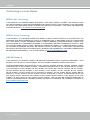
zoom
1 indicates that it uses videosize (plug-in size) as the range
of the coordinate system.
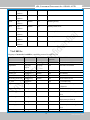
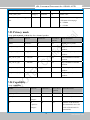
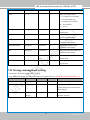
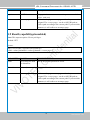
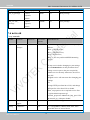
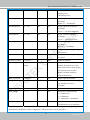
focus
iris
166 - User's Manual
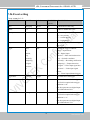
auto
Auto focus.
far
Focus on further distance.
near
Focus on closer distance.
auto
Let the Network Camera control iris size.
open
Manually control the iris for bigger size.
close
Manually control the iris for smaller size.
67