1
POWERING DOWN THE SYSTEM
IMPORTANT:
Never power down the system during a
scanning session.
The ScanX is designed to be left on continuously during the active day. At the end
of the day, or whenever desired, power down the system simply by pressing and
holding the membrane READY switch
on the Keypad Control Panel for approximately two seconds, until the green LED above the READY switch extinguishes.
MAINTENANCE
Maintenance Procedures
The ScanX is designed for many years of trouble-free operation. Maintenance as
described herein is minimal.
IMPORTANT:
Do not spray solvents or liquid directly
on the scanner.
Cleaning the ScanX
Turn off the ScanX disconnect the line cord from the Mains wall outlet and disconnect the computer connection cable from the ScanX before cleaning. Wipe
the outside surfaces with a soft paper towel dampened with a disinfectant solution or non-abrasive household cleaner. Be careful not to allow solvents TO RUN
OR DRIP into the ScanX. This could cause damage to the ScanX. Allow to air dry
before plugging in or turning back on.
Cleaning the Plate Transport
Over time, small debris and dust can accumulate in the plate transport mechanism causing a loss in image quality and possible damage to the PSPs.
To ensure optimal performance of the ScanX, the plate transport should be
cleaned once per week using a new ScanX Cleaning Sheet each time. Sample
sheets are included with the ScanX and additional sheets can be purchased from
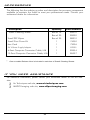
your dealer. Refer to ACCESSORIES page 24.
Disinfecting the ScanX
No disinfection is required for the ScanX.
Phosphor Storage Plates (PSPs).
PSP's are subject to "wear" on the black side during normal handling and use.
They can appear scratched, while the "white" or sensitive side remains relatively
"smooth". This scratched look on the black side has absolutely no effect on
the quality of the image and should be expected under normal conditions. If
the phosphor side is scratched make sure the plates are being handled properly
and not being dragged from the ScanX tray area or other surfaces that could
cause scratching of the plate. Make sure to review the Plate Care and
Preparation information provided on page 16 of this manual.
20