1
CHAPTER
4
Configuring Communication With
SAP Auto-ID Infrastructure
Sun Java System RFID Software 3.0 (RFID Software) includes a plug-in to enable
integration with the SAP Auto-ID Infrastructure 2.1 (SAP AII) component of the SAP
NetWeaver® platform. SAP AII enables communication between the SAP® R/3®
software, the mySAP™ Supply Chain Management solution (mySAP SCM solution),
and other SAP Enterprise Resource Planning (ERP) components using device
management/device controller software. The RFID Event Manager plays the role of
a device manager in the SAP architecture.
This chapter includes the following topics:
■
■
■
Configuration Overview for the Plug-In for SAP AII
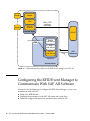
Configuring the RFID Event Manager to Communicate With SAP AII Software
Configuring SAP AII to Communicate With the RFID Event Manager
Configuration Overview for the Plug-In
for SAP AII
To configure the connection between the RFID Software and SAP AII, you must
complete configuration procedures for both the RFID Software and SAP AII. The
procedures for the RFID Software use the RFID Configuration Manager, which is a
component of the RFID Event Manager. Therefore, you must install the RFID Event
Manager and the plug-in for SAP AII before performing any procedures in this
chapter. See the Sun Java System RFID Software 3.0 Installation Guide if you have not
installed the RFID Event Manager. Perform a custom installation so that you can
install the plug-in for the SAP AII software.
Use the RFID Configuration Manager to configure your RFID device properties. If
you are not familiar with this configuration tool, review Chapter 2 before
performing the procedures in this chapter.
61