1
13
14
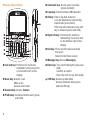
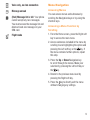
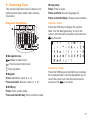
Space key: Access language list (press and
hold while in edit mode)
Lock the keypad (press and
hold while on Home screen)
Enter a space (in edit mode)
Confirm an option (in edit
mode)
Unlock the keypad (on Home
screen)
Select input method (press and
hold Alt key)
Side key:
Side up key: Increase volume (press)
Increase volume continuously
(press and hold)
Side down key: Decrease volume(press)
Decrease volume
continuously (press and
hold)
15
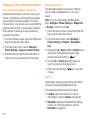
Setting Up Voicemail
1. From the Home screen, press and hold the
key.
2. When connected, you’re prompted to set up
your voicemail.
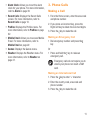
Changing the Voicemail Number
1. From the Home screen, press the Right soft
key to access the main menu.
2. From the main menu, select Messaging >
Voicemail.
3. To edit voicemail, press Options and select
Edit.
4. Change voicemail name/number as you
want.
5. Press the
key to save the change.
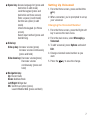
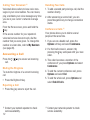
Navigation key:
Up: Recent Calls
Down: Address Book
Left/Right: Widget bar
OK: Confirm an option (press)
Launch Mobile Web (press and hold)
7