1
Watching TV
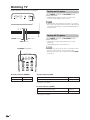
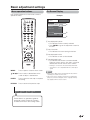
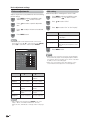
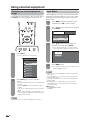
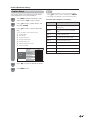
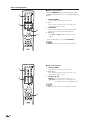
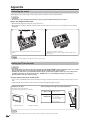
■ Using MUTE on the remote control unit
Mutes the current sound output.
Simple button operations for
changing volume/sound
■ Changing the volume
You can change the volume on the TV or on the remote
control unit.
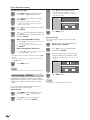
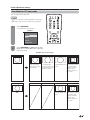
Press MUTE.
• M will be displayed on the screen for 30 minutes, and the
sound is silenced.
20
Mute
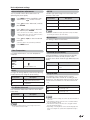
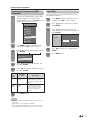
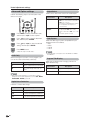
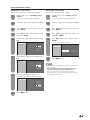
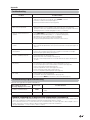
■ Using VOLk/l
• To increase the volume, press VOLk.
• To decrease the volume, press VOLl.
NOTE
• Within 30 minutes of pressing MUTE, mute can be
canceled by using one of the methods below.
— Mute will cancel if you press VOLl/k or MUTE.
• Mute will be canceled after 30 minutes have passed.
However, the TV will not suddenly output a loud sound as
the volume level is set to 0 automatically.
Volume adjustment
20
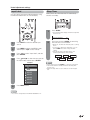
■ Using SURROUND on the remote control unit
NOTE
• VOLl/k on the TV operates the same as VOL k/l on
the remote control unit.
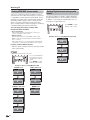
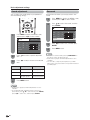
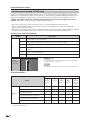
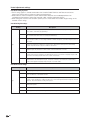
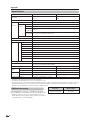
Audio status
Output Select
Output device
Speaker
Fixed
Variable
Variable sound
Mute
* When “Output Select” is set to “Variable”, the indicator on
the screen changes as shown below.
20
NOTE
• See page 36 for details on the Output Select function.
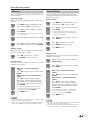
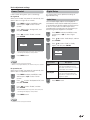
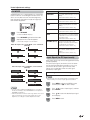
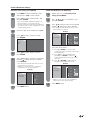
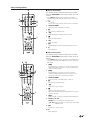
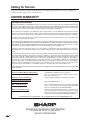
SURROUND produces Surround effect from the
speakers. Each time you press SURROUND, the
mode changes between On and Off.
Surround sound options
On: Makes it possible to enjoy natural, realistic surround
sound.
Off: Outputs the normal sound.
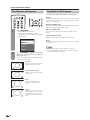
Surround : Off
Surround : On
NOTE
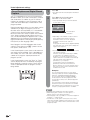
• You can have the same settings by choosing “Surround”
on the menu items. (See page 28.)
19