1
Voice Kit (CDMA Only)
Voice recognition capabilities of the SCH-a790 are
exceptional due to advanced, speaker-independent
technology. This means there is no longer a need to “train”
your phone to understand your voice. You can finally use your
voice in a natural manner to dial numbers, lookup contacts,
view your schedule, and much more. Please review the
following content to learn more about this useful feature.
The Voice Kit menu (CDMA Only)
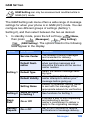
Use the Voice Kit menu to configure the voice recognition
settings for your phone.
1.
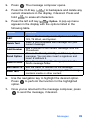
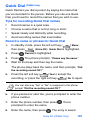
In standby mode, press the left soft key (
) Menu,
then press
(Voice Kit). The following Voice Kit sub
menus appear in the display.
Command
Function
Quick Dial
Record, review, and delete Quick Dial entries.
Voice Memo
Record, review, and delete Voice Memos.
Voice Setting
Setup and configure Voice Kit voice
recognition settings.
2.
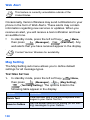
Use the navigation key to highlight the desired Voice Kit
sub menu.
3.
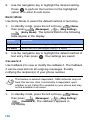
Press
to enter the highlighted sub menu. The
following three sections describe each Voice Kit sub
menu in greater detail.
166