1
Cindy_FD_QG.book Page 8 Tuesday, May 29, 2012 2:35 PM
Copying
Follow the steps in this section to copy black-and-white or color documents.
You can copy documents just like on a copy machine. If you use the Automatic Document
Feeder (ADF), you can copy up to 30 sheets at a time.
Note: You can select More Functions > Copy/Restore Photos to copy photos onto
EPSON photo paper (various types and sizes available). See the online User’s Guide for
details.
Copying a Document
1.
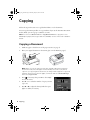
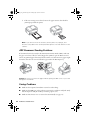
Make sure paper is loaded in one of the paper cassettes (see page 4).
2.
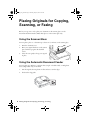
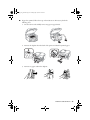
Place your original document on the scanner glass or in the ADF (see page 6).
Note: When you use the Copy function with originals loaded in the Automatic
Document Feeder, letter-size paper is automatically selected for your printed
copies. If you copy a legal-size document, the image will be cropped. To copy a full
legal-size document on letter-size paper, scroll down and select Reduce/Enlarge.
Then select Legal->Letter.
3.
Press
, if necessary, then press OK to select Copy.
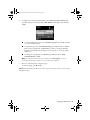
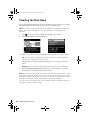
You see this screen.
4.
Press + or – to select the number of copies you want
(up to 99).
5.
Press l or r to adjust the density (make the copies
lighter or darker), if necessary.
8 Copying