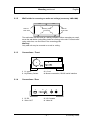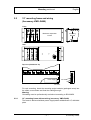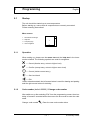
1
VMD01 – M50 PAL VMD01 – M60 NTSC Security Systems Operating instrutions EN Video Motion Detector Utilisation FR Détecteur de mouvement vidéo Bedienungsanleitung DE Videobewegungssensor Instucciones de servicio SP Sensor de movimiento de vídeo Handleiding NL Videobewegingssensor Instruzioni per l’uso IT Sensore di movimento video Manual de operação PO Vídeo–sensor de movimentos 610–4.998.137.762 Ausgabe: 1 Stand: Februar 03 FCC This equipment has been tested and found to comply with the limits for a Class B digital device, pursuant to Part 15 of the FCC Rules. These limits are designed to provide reasonable protection against harmful interference in a residential installation. This equipment generates, uses and can radiate radio frequency energy and, if not installed and used in accordance with the instructions, may cause harmful interference to radio communications. However, there is no guarantee that interference will not occur in a particular installation. If this equipment does cause harmful interference to radio or television reception, which can be determined by turning the equipment off and on, the user is encouraged to try to correct the interference by one or more of the following measures: – Reorient or relocate the receiving antenna. – Increase the separation between the equipment and receiver. – Connect the equipment into an outlet on a circuit different from that to which the receiver is connected. – Consult the dealer or an experienced radio/TV technican for help. Recognized Component Mark for Canada and the United States If the unit is used as a stand alone, it must be supplied via a power supply which fulfils the requirement on “SELV” and on a Limited Power Source. If the unit is mounted into a 19” rack a suitable fire enclosure must be provided in the end–unit. EU Declaration of Conformity Bosch declares, this product: is conform to the following standards: Supplementary Information: “The product complies with the requirements of the low Voltage Directive 73/23EEC and the EMC Directive 89/336/EEC.” This product is carrying the CE–Mark in accordance with the related European Directives. Responsible for CE–Marking is Bosch Sicherheitssysteme GmbH Security Systems Division Ludwig–Boelkow–Allee 85521 Ottobrunn Germany –2 – A1 February 03/Trb TABLE OF CONTENTS Chapter English Page 1 Introduction 38 2 Mounting 39 3 Functions 42 4 System structure 44 5 Programming 45 6 Operating instructions 50 7 Technical data 52 8 Notes 53 Français 20 German 37 Español 54 Italiano 71 Dutch 88 Portuguese 105 Note: Additional information about the product, installation, and operation can be found at: http://www.boschsecuritysystems.com –3 – A1 February 03/Trb 1 Introduction English This is a high-quality single-channel video movement sensor for direct integration in an analog CCTV system. Video signals are evaluated through image analysis and interpretation. Alarm, pre-alarm and post-alarm images are stored. Additional information on project planning and the software tool can be obtained in electronic form through a dealer or installer. Statutes/Norms/Guidelines met by the unit – EMV law on the basis of DIN EN 50081–1 (radiated noise) DIN EN 50130–4 (noise immunity) – DIN EN 60950 (electrical safety) – Environment to IEC 68–2–2/Degree I, 68–2–1, 68–2–30 The product carries the CE symbol. Registration: FCC Registration: Recognition Component Mark for Canada and the United States (File number: E221534) Basic shipment contents – Basic device (VMD01–M50/M60) – Operating instructions – 15-pin Sub–D plug – Flat box with rubber feet and brackets Accessories – Power supply VMD–PS – Wall holder VMD–WM – Mouse VMD–SM – 19” frame incl. mounting VMD–RA90 – 19”frame incl. mounting brackets without power supply/cable set/ Distributor LP, with blind plate VMD–RA00 – 19” blind plate VMD–RADC Camera, monitor, recorder, mouse (for programming) and cabling are not part of the shipment contents. Only for programming Alarm contact –4 – A1 February 03/Trb 2 Mounting 2.1 General mounting notes English – Use only cable specified by the manufacturer. Protection against malfunction cannot otherwise be guaranteed. – To guarantee operational safety, only those power supplies specified by the manufacturer may be used. (individual devices: power supply VMD–PS, for 19” installation, the power supply is integrated in the VMD–RA frame). – For questions regarding setup, environmental conditions and safety of individual components, manufacturer documentation must be consulted. – For installation, this instruction manual and the specific connection instructions are to be followed. – This description does not contain information about installation and setup of the camera, monitor and recorder. 2.1.1 Mounting Variants Unit feet 1. Press in 2. Press in Feet 3. Press down with blunt object Locking spring Housing vertical Four feet must be fitted to the unit base plate. The connecting cable must have sufficient strain relief. Housing can be stacked upright. Warning! Maximum of four units can be stacked upright on top of each other. If housings are stacked on top of each other, the feet on the underside of the housing must be fitted. There are no locking springs for the bottom unit. For all other units to be stacked, the locking springs must be pushed into the feet and pressed into the locating slits on the bottom unit. Ensure sufficient strain relief. –5 – A1 February 03/Trb Mounting continued 2.1.2 English Wall holder for mounting on walls and ceilings (accessory VMD–WM) TOP Holes for strain relief TOP Holes for strain relief Mounting holes for housing The wall holder can be used as a drilling template. Before mounting on a wall, screw the wall holder (using fitting holes for housing) to the unit. For strain relief using cable ties, use the holes in the mounting plate. Warning! Only one unit may be mounted on a wall or ceiling. 2.1.3 Connections / Front 3 4 1 2 1 L1 green 3 Key/Rotary Switch 2.1.4 2 L2 red 4 Mouse connection, RS232 serial interface Connections / Rear 1 2 1 3 4 11 6 1 5V DC 3 Video OUT 2 I/O Contacts 4 Video IN –6 – A1 February 03/Trb Mounting continued 2.2 English 19” mounting frame and wiring (Accessory VMD–RA90) Front mounting bracket Maximum expansion 8 units Power supply Rear Top view (distributor LP) +5V Power supply Direction of swivel 100–240V +5V –5V EG I L Fuse = 2A 100–240V For rack mounting, insert the mounting angle brackets (packaged extra) into the slides, screw down and feed the cabling through. Warning Grounding must be professionally carried out according to IEN 60950. 2.2.1 19” mounting frame without wiring (accessory VMD–RA00) The frame is delivered without power supply/cable set/distributor LP, with blind plate. –7 – A1 February 03/Trb 3 Functions 3.1 Overlaid lines for color and B/W signals English Live and archived images Color Alarm object: Red Pre-alarm object: Yellow Striped line with low contrast Tracking line: Green Striped line Color Green Configuration Area of sensitivity: Directionality: 3.3 Black/White Striped line Green: Foreground Striped lines; Blue: Background Foreground square: Larger dotted line Background square: Smaller dotted line Perspective: 3.2 Black/White Striped line with high contrast Green: Direction Striped lines; Blue: Tolerance Directional arrow with smaller dotted lines Tolerance lines with larger dotted lines Rotary switch Operation Briefly press Function Alarm image memory on Briefly press again Alarm image memory off Long press (> 2 sec.) Acknowledge alarm Rotate right Forwards in alarm archive (+) Rotate left Backwards in alarm archive (–) Light emitting diodes LED L1 green L2 red (when L1 on) L2 red (when L1 blinking) Status off Function No supply of power to unit on Unit operating normally Blinking Unit malfunction as combined message Unit defective and/or video channel malfunction off No alarm, not armed on No alarm, armed Blinking Object detected/Alarm on off on Blinking No malfunction on video signal, unit malfunctioning No video signal, no general unit malfunction Video signal interference: 1. Signal/Noise ratio too low 2. Camera blinded 3. Scene lighting level too low –8 – A1 February 03/Trb Functions continued 3.4 English Contact assignment PIN Electrical specification Function 1 Input contact I Open: sensor armed At ground (Pin 5): Sensor disarmed Internal pull-up 2 Input contact II Open: Parameter set I active At ground (Pin 5): Parameter set II active Internal pull-up 3 Output contact I Internally switched to ground: Object detected Open: No object detected (constant signal, impulse or periodic impulse) Open collector, max. 100mA, 12V Externally switchable 4 Output contact II Internally switched to ground: Video signal malfunction Open: Video signal OK Open collector, max. 100mA, 12V Externally switchable 5 Ground 6 Relay I 6/7 closed: Malfunction Max. 30V, max. 1A 7 Relay I (Middle contact) Max. 30V, max. 1A 8 Relay I 8/7 closed: No malfunction Max. 30V, max. 1A 9 Relay II 9/10 closed: No alarm Max. 30V, max. 1A 10 Relay II (Middle contact) Max. 30V, max. 1A 11 Relay II 11/10 closed: Alarm Max. 30V, max. 1A 12 Remote control Rotary switch: Backwards in alarm archive (–) when turned left Internal pull-up 13 Remote control Rotary switch: – Switchover: Live image/alarm archive – active >2 secs. = alarm acknowledgement Internal pull-up 14 Remote control Rotary switch: Forwards in alarm archive (–) when turned right Internal pull-up 15 Remote control Rotary switch: Ground Input contacts Remote control +5V Output contacts 3/4 1/2 12/13/14 – 5/15 5/15 –9 – A1 February 03/Trb 4 System structure 4.1 Menu English Programming Parameter set 1 Alarm set 1 Operating mode set 1 Alarm contact set 1 Sensor parameter set 1 Area of sensitivity set 1 Object size/Perspective set 1 Direction of movement set 1 Parameter set 2 Alarm set 2 Operating mode set 2 Alarm contact set 2 Sensor parameter set 2 Area of sensitivity set 2 Object size/Perspective set 2 Direction of movement set 2 Copy parameter set Language Change code number System information Exit – 10 – A1 February 03/Trb 5 Programming 5.1 Startup English The unit should be started up at room temperature. Before starting up, ensure that all components are correctly connected. Follow mounting instructions! Menu screen 1 Work area/Live image 2 Help text 3 Company logo 4 User navigation 3 1 4 2 5.1.1 Operation When setting up, please use the menu tree and the help text in the lower monitor window. The following symbols are used for navigation: = Cancel (dismiss entry, return to higher level) = Confirm (accept entry, return to higher menu level) = Correct (delete current entry) = One level back = Exit Unless otherwise stated, the left mouse button is used for drawing and pasting and the right mouse button for deleting. 5.1.2 Code number (default 00000) / Change code number After switch-on or after selecting “Exit” from the programming screen, there is a delay of around 5 seconds before the mouse can be moved to enter the code mask. Change code number : Enter the new code number twice. – 11 – A1 February 03/Trb Programming, continued 5.2 English Programming Starting programming Parameter set 1 or 5.2.1 = Parameter set 2 Alarm set 1 or 2 Operating type Automatic acknowledgement, live image on alarm Manual acknowledgement, live image on alarm Manual acknowledgement, alarm image on alarm See also chapter 6 Alarm contacts (contact output I see 3.4) Continuous signal during object detection Impulse on new object detection Periodic signal during object detection Signaling of alarms LED red Blinking Relay II Output contacts Automatic acknowledgement As long as object detected As long as object detected As long as object detected or impulse Manual acknowledgement As long as Alarm on As long as Alarm on As long as object detected or impulse – 12 – A1 February 03/Trb Programming, continued 5.2.2 English Sensor parameter set 1 or 2 See chapter 3.1 (overlaid lines) Area of sensitivity set 1 or 2 The live image is shown with the sensitive, undarkened area. With the right mouse button pressed, square non-sensitive areas can be pulled up. After releasing the mouse button these are darkened and shown. Multiple non-sensitive areas of different sizes can be distributed on the image. With the left mouse button, non-sensitive areas can be deleted or modified by drawing over them; sensitive areas can be added with the right mouse button. Drawing in object size/perspective set 1 or 2 The live image is shown with a small rectangle. Its size is the factory-set default, not the minimum size. No perspective is set. Everything larger than the plotted rectangle is detected. The frame can be changed in size, moved about on the image, or another frame pulled up using the left mouse button. The larger frames show the minimum object size to be detected in the foreground. The smaller frames show the minimum object size in the background. The position of the frames relative to each other shows the perspective set. Note that the position of the perspective always only runs horizontally or vertically, even when the rectangles on the image are arranged diagonally. If one thinks of both rectangles as the endpoint of an “L” lying parallel to the image edges, the longer side indicates the position. If the relative sizes of the frames are changed, the colors or types of lines also change. The rectangles can be deleted by dragging a frame with the right mouse button. If both rectangles are deleted, the small rectangle reappears. – 13 – A1 February 03/Trb Programming, continued English Example of perspective positioning Longer side (horizontal perspective) Horizontal Longer side (vertical perspective) Vertical Direction of movement set 1 or 2 The live image is shown with a small rectangle in the middle of the image and all movements lead to an alarm being triggered. No permitted direction of movement is plotted. Plotting the permitted direction of movement: The permitted direction of movement is plotted by pressing the left mouse button in the live image. This is marked by an arrow with two tolerance lines. These two lines represent the tolerance in the permitted direction of movement. If the cursor is moved to the arrow tips or the tolerance lines, the cursor symbol changes. The arrow and tolerance lines can be rotated and the tolerance lines opened up or made narrower with the left mouse button. Pressing the mouse button in the opposite arrow direction results in the appearance of a second arrow with tolerance lines being plotted on the image. The arrows and tolerance lines can be deleted by dragging a frame over them with the right mouse button. 5.2.3 Copy parameter sets Parameter set 2 becomes a copy of set 1, or 1 of set 2. – 14 – A1 February 03/Trb Programming, continued 5.2.4 English Saving parameter sets For this, use the service program VMD01Service.exe on a PC. Connect the PC’s serial interface to the unit’s RS232 interface via a null-modem cable. To save, call the program with the parameter ‘–pd’. The parameter data is saved in a file in the same directory as the software. The file name may look as follows “VMD01ParaXXXXX”. XXXXX here represents the unit ID. The parameter data can be played back in with the tool. The parameter ‘–pu’ and the parameter file are entered for this purpose. This allows copying of parameter sets from one unit to another. – 15 – A1 February 03/Trb 6 Operating instructions 6.1 Acknowledge / Alarm images English All parts of the system are switched on, operational and programmed. The live image can be seen on the monitor. The green and red LEDs are lit. An operating mode has been programmed. Operating mode Automatic acknowledgement, live image on alarm If an alarm has occurred, the live image is shown with overlaid masks. The alarm is automatically acknowledged. If a subsequent alarm is detected, the previous alarm images are deleted. The alarm memory always contains the newest alarm. Manual acknowledgement, live image on alarm If an alarm has occurred, the live image is shown with overlaid masks. The system remains armed. A subsequent alarm does not store new alarm images, but is signaled at the output contact. The alarm image memory always contains the oldest unacknowledged alarm. The live image appears after manual acknowledgement. Manual acknowledgement, alarm image on alarm If an alarm has occurred, the alarm image (No. 0) is shown with overlaid masks. The masks will disappear after 5 seconds. The system is still armed. A subsequent alarm does not store new alarm images, but is signaled at the output contact. The alarm image memory always contains the oldest unacknowledged alarm. The live image appears after manual acknowledgement. Alarm acknowledgement If an alarm occurs, the red LED blinks. The alarm is acknowledged by pressing (> two seconds) the key/rotary switch. The red LED then switches from blinking to steadily lit (not for AQL). – 16 – A1 February 03/Trb Operating instructions, continued English Access to alarm image memory: Alarm images can be viewed before or after acknowledgement. To switch from live images to alarm images, briefly press the key/rotary switch. . No alarm images present = If alarm images are present, a display “0“ appears in the monitor picture, i.e. the alarm occurred at this point in time. Rotate the key/rotary switch to the: left, for pre-alarm images “–” right, for post-alarm images “+”. The object causing the alarm is outlined in red in the alarm image and in the post-alarm image. The first detection of the object is outlined in yellow. Movement of the object is outlined with a green line between the yellow and red lines. See also chapter 3.1 (Overlaid lines for color and B/W signals). If an image is displayed for longer than 5 seconds, the lines will disappear. Upon switching further to pre or post-alarm images, these will first be displayed with masks. The alarm mode is exited by briefly pressing again. There is a switch to the live image if no operation in the alarm memory is carried out within 60 seconds. – 17 – A1 February 03/Trb 7 Technical data 7.1 1 channel variant English Main memory 32MB RAM Video input 1 x BNC, PAL (CCIR) / NTSC (EIA), 75Ω internal, 1Vss (0.5–2.0Vss) Video output 1 x BNC, PAL (CCIR) / NTSC (EIA), 1Vss Input contacts Internal pull-up Contact outputs Open collector 100mA/12V ext. switchable Relay outputs max. 30V, max. 1A Connections (Rear) see Mounting Connections (Front) see Mounting Serial interface RS232 (Saving data/Mouse connector) Weight approx. 0.5 kg (without power supply and mouse) Dimensions (H x W x D) approx. 110mm x 48mm x 207mm Storage temperature 233 K ... 343 K (–40° C ... +70°C) Relative humidity in storage 8% ... 80% (relative humidity) Operational temperature 273 K ... 318 K (+0° C ... +45°C) Relative humidity in operation 15% ... 80% (relative humidity) Current consumption 5W/1.2A Pin assignments: Power supply: 6 1 6 PIN1 = +5V PIN4 = GND PIN2 = +5V PIN5 = nc 1 Power supply in 19” rack D Input voltage D Output voltage 7.2 PIN3 = nc PIN6 = GND 100–240 VAC / 50–60Hz 5 VDC / 100VA Wall holder Dimensions (H x W x D) Weight approx. 205mm x 164mm x 10mm approx. 0.4 kg For the model PAL or NTSC, please see the type label. Subject to technical changes – 18 – A1 February 03/Trb 8 Notes 8.1 General English If errors or malfunctions occur, the plug-in connectors should be checked first. A malfunction can sometimes be cured by briefly unplugging and re-plugging the power cord on the unit. The unit may not be opened. Guarantee claims are rendered invalid if the seal is broken. Description of the LEDs: See the Functions chapter. Superimposed malfunction indications for video signal malfunctions = Camera blinded = Scene lighting level too low = Signal/noise ratio too low = No video signal present Reset to default setting Unplug contact plugs and power supply from unit. Keep rotary switch pressed, plug power supply back in. The green LED lights. Keep the rotary switch pressed until the red LED lights (or blinks if an object is detected simultaneously). Immediately rotate the still-pressed rotary switch, wait until the red LED goes out and release the rotary switch. When the live image appears, the reset procedure is finished. Notes The video movement sensor is delivered with software already installed. For questions about the product, please consult your dealer. Cleaning Protect the unit from dust and moisture. Do not use aggressive cleaning agents. All unusable parts of the video systems must be professionally disposed of. – 19 – A1 February 03/Trb TABLE DES MATIERES Chapitre Français Page 1 Introduction 38 2 Montage 39 3 Fonctions 42 4 Structure du système 44 5 Paramétrage 45 6 Utilisation 50 7 Données techniques 52 8 Conseils 53 Remarque : Pour plus d’informations sur ce produit, son installation et son utilisation, visitez le site http://www.boschsecuritysystems.com – 20 – A1 February 03/Trb 1 Introduction Français Détecteur de mouvement vidéo monocanal de qualité supérieure pour intégration directe dans un système de télévision en circuit fermé analogique. Exploitation des signaux vidéo par analyse d’images et interprétation. Enregistrement des images de pré-alarme, d’alarme et de post-alarme. Un complément d’informations sur la conception du projet et l’outil logiciel est disponible sous forme électronique auprès de votre revendeur ou de votre installateur. Lois / normes / directives auxquelles l’appareil est conforme – Loi sur la compatibilité électromagnétique (CEM) sur la base des normes suivantes DIN EN 50081–1 (émissions) DIN EN 50130–4 (immunité) – DIN EN 60950 (sécurité électrique) – Environnement suivant IEC 68–2–2/niveau d’essai d’immunité I, 68–2–1, 68–2–30 Le produit porte la marque CE. Homologation : FCC Homologation : Recognition Component Mark for Canada and the United States (Filenumber : E221534) Contenu du module de base – Appareil de base (VMD01–M50/M60) – Mode d’emploi – Connecteur Sub–D 15 pôles – Sachet avec pieds en caoutchouc et pinces Accessoires – Bloc d’alimentation enfichable VMD–PS – Support mural VMD–WM – Souris VMD–SM – Châssis 19” avec support VMD–RA90 – Châssis 19” avec support sans unité d’alimentation / jeu de câbles / carte imprimée répartiteur, avec plaque obturatrice VMD–RA00 – Plaque obturatrice 19” VMD–RADC Caméra, moniteur, enregistreur, souris (pour le paramétrage) et câbles non fournis. Uniquement pour le paramétrage Contact d’alarme – 21 – A1 February 03/Trb 2 Montage 2.1 Instructions de montage générales Français – Utilisez exclusivement le câble recommandé par le fabricant, faute de quoi la protection contre les interférences ne sera pas assurée. – Pour garantir la sécurité de fonctionnement, seules les unités d’alimentation recommandées par le fabricant peuvent être utilisées. (Appareils individuels : bloc d’alimentation VMD–PS, lors du montage 19”, le bloc d’alimentation est intégré dans le châssis VMD–RA). – Pour les questions relatives à l’installation, les conditions ambiantes, la sécurité des différents composants matériels, consultez impérativement la documentation du fabricant. – Lors de l’installation, il convient de respecter ce mode d’emploi et les conditions de connexion en vigueur. – Ce manuel ne décrit pas l’installation et la disposition de la caméra, du moniteur et de l’enregistreur. 2.1.1 Variantes de montage Pied de l’appareil 1. Enfoncer 2. Enfoncer Pieds 3. Enfoncer avec un objet épointé Ressort d’arrêt Boîtier vertical Quatre pieds doivent être montés sous le boîtier. Il convient de veiller à une décharge de traction suffisante du câble de connexion. Boîtier horizontal, empilable Attention ! Un maximum de quatre appareils peuvent être empilés horizontalement. En cas d’empilage horizontal des boîtiers, les pieds doivent être montés sous les boîtiers. Le dernier appareil de la pile ne comporte pas de ressorts d’arrêt. Pour tous les autres appareils à empiler, les ressorts d’arrêt doivent être insérés dans les pieds et enfoncés dans les fentes du boîtier inférieur. Prévoyez une décharge de traction suffisante. – 22 – A1 February 03/Trb Suite Montage 2.1.2 Français Support pour montage mural et au plafond (accessoire VMD–WM) HAUT Trous pour décharge de traction HAUT Trous pour décharge de traction Trous de centrage du boîtier Vous pouvez utiliser le support mural comme gabarit de perçage. Avant le montage mural, vissez le support (trous de centrage du boîtier) sur l’appareil. Utilisez les trous de la plaque de montage pour la décharge de traction avec serre-câbles. Attention ! Vous ne pouvez monter qu’un seul appareil au mur ou au plafond. 2.1.3 Connexions / Face avant 3 4 1 2 1 L1 vert 3 Poussoir / Commutateur rotatif 2.1.4 2 L2 rouge 4 Port souris, port série RS232 Connexions / Face arrière 1 2 1 3 4 11 6 1 5 V c.c. 3 Sortie vidéo 2 Contacts E/S 4 Entrée vidéo – 23 – A1 February 03/Trb Suite Montage 2.2 Français Châssis de montage 19” et câblage (Accessoires VMD–RA90) Face avant Configuration maximale 8 appareils Equerre de montage Unité d’alimentation Face arrière Vue de dessus (carte imprimée répartiteur) +5V Unité d’alimentation Sens de pivotement 100 – 240 V +5V –5V EG N L Si = 2A 100 – 240 V Pour le montage dans le tiroir, placez et insérez-y l’équerre de montage (jointe), vissez et procédez au câblage. Attention ! La mise à la terre doit être effectuée conformément à IEN 60950. 2.2.1 Châssis de montage 19” sans câblage (accessoire VMD–RA00) Le châssis est fourni sans unité d’alimentation/jeu de câbles/carte imprimée répartiteur, avec plaque obturatrice. – 24 – A1 February 03/Trb 3 Fonctions 3.1 Lignes de brouillage pour les signaux couleur et N/B Français Images en direct et d’archive Objet d’alarme : Objet de pré-alarme : Jaune Ligne hachurée avec contraste faible Ligne de tracking : Vert Ligne hachurée Couleur Vert Paramétrage Zone sensible : Perspective : 3.3 Noir/blanc Ligne hachurée Vert : avant-plan Lignes hachurées ; Bleu : arrière-plan Rectangle avant-plan : grands traits Rectangle arrière-plan : traits plus petits Directionnalité : 3.2 Couleur Noir/blanc Rouge Ligne hachurée avec contraste élevé Vert : direction Bleu : tolérance Lignes hachurées ; Flèche directionnelle avec petits traits Lignes de tolérance avec grands traits Commutateur rotatif Action Brève pression Fonction Activation de la mémoire d’images d’alarme Nouvelle brève pression Désactivation de la mémoire d’images d’alarme Longue pression (> 2 s) Confirmation de l’alarme Rotation vers la droite Progression dans l’archive des alarmes (+) Rotation vers la gauche Recul dans l’archive des alarmes (–) Diodes électroluminescentes LED L1 vert L2 rouge (avec L1 allumé) L2 rouge (avec L1 clignotant) Etat Eteint Fonction Appareil hors tension Allumé Clignotant Appareil en service sans panne Panne de l’appareil comme message collectif Appareil défectueux et/ou panne du canal vidéo Eteint Aucune alarme, non amorcée Allumé Aucune alarme, amorcée Clignotant Objet détecté / alarme en attente Eteint Allumé Clignotant Aucune défaillance du signal vidéo, panne de l’appareil Aucun signal vidéo, aucune panne générale de l’appareil Défaillance du signal vidéo : 1. Signal utile / de bruit trop faible 2. Caméra éblouie 3. Eclairage de scène trop faible – 25 – A1 February 03/Trb Suite Fonctions 3.4 Français Configuration des contacts Broche Fonction Spécification électr. 1 Entrée de contact I ouvert : détecteur amorcé sur Ground (broche 5) : détecteur pas amorcé pull-up interne 2 Entrée de contact II ouvert : jeu de paramètres I actif sur Ground (broche 5) : jeu de paramètres II actif pull-up interne 3 Sortie de contact I basculement interne sur Ground : objet détecté ouvert : aucun objet détecté (signal continu, impulsion ou impulsion périodique) Open-Collector, max. 100 mA, 12 V connexion externe 4 Sortie de contact II basculement interne sur Ground : défaillance du signal vidéo ouvert : signal vidéo correct Open-Collector, max. 100 mA, 12 V connexion externe 5 Ground 6 Relais I 6/7 fermé : panne max. 30 V, max. 1 A 7 Relais I (contact central) max. 30 V, max. 1 A 8 Relais I 8/7 fermé : aucune panne max. 30 V, max. 1 A 9 Relais II 9/10 fermé : aucune alarme max. 30 V, max. 1 A 10 Relais II (contact central) max. 30 V, max. 1 A 11 Relais II 11/10 fermé : alarme max. 30 V, max. 1 A 12 Télécommande commutateur rotatif : vers la gauche (–), retour dans l’arch. alarmes pull-up interne 13 Télécommande commutateur rotatif : – Basculement : Image en direct / arch. alarmes – actif>2 s = sortie du mode alarme pull-up interne 14 Télécommande commutateur rotatif : vers la droite (+), progression dans l’arch. alarmes pull-up interne 15 Télécommande commutateur rotatif : Ground Entrées de contact Télécommande +5V Sorties de contact 3/4 1/2 12/13/14 – 5/15 5/15 – 26 – A1 February 03/Trb 4 Structure du système 4.1 Menus Français Paramétrage Jeu de paramètres 1 Alarmes – Jeu 1 Modes de fonctionnement – Jeu 1 Contacts d’alarme – Jeu 1 Paramètres de détection – Jeu 1 Zones sensibles – Jeu 1 Tailles d’objets / perspectives – Jeu 1 Direction du mouvement – Jeu 1 Jeu de paramètres 2 Alarmes – Jeu 2 Modes de fonctionnement – Jeu 2 Contacts d’alarme – Jeu 2 Paramètres de détection – Jeu 2 Zones sensibles – Jeu 2 Tailles d’objets / perspectives – Jeu 2 Direction du mouvement – Jeu 2 Copie du jeu de paramètres Langue Modification du code Informations système Sortie – 27 – A1 February 03/Trb 5 Paramétrage 5.1 Mise en service Français Mettez l’appareil en service à température ambiante. Assurez-vous au préalable que tous les composants sont correctement branchés. Respectez les instructions de montage ! Zones des menus 1 Zone de travail / image en direct 2 Textes d’aide 3 Logo de la société 4 Navigation utilisateur 3 1 4 2 5.1.1 Commande Lors du paramétrage, respectez toujours l’arborescence des menus et les textes d’aide dans la fenêtre inférieure du moniteur. Les symboles suivants sont utilisés pour la navigation : = Abandon (rejet de la saisie, retour au niveau supérieur) = Confirmation (acceptation de la modification, retour au niveau de menu supérieur) = Correction (suppression de la saisie actuelle) = Retour au niveau précédent = Sortie En l’absence d’indications particulières, utilisez le bouton gauche de la souris pour pointer et ajouter et le bouton droit pour supprimer. 5.1.2 Code (préréglage 00000) / modification du code Après la mise sous tension ou la « sortie » de la zone de paramétrage, vous devez attendre environ 5 secondes avant de pouvoir accéder à la fenêtre du code à l’aide de la souris. Modification du code : entrez deux fois le nouveau code. – 28 – A1 February 03/Trb Suite Paramétrage 5.2 Français Paramétrage Lancement du paramétrage Jeu de paramètres 1 ou 5.2.1 = Jeu de paramètres 2 Jeu d’alarmes 1 ou 2 Mode de fonctionnement Confirmation automatique, image en direct en cas d’alarme Confirmation manuelle, image en direct en cas d’alarme Confirmation manuelle, image d’alarme en cas d’alarme Voir également le chapitre 6 Contacts d’alarme(sortie de contact I, voir 3.4) Signal continu pendant la détection d’objet Impulsion lors d’une nouvelle détection d’objet Signal périodique lors de la détection d’objet Signalisation d’alarmes LED rouge clignotant Pendant toute Confirmation la durée de détection d’un autom. objet Confirmation manuelle Pendant toute la durée d’attente d’une alarme Relais II Contact sortie Pendant toute Pendant toute la durée de déla durée de détection d’un tection d’un objet ou impulsion objet Pendant toute la durée d’attente d’une alarme – 29 – Pendant toute la durée de détection d’un objet ou impulsion A1 February 03/Trb Suite Paramétrage 5.2.2 Français Jeu de paramètres de détection 1 ou 2 Reportez-vous à la section 3.1 (lignes de brouillage) Zones sensibles – Jeu 1 ou 2 Des zones sensibles non obscurcies apparaissent sur l’image en direct. Utilisez le bouton droit de la souris pour faire glisser des zones non sensibles carrées. Après avoir relâché le bouton de la souris, elles sont délimitées et obscurcies. Plusieurs zones non sensibles de taille différente peuvent être réparties sur l’image. A l’aide du bouton gauche de la souris, vous pouvez supprimer des zones non sensibles par écrasement ou les modifier, et ajouter des zones sensibles à l’aide du bouton droit. Représentation de la taille d’un objet / perspective – Jeu 1 ou 2 Un petit carré apparaît sur l’image en direct. Sa taille correspond au réglage par défaut, pas au minimum. Aucune perspective n’est définie. Tout objet plus grand que le carré représenté est détecté. A l’aide du bouton gauche de la souris, vous pouvez modifier la taille du cadre, le faire glisser sur l’image ou tracer un autre cadre. Le cadre plus grand indique la taille d’objet minimale à détecter à l’avant-plan. Le cadre plus petit indique la taille d’objet minimale à l’arrière-plan. La position des cadres les uns par rapport aux autres indique la perspective définie. Veillez à ce que la position de la perspective soit toujours horizontale ou verticale, même si les carrés sur l’image sont disposés en diagonale. Si l’on considère les deux carrés comme extrémités d’un « L » parallèle aux bords de l’image, le côté le plus long donne la position. En cas de modification des rapports de taille des cadres, les couleurs ou le type de ligne changent également. A l’aide du bouton droit de la souris, vous pouvez également supprimer les carrés en faisant glisser un cadre. Si les deux carrés sont supprimés, le petit carré réapparaît. – 30 – A1 February 03/Trb Suite Paramétrage Français Exemples de position de la perspective Côté plus long (perspective horizontale) horizontal Côté plus long (perspective verticale) vertical Direction de mouvement – Jeu 1 ou 2 Un carré apparaît au centre de l’image en direct et tous les mouvements déclenchent l’alarme. Aucune direction de mouvement autorisée n’est représentée. Représentation de la direction de mouvement autorisée : Appuyer sur le bouton gauche de la souris dans l’image en direct permet de déterminer la direction de mouvement autorisée. Elle est représentée par une flèche avec deux lignes de tolérance. Ces deux lignes représentent la tolérance de la direction de mouvement. Lorsque le curseur est placé sur la pointe de la flèche ou sur les lignes de tolérance, son icône change. Le bouton gauche de la souris permet de faire pivoter la flèche et les lignes de tolérance, et d’ouvrir ou de restreindre ces dernières. Appuyer sur le bouton gauche de la souris permet de représenter sur l’image une deuxième flèche dans la direction opposée avec des lignes de tolérance. A l’aide du bouton droit de la souris, vous pouvez supprimer la flèche et les lignes de tolérance en faisant glisser un cadre. 5.2.3 Copie des jeux de paramètres Le jeu de paramètres 2 est une copie du jeu 1, ou inversement. – 31 – A1 February 03/Trb Suite Paramétrage 5.2.4 Français Confirmation des jeux de paramètres Pour ce faire, lancez le programme de service VMD01Service.exe sur un ordinateur. Connectez le port série de l’ordinateur avec le port RS232 de l’appareil à l’aide d’un câble nul-modem. Pour la confirmation, le programme doit être lancé à l’aide du paramètre « –pd ». Les données de paramétrage sont enregistrées dans un fichier qui se trouve dans le même répertoire que celui du logiciel. Le nom du fichier peut ressembler à celui-ci : « VMD01ParaXXXXX ». XXXXX correspond à l’ID de l’appareil. Les données de paramétrage peuvent être récupérées à l’aide de l’outil (Tool). Indiquez le fichier de paramètres et « –pu » comme paramètre. Il est ainsi possible de copier des jeux de paramètres d’un appareil à un autre. – 32 – A1 February 03/Trb 6 Utilisation 6.1 Confirmation / images d’alarme Français Tous les éléments du système sont fonctionnels, connectés et paramétrés. L’image en direct est visible sur le moniteur. Les témoins lumineux rouge et vert sont allumés. Un mode de fonctionnement a été paramétré. Modes de fonctionnement Confirmation automatique, image en direct en cas d’alarme En cas d’alarme, l’image en direct est affichée avec des fenêtres superposées. L’alarme est confirmée automatiquement. Si l’alarme suivante est détectée, les dernières images d’alarme sont supprimées. La mémoire d’alarme contient toujours l’alarme la plus récente. Confirmation manuelle, image en direct en cas d’alarme En cas d’alarme, l’image en direct est affichée avec des fenêtres superposées. Le système est en outre amorcé. En cas de nouvelle alarme, aucune nouvelle image d’alarme n’est enregistrée, mais elles sont signalées sur la sortie de contact. La mémoire d’alarme contient toujours la plus ancienne alarme non confirmée. Après la confirmation manuelle, l’image en direct apparaît. Confirmation manuelle, image d’alarme en cas d’alarme En cas d’alarme, l’image d’alarme (nº 0) est affichée avec des fenêtres superposées. Les fenêtres disparaissent après 5 secondes. Le système est en outre amorcé. En cas de nouvelle alarme, aucune nouvelle image d’alarme n’est enregistrée, mais elles sont signalées sur la sortie de contact. La mémoire d’alarme contient toujours la plus ancienne alarme non confirmée. Après la confirmation manuelle, l’image en direct apparaît. Confirmation de l’alarme En cas d’alarme, le témoin lumineux rouge clignote. Pour confirmer l’alarme, appuyez (> deux secondes) sur le poussoir / commutateur rotatif. Ensuite, le témoin lumineux rouge s’allume, pas en cas de confirmation automatique. – 33 – A1 February 03/Trb Suite Utilisation Français Accès à la mémoire d’images d’alarme : Les images d’alarme peuvent être visualisées avant ou après la confirmation. Pour basculer de l’image en direct vers les images d’alarme, appuyez brièvement sur le poussoir / commutateur rotatif. . Aucune image d’alarme = Si aucune image d’alarme n’est disponible, l’indication « 0 » apparaît sur le moniteur – en d’autres termes, l’alarme est déclenchée à ce moment. Rotation du poussoir/commutateur rotatif vers : la gauche, images des pré-alarmes « – » la droite, images des post-alarmes « + ». Dans l’image d’alarme et dans les images de post-alarmes, l’objet déclenchant est encadré de rouge. La première détection de l’objet est encadrée de jaune. Le mouvement de l’objet est représenté par une ligne verte entre les zones jaune et rouge. Reportez-vous également à la section 3.1 (lignes de brouillage pour les signaux couleur et N/B). Si une image reste affichée plus de 5 secondes, les lignes disparaissent. Lors du passage aux images d’alarme précédentes ou suivantes, elles sont d’abord affichées dans des fenêtres. Appuyez à nouveau brièvement pour quitter le mode image d’alarme. En l’absence de commande dans la mémoire d’alarme pendant 60 secondes, l’image en direct est réaffichée. – 34 – A1 February 03/Trb 7 Données techniques 7.1 Variante monocanal Français Mémoire principale 32 Mo de RAM Entrée vidéo 1 x BNC, PAL (CCIR) / NTSC (EIA), 75Ω interne, 1 Vss (0,5–2,0 Vss) Sortie vidéo 1 x BNC, PAL (CCIR) / NTSC (EIA), 1 Vss Entrées de contact pull-up interne Sorties de contact Open-Collector 100 mA/12 V commutable ext. Sorties de relais max. 30 V, max. 1 A Connexions (face arrière) voir chapitre « Montage » Connexions (face avant) voir chapitre « Montage » Port série RS232 (sauvegarde des données / port souris) Poids env. 0,5 kg (sans bloc d’alimentation ni souris) Dimensions (H x l x P) env. 110 x 48 x 207 mm Température de stockage 233 à 343 K (–40° C à +70° C) Humidité de l’air au stockage 8 à 80 % (humidité relative) Température de fonctionnement 273 à 318 K (+0° C à +45° C) Humidité de l’air en fonctionnement 15 à 80 % (humidité relative) Puissance 5 W/1,2 A Configuration des broches : Alimentation en tension : 6 1 6 Broche 1 = +5V Broche 4 = GND Broche 2 = +5V Broche 5 = nc 1 Broche 3 = nc Broche 6 = GND Bloc d’alimentation dans tiroir 19” D Tension d’entrée 100–240 V c.a / 50–60 Hz D Tension de sortie 5 V c.c., 100 VA 7.2 Support mural Dimensions (H x l x P) Poids env. 205 x 164 x 10 mm env. 0,4 kg Le type PAL ou NTSC est indiqué sur la plaque signalétique. Sous réserve de modifications techniques – 35 – A1 February 03/Trb 8 Conseils 8.1 Généralités Français En cas d’erreurs ou de pannes, il convient d’abord de vérifier les connexions. Vous pouvez éventuellement résoudre une panne en débranchant, puis rebranchant l’appareil. L’appareil ne peut pas être ouvert. Le droit à la garantie est annulé si le sceau est brisé. Description des témoins lumineux : reportez-vous au chapitre « Fonctions ». Résolution des problèmes de signal vidéo = Caméra éblouie = Eclairage de la scène insuffisant = Rapport signal / bruit insuffisant = Aucun signal vidéo Rétablissement (réinitialisation) des paramètres de base Débranchez les fiches à contact et l’alimentation de l’appareil. Maintenez enfoncé le commutateur rotatif et rebranchez l’appareil. Le témoin lumineux vert s’allume. Avec le commutateur rotatif enfoncé, patientez jusqu’à ce que le témoin lumineux rouge s’allume (ou clignote en cas de détection d’objet simultanée). Tournez immédiatement le commutateur rotatif enfoncé, attendez que le témoin lumineux rouge s’éteigne, puis relâchez le commutateur rotatif. Lorsque l’image en direct réapparaît, la procédure de réinitialisation est terminée. Conseils Le détecteur de mouvements vidéo est fourni complet avec logiciel. Si vous avez des questions concernant ce produit, contactez votre revendeur. Entretien Protégez l’appareil de la poussière et de l’humidité. N’utilisez aucun détergent agressif. Tous les composants inutilisables du système vidéo doivent être éliminés conformément aux réglementations en vigueur. – 36 – A1 February 03/Trb INHALTSVERZEICHNIS Kapitel Deutsch Seite 1 Einführung 38 2 Montage 39 3 Funktionen 42 4 Systemstruktur 44 5 Parametrierung 45 6 Bedienungsanleitung 50 7 Technische Daten 52 8 Hinweise 53 Hinweis: Weitere Informationen zum Produkt, Installation und Bedienung erhalten Sie unter: http://www.boschsecuritysystems.com – 37 – A1 February 03/Trb 1 Einführung Deutsch Dies ist ein hochwertiger 1–Kanal Videobewegungssensor zur direkten Integration in ein analoges CCTV–System. Videosignale werden durch Bildanalyse und Interptretation ausgewertet. Gespeichert werden Voralarm–, Alarm– und Nachalarmbilder. Zusätzliche Informationen zur Projektplanung und das Software–Tool erhalten Sie in elektronischer Form bei Ihrem Händler oder Installateur. Gesetze/Normen/Richtlinien die das Gerät erfüllt – EMV–Gesetz auf Basis der DIN EN 50081–1 (Störaussendung) DIN EN 50130–4 (Störfestigkeit) – DIN EN 60950 (elektrische Sicherheit) – Klima nach IEC 68–2–2/Schärfegrad I, 68–2–1, 68–2–30 Das Produkt trägt das CE–Zeichen. Zulassung: FCC Zulassung: Recognition Component Mark for Canada and the United States (Filenumber: E221534) Lieferumfang Grundausbau – Basisgerät (VMD01–M50/M60) – Bedienungsanleitung – 15pol Sub–D–Stecker – Flachbeutel mit Gummifüßen und Klammern Zubehör – Steckernetzteil VMD–PS – Wandhalter VMD–WM – Maus VMD–SM – 19”–Rahmen inkl. Halter VMD–RA90 – 19”–Rahmen inkl. Halter ohne Netzgerät/Kabelsatz/ Verteiler–LP, mit Blindplatte VMD–RA00 – 19”–Blindplatte VMD–RADC Kamera, Monitor, Aufzeichnungsgerät, Maus (zur Parametrierung) und Verkabelung sind nicht im Lieferumfang enthalten. Nur zum Parametrieren Alarmkontakt – 38 – A1 February 03/Trb 2 Montage 2.1 Allgemeine Montagehinweise Deutsch – Verwenden Sie nur die vom Hersteller vorgeschriebenen Kabel, da sonst die Störsicherheit nicht gewährleistet werden kann. – Um die Betriebssicherheit zu gewährleisten, dürfen nur die vom Hersteller vorgeschriebenen Netzgeräte verwendet werden. (Einzelgeräte: Netzteil VMD–PS, bei 19”–Einbau ist das Netzteil im Rahmen VMD–RA integriert). – Beachten Sie zu Fragen von Aufstellung, Umgebungsbedingungen, Gerätesicherheit der einzelnen Hardware–Komponenten unbedingt die Dokumentation der Hersteller. – Bei der Installation ist diese Bedienungsanleitung und die jeweils gültigen Anschlußbedingungen einzuhalten. – Diese Beschreibung beinhaltet nicht die Installation und Einrichtung der Kamera, Monitors und des Aufzeichnungsgeräts. 2.1.1 Montagevarianten Gerätefuß 1. eindrücken 2. eindrücken Rastfeder Füße 3. mit stumpfen Gegenstand nachdrücken Gehäuse senkrecht Vier Gerätefüße sind an der Unterseite des Gehäuses zu montieren. Auf ausreichende Zugentlastung der Anschlußkabel ist zu achten. Gehäuse waagerecht stapelbar Achtung! Maximal vier Geräte dürfen waagerecht übereinander gestapelt werden. Werden Gehäuse waagerecht gestapelt, müssen die Gerätefüße auf der Unterseite der Gehäuse montiert sein. Beim untersten Gerät entfallen die Rastfedern. Bei allen weiteren zu stapelnden Geräten müssen die Rastfedern in die Gerätefüße eingeschoben und in die Rastschlitze des unteren Gehäuses hineingedrückt werden. Beachten Sie ausreichende Zugentlastung. – 39 – A1 February 03/Trb Fortsetzung Montage 2.1.2 Deutsch Wandhalter zur Wand– und Deckenmontage (Zubehör VMD–WM) TOP Bohrungen zur Zugentlastung TOP Bohrungen zur Zugentlastung Aufnahmebohrungen für Gehäuse Den Wandhalter können Sie als Bohrschablone verwenden. Vor der Wandmontage verschrauben Sie den Wandhalter (Aufnahmebohrungen für Gehäuse) mit dem Gerät. Zur Zugentlastung mit Kabelbindern benutzen Sie die Bohrungen in der Montageplatte. Achtung! Es darf nur ein Gerät zur Wand– oder Deckenmontage verwendet werden. 2.1.3 Anschlüsse / Vorderseite 3 4 1 2 1 L1 grün 3 Tast–/Drehschalter 2.1.4 2 L2 rot 4 Mausanschluß, serielle Schnittstelle RS232 Anschlüsse / Rückseite 1 2 1 3 4 11 6 1 5V DC 3 Video OUT 2 Kontakte I/O 4 Video IN – 40 – A1 February 03/Trb Fortsetzung Montage 2.2 Deutsch 19”– Einbaurahmen und Verdrahtung (Zubehör VMD–RA90) Vorderseite maximaler Ausbau 8 Geräte Montagewinkel Netzgerät Rückseite Draufsicht (Verteiler–LP) +5V 100 – 240V Netzgerät Schwenkrichtung +5V –5V EG N L Si = 2A 100 – 240V Zur Montage im Einschub die Montagewinkel (Beipack) aufstecken, in den Einschub einsetzen, verschrauben und die Verkabelung durchführen. Achtung Die Erdung muß fachgerecht nach IEN 60950 durchgeführt werden. 2.2.1 19” Einbaurahmen ohne Verdahtung (Zubehör VMD–RA00) Der Rahmen wird geliefert ohne Netzgerät/Kabelsatz/Verteiler–Lp, mit Blindplatte. – 41 – A1 February 03/Trb 3 Funktionen 3.1 Überlagerungslinien bei Farb– und S/W–Signalen Deutsch Farbe Schwarz/Weiß rot gestrichelte Linie mit hohem Kontrast Live und Archivbilder Alarmobjekt: Voralarmobjekt: gelb gestrichelte Linie mit geringerem Kontrast Trackinglinie: grün gestrichelte Linie Farbe grün Parametrierung Sensibler Bereich: Perspektive: grün: Vordergrund gestrichelte Linien; blau: Hintergrund Rechteck Vordergund: größere Teilstriche Rechteck Hintergrund: kleinere Teilstriche Richtungsabhängigkeit: 3.2 3.3 Schwarz/Weiß gestrichelte Linie grün: Richtung blau: Toleranz gestrichelte Linien; Richtungspfeil mit kleineren Teilstrichen, Toleranzlinien mit größeren Teilstrichen, Drehschalter Bedienung kurz drücken Funktion Alarmbildspeicher ein nochmals kurz drücken Alarmbildspeicher aus lang drücken (> 2Sek.) Alarm Quittierung nach rechts drehen Vorwärts im Alarmarchiv (+) nach links drehen Rückwärts im Alarmarchiv (–) Leuchtdioden LED L1 grün L2 rot (bei L1 ein) L2 rot (bei L1 blinkend) Zustand aus Funktion Gerät ohne Spannungsversorgung ein Gerät in Betrieb ohne Störung blinkend Gerätestörung als Sammelmeldung Gerät defekt, und/oder Videokanalstörung aus kein Alarm, nicht scharf geschaltet ein kein Alarm, scharf geschaltet blinkend Objekt detektiert / Alarm steht an aus ein blinkend keine Störung am Videosignal, es liegt ein Gerätefehler vor kein Videosignal, kein allgemeiner Gerätefehler Videosignal gestört: 1. Rausch–/Nutzsignal zu gering 2. Kamera geblendet 3. Szenenbeleuchtung zu gering – 42 – A1 February 03/Trb Fortsetzung Funktionen 3.4 Deutsch Kontaktbelegung PIN Funktion elektr. Spezifikation 1 Kontakteingang I offen: Sensor scharf auf Ground (Pin5): Sensor unscharf interner pull–up 2 Kontakteingang II offen: Parametersatz I aktiv auf Ground (Pin5): Parametersatz II aktiv interner pull–up 3 Kontaktausgang I intern auf Ground geschaltet: Objekt detektiert offen: kein Objekt detektiert (Dauersignal, Impuls oder periodischer Impuls) Open–Collector, max. 100mA, 12V extern beschaltbar 4 Kontaktausgang II intern auf Ground geschaltet: Videosignalstörung offen: Videosignal in Ordnung Open–Collector, max. 100mA, 12V extern beschaltbar 5 Ground 6 Relais I 6/7 geschlossen: Störung max.30V, max.1A 7 Relais I (Mittelkontakt) max.30V, max.1A 8 Relais I 8/7 geschlossen: keine Störung max.30V, max.1A 9 Relais II 9/10 geschlossen: kein Alarm max.30V, max.1A 10 Relais II (Mittelkontakt) max.30V, max.1A 11 Relais II 11/10 geschlossen: Alarm max.30V, max.1A 12 Fernbedienung Drehschalter: nach links (–) rückwärts im Alarmarchiv interner pull–up 13 Fernbedienung Drehschalter: – Umschaltung: Livebild / Alarmarchiv – aktiv >2sek. = Alarmquittierung interner pull–up 14 Fernbedienung Drehschalter: nach rechts (+) vorwärts im Alarmarchiv interner pull–up 15 Fernbedienung Drehschalter: Ground Kontakteingänge Fernbedienung + 5V Kontaktausgänge 3/4 1/2 12/13/14 – 5/15 5/15 – 43 – A1 February 03/Trb 4 Systemstruktur 4.1 Menue Deutsch Parametrierung Parametersatz 1 Alarmierung Satz 1 Betriebsart Satz 1 Alarmkontakt Satz 1 Sensorparameter Satz 1 Sensible Fläche Satz 1 Objektgröße / Perspektive Satz 1 Bewegungsrichtung Satz 1 Parametersatz 2 Alarmierung Satz 2 Betriebsart Satz 2 Alarmkontakt Satz 2 Sensorparameter Satz 2 Sensible Fläche Satz 2 Objektgröße / Perspektive Satz 2 Bewegungsrichtung Satz 2 Parametersatz kopieren Sprache Code–Nummer ändern Systeminformation Verlassen – 44 – A1 February 03/Trb 5 Parametrierung 5.1 Inbetriebnahme Deutsch Nehmen Sie das Gerät bei Raumtemperatur in Betrieb. Stellen Sie vor Beginn der Inbetriebnahme sicher, daß alle Komponenten ordnungsgemäß angeschlossen sind. Beachten Sie die Montagehinweise! Menueoberfläche 1 Arbeitsbereich / Livebild 2 Hilfstexte 3 Firmenlogo 4 Benutzernavigation 3 1 4 2 5.1.1 Bedienung Bitte beachten Sie beim Parametrieren immer den Menuebaum und die Hilfstexte im unteren Monitorfenster. Zur Navigation dienen folgende Symbole: = Abbruch (Verwerfen der Eingabe, zurück zur höheren Ebene) = Bestätigung (Übernahme der Änderung, zurück zur höheren Menue– ebene) = Korrektur (Löschen der aktuellen Eingabe) = Eine Ebene zurück = Verlassen Wenn nicht besonders erwähnt, wird mit der linken Maustaste gezeichnet, hinzugefügt und mit der rechten gelöscht. 5.1.2 Code–Nummer (Voreinstellung 00000) / Code–Nummer ändern Nach dem Einschalten, oder nach dem “Verlassen” der Parametrieroberfläche, müssen ca. 5 Sekunden verstreichen, um durch Bewegen der Maus in die Code–Maske zu gelangen. Code–Nummer ändern : Die neue Code–Nummer zweimal eingegeben. – 45 – A1 February 03/Trb Fortsetzung Parametrierung 5.2 Deutsch Parametrierung Starten der Parametrierung Parametersatz 1 oder 5.2.1 = Parametersatz 2 Alarmierungssatz 1 oder 2 Betriebsart Automatische Quittierung, Livebild bei Alarm Manuelle Quittierung, Livebild bei Alarm Manuelle Quittierung, Alarmbild bei Alarm siehe hierzu auch Kapitel 6 Alarmkontakte (Kontaktausgang I siehe 3.4) Dauersignal während der Objektdetektion Impuls bei neuer Objektdetektion Periodisches Signal bei Objektdetektion Signalisierung von Alarmen LED rot blinkend Relais II Kontakt Ausgang Autom. Quittierung solange Objekt detektiert solange Objekt detektiert solange Objekt detektiert oder Impuls Manuelle Quittierung solange Alarm ansteht solange Alarm ansteht solange Objekt detektiert oder Impuls – 46 – A1 February 03/Trb Fortsetzung Parametrierung 5.2.2 Deutsch Sensorparametersatz 1 oder 2 Beachten Sie hierzu Kapitel 3.1 (Überlagerungslinien) Sensible Fläche Satz1 oder 2 Es erscheint das Livebild mit der sensiblen, nichtabgedunkelten Fläche. Mit der rechten, gedrückten Maustaste können eckige nichtsensible, Flächen aufgezogen werden. Nach Loslassen der Maustaste sind sie umrandet und abgedunkelt dargestellt. Es können mehrere, in der Größe unterschiedliche, nichtsensible Flächen im Bild verteilt werden. Mit der linken Maustaste können durch Überzeichnen nichtsensible Flächen gelöscht oder modifiziert werden, mit der rechten sensible Flächen hinzugefügt. Einzeichnen der Objektgröße / Perspektive Satz 1 oder 2 Es erscheint das Livebild mit einem kleinen Quadrat. Seine Größe ist die werkseitige Einstellung, nicht das Minimum. Es ist keine Perspektive eingestellt. Alles was größer als das eingezeichnete Quadrat ist wird detektiert. Mit der linken Maustaste kann der Rahmen in der Größe verändert, im Bild verschoben, oder ein weiterer Rahmen aufgezogen werden. Der größere Rahmen zeigt die minimal im Vordergrund zu detektierende Objektgröße. Der kleinere Rahmen die minimale Objektgröße im Hintergrund. Die Position der Rahmen zueinander zeigt die eingestellte Perspektive. Beachten Sie, daß die Lage der Perspektive dabei immer nur horizontal oder vertikal verläuft, auch wenn die Quadrate im Bild diagonal angeordnet sind. Denkt man sich beide Quadrate als Endpunkte eines zu den Bildkanten parallel liegenden “L”, so gibt der längere Schenkel die Lage vor. Werden die Größenverhältnisse der Rahmen geändert, so wechseln auch die Farben oder Linienart. Mit der rechten Maustaste können durch Aufziehen eines Rahmens die Quadrate gelöscht werden. Werden beide Quadrate gelöscht, so wird das kleinere Quadrat neu gesetzt. – 47 – A1 February 03/Trb Fortsetzung Parametrierung Deutsch Beispiele zur Lage der Perspektive längerer Schenkel (horizontale Perspektive) horizontal längerer Schenkel (vertikale Perspektive) vertikal Bewegungsrichtung Satz 1 oder 2 Es erscheint das Livebild mit einem Quadrat in der Bildmitte und alle Bewegungen führen zur Alarmauslösung. Es ist keine erlaubte Bewegungsrichtung eingezeichnet. Einzeichnen der erlaubten Bewegungsrichtung: Durch Drücken der linken Maustaste in das Livebild wird die erlaubte Bewegungsrichtung festgelegt. Diese ist durch einen Pfeil mit zwei Toleranzlinien gekennzeichnet. Diese zwei Linien stellen die Toleranz in der erlaubten Bewegungsrichtung dar. Wenn der Cursor auf die Pfeilspitze oder die Toleranzlinien geführt wird ändert sich das Cursorsymbol. Mit der linken Maustaste kann der Pfeil und die Toleranzlinien gedreht, die Toleranzlinien geöffnet oder eingeengt werden. Durch Drücken der linken Maustaste in der entgegengesetzten Pfeilrichtung wird ein zweiter Pfeil in Gegenrichtung mit Toleranzlinien in das Bild eingezeichnet. Mit der rechten Maustaste können durch Aufziehen eines Rahmens über die Pfeile und die Toleranzlinien diese gelöscht werden. 5.2.3 Parametersätze kopieren Der Parametersatz 2 wird Kopie von Satz1, oder 1 von Satz 2. – 48 – A1 February 03/Trb Fortsetzung Parametrierung 5.2.4 Deutsch Sichern von Parametersätzen Benutzen Sie hierzu das Serviceprogramm VMD01Service.exe auf einem PC. Verbinden Sie die serielle Schnittstelle des PC mit der RS232–Schnittstelle des Gerätes über ein Null–Modem–Kabel. Zum Sichern muß das Programm mit dem Parameter ’–pd’ aufgerufen werden. Die Parameterdaten werden in einer Datei gespeichert. die im gleichen Verzeichnis abgelegt ist wie die Software. Der Dateiname kann wie folgt aussehen “VMD01ParaXXXXX”. Hierbei stehen die XXXXX für die Geräte–ID. Die Parameterdaten können mit dem Tool auch wieder eingespielt werden. Hierzu ist als Parameter ’–pu’ und die Parameterdatei anzugeben. So kann man Parametersätze auch von einem Gerät auf ein weiteres kopieren. – 49 – A1 February 03/Trb 6 Bedienungsanleitung 6.1 Quittieren / Alarmbilder Deutsch Alle Systemteile sind betriebsbereit, eingeschaltet, parametriert. Auf dem Monitor ist das Livebild zu sehen. Die grüne und rote LED leuchten. In der Parametrierung ist eine Betriebsart festgelegt. Betriebsarten Automatische Quittierung, Livebild bei Alarm Im Alarmfall wird das Livebild mit überlagerten Masken angezeigt. Der Alarm wird automatisch quittiert. Wird der nächste Alarm detektiert, werden die letzten Alarmbilder gelöscht. Es ist immer der jüngste Alarm im Alarmspeicher. Manuelle Quittierung, Livebild bei Alarm Im Alarmfall wird das Livebild mit überlagerten Masken angezeigt. Das System ist weiterhin scharf. Es werden bei erneutem Alarm jedoch keine neuen Alarmbilder gespeichert, aber am Kontaktausgang signalisiert. Es ist immer der älteste unquittierte Alarm im Alarmbildspeicher. Nach dem manuellen Quittieren erscheint das Livebild. Manuelle Quittierung, Alarmbild bei Alarm Im Alarmfall wird das Alarmbild (Nr.0) mit überlagerten Masken angezeigt. Die Masken werden nach 5 Sek. ausgeblendet. Das System ist weiterhin scharf. Es werden bei erneutem Alarm jedoch keine neuen Alarmbilder gespeichert, aber am Kontaktausgang signalisiert. Es ist immer der älteste unquittierte Alarm im Alarmbildspeicher. Nach dem manuellen Quittieren erscheint das Livebild. Quittierung der Alarme Im Alarmfall blinkt die rote LED. Quittiert wird der Alarm durch Drücken (> zwei Sekunden) des Tast–/Drehschalters. Danach wechselt die rote LED von Blinken nach Leuchten, nicht bei automatischer Quittierung. – 50 – A1 February 03/Trb Fortsetzung Bedienungsanleitung Deutsch Zugriff auf Alarmbildspeicher: Alarmbilder können vor oder nach dem Quittieren angesehen werden. Zum Umschalten von Livebild zu Alarmbildern Tast–/Drehschalter kurz drücken. . Keine Alarmbilder vorhanden = Sind Alarmbilder vorhanden, erscheint eine Anzeige “0“ im Monitorbild, d.h. zu diesem Zeitunkt wurde der Alarm ausgelöst. Tast–/Drehschalter drehen nach: links, Voralarmbilder “–” rechts, Nachalarmbilder “+”. Im Alarmbild und in den Nachalarmbildern ist das auslösende Objekt rot umrandet. Die erste Detektion des Objekts wird gelb umrandet. Die Bewegung des Objekts wird mit einer grünen Linie zwischen den gelben und roten umrissen. Beachten Sie auch Kapitel 3.1 (Überlagerungslinien bei Farb– und S/W– Signalen). Wird ein Bild länger als 5 Sek. angezeigt, werden die Linien ausgeblendet. Beim Weiterschalten zu Vor– oder Nachalarmbildern werden diese zunächst wieder mit Masken angezeigt. Durch nochmaliges kurzes Drücken wird der Alarmbild–Modus verlassen. Erfolgt im Alarmspeicher 60 Sek. lang keine Bedienung, wird zum Livebild gewechselt. – 51 – A1 February 03/Trb 7 Technische Daten 7.1 1 Kanal Variante Deutsch Hauptspeicher 32MB RAM Video–Eingang 1 x BNC, PAL (CCIR) / NTSC (EIA), 75Ω in– tern, 1Vss (0,5–2.0Vss) Video–Ausgang 1 x BNC, PAL (CCIR) / NTSC (EIA), 1Vss Kontakt – Eingänge interner pull–up Kontakt – Ausgänge Open–Collector 100mA/12V ext. beschaltb. Relais – Ausgänge max. 30V, max.1A Anschlüsse (Rückseite) siehe Montage Anschlüsse (Vorderseite) siehe Montage serielle Schnittstelle RS232 (Datensicherung / Mausanschluß) Gewicht ca. 0,5 kg (ohne Netzteil und Maus) Abmessungen (h x b x t) ca. 110mm x 48mm x 207mm Lagerungstemperatur 233 K ... 343 K (–40° C ... +70° C) Luftfeuchtigkeit bei Lagerung 8% ... 80% (relative Luftfeuchtigkeit) Betriebsumgebungstemperatur 273 K ... 318 K (+0° C ... +45° C) Luftfeuchtigkeit bei Betrieb 15% ... 80% (relative Luftfeuchtigkeit) Leistungsstromaufnahme 5W/1,2A PIN–Belegung: Spannungsversorgung: 6 1 6 PIN1 = +5V PIN4 = GND PIN2 = +5V PIN5 = nc 1 Netzteil im 19” Einschub D Eingangsspannung D Ausgangsspannung 7.2 PIN3 = nc PIN6 = GND 100–240 VAC / 50–60Hz 5V DC, 100VA Wandhalter Abmessungen (h x b x t) Gewicht ca. 205mm x 164mm x 10mm ca. 0,4 kg Die Ausführung PAL oder NTSC entnehmen Sie bitte dem Typenschild. Technische Änderungen vorbehalten – 52 – A1 February 03/Trb 8 Hinweise 8.1 Allgemeines Deutsch Beim Auftreten von Fehlern/Störungen sollten zuerst die Steckverbindungen überprüft werden. Eine Störung kann möglicherweise mit kurzem Entfernen und Stecken der Spannungszufuhr am Gerät behoben sein. Das Gerät darf nicht geöffnet werden. Bei zerstörtem Siegel entfallen die Garantieansprüche. Beschreibung der LEDs: siehe Kapitel Funktionen. Eingeblendete Störhinweise bei Videosignalstörung = Kamera geblendet = Szenenbeleuchtung ungenügend = Signal / Rauschabstand zu gering = kein Videosignal vorhanden Zurücksetzen (Reset) auf Grundeinstellung Kontaktstecker und Spannungsversorgung vom Gerät trennen. Drehschalter gedrückt halten, Spannungsversorgung wieder einstecken. Die grüne LED leuchtet. Mit gedrücktem Drehschalter warten bis die rote LED leuchtet (oder blinkt bei gleichzeitiger Objektdetektion). Sofort am gedrückten Drehschalter drehen, warten bis die rote LED erlischt, den Drehschalter loslassen. Wenn das Livebild erscheint ist der Resetvorgang beendet. Hinweise Der Videobewegungssensor wird komplett mit aufgespielter Software geliefert. Mit Fragen zum Produkt wenden Sie sich bitte an Ihren Händler. Reinigung Schützen Sie das Gerät vor Staub und Nässe. Verwenden Sie keine aggressiven Reinigungsmittel. Alle unbrauchbaren Bestandteile des Videosystems müssen fachgerecht entsorgt werden. – 53 – A1 February 03/Trb ÍNDICE Español Capítulo Página 1 Introducción 38 2 Montaje 39 3 Funciones 42 4 Estructura del sistema 44 5 Configuración 45 6 Manual de instrucciones 50 7 Datos técnicos 52 8 Notas 53 Nota: Si desea más información sobre el producto, la instalación y el manejo, visite: http://www.boschsecuritysystems.com – 54 – A1 February 03/Trb 1 Introducción Español Sensor de movimiento de alta calidad de un canal para vídeo. Se integra directamente en un sistema CCTV analógico. Las señales de vídeo se evalúan mediante el análisis de imagen y la interpretación. En memoria quedan guardadas las imágenes de prealarma, alarma y postalarma. Su distribuidor o instalador podrá ofrecerle en formato electrónico más información sobre la planificación de proyectos y la herramienta de software. Leyes, normas y directrices que cumple el aparato – Ley CEM basada en DIN EN 50081–1 (emisión parasitaria) DIN EN 50130–4 (inmunidad) – DIN EN 60950 (seguridad eléctrica) – Temperatura y humedad según IEC 68–2–2; nitidez I, 68–2–1, 68–2–30 Producto con símbolo CE. Homologación: FCC Homologación: Recognition Component Mark for Canada and the United States (número de archivo: E221534) Contenido del pedido básico – Aparato básico (VMD01–M50/M60) – Manual de instrucciones – Conector sub–d de 15 patillas – Bolsa con fondo plano y patas de goma y de sujeción Accesorios – Alimentación enchufable VMD–PS – Soporte mural VMD–WM – Ratón VMD–SM – Marco de 19”, con pinzas VMD–RA – Marco de 19” con soporte sin fuente de alimentación ni cables Distribuidor LP con placa ciega VMD–RA00 – Placa ciega de 19” VMD–RADC El pedido no incluye cámara, monitor, grabadora, ratón (para configuración) ni cables. Sólo para configurar Contacto de alarma – 55 – A1 February 03/Trb 2 Montaje 2.1 Notas generales para el montaje Español – Use sólo los cables prescritos por el fabricante, ya que de otro modo no puede garantizarse la seguridad contra interferencias. – Use sólo las fuentes de alimentación prescritas por el fabricante para garantizar un funcionamiento seguro. (Unidades separadas: fuente de alimentación VMD–PS. Si se va a montar en un módulo de 19”, estará integrada en el marco VMD–RA). – Tenga siempre en cuenta la documentación del fabricante en cuanto a instalación, condiciones ambientales o seguridad de cada uno de los componentes físicos. – Observe lo establecido en este manual de instrucciones y las condiciones de conexión durante la instalación. – Aquí no se describe la instalación ni preparación de la cámara, el monitor ni la grabadora. 2.1.1 Variantes de montaje Pata del aparato 1. presione hacia dentro 2. presione hacia dentro patas 3. vuelva a apretar con un objeto romo resorte de trinquete Bastidor vertical Monte las cuatro patas del aparato en los bajos del bastidor. Deje el cable con soltura suficiente. Bastidor apilable horizontalmente Atención: Como máximo se pueden apilar cuatro aparatos horizontalmente uno encima de otro. Si va a pilar horizontalmente los bastidores, coloque las patas. No coloque los resortes de trinquete en el aparato que quede debajo de todos los demás. En los de encima estos resortes deberán estar introducidos en las patas, encajando en las ranuras de retención del bastidor inferior. No deje que el cable esté demasiado tirante. – 56 – A1 February 03/Trb Continuación Montaje 2.1.2 Español Soporte mural para montaje mural y montaje suspendido (accesorio VMD–WM) TOP Taladros para descargar la tracción del cable TOP Taladros para descargar la tracción del cable Taladros de alojamiento para el bastidor Puede utilizarse el soporte mural como plantilla para taladrar. Atornille el soporte mural (taladros para alojar el bastidor) en el aparato antes del montaje mural. Use los taladros de la placa de montaje para descargar la tracción de los cables en los sujetacables. Atención: Use sólo un aparato para el montaje mural o el montaje suspendido. 2.1.3 Conexiones, frontal 3 4 1 2 1 L1 verde 3 Botón pulsador, interruptor giratorio 2.1.4 2 L2 rojo 4 Toma para ratón, interfaz serial RS232 Conexiones, parte trasera 1 2 1 3 4 11 6 1 5V DC 3 Video OUT 2 4 – 57 – Tomas E/S Video IN A1 February 03/Trb Continuación Montaje 2.2 Español Bastidor de montaje de 19” y cables (accesorio VMD–RA90) Frontal Ampliación máxima 8 aparatos Escuadras de montaje Fuente alimentación Parte trasera Vista superior (distribuidor LP) +5V Fuente de alimentación Sentido de giro 100 – 240V +5V –5V EG N L Fu = 2A 100 – 240V Si va a montarlo en la unidad enchufable, encaje las escuadras (accesorios sueltos), introdúzcalas en la unidad, atorníllelas y ponga los cables. Atención Realice debidamente la puesta a tierra según la norma IEN 60950. 2.2.1 Bastidor de montaje de 19” sin cables (accesorio VMD–RA) El bastidor se entrega sin fuente de alimentación, cables ni distribuidor LP. Sí incluye una placa ciega. – 58 – A1 February 03/Trb 3 Funciones 3.1 Líneas de interferencia en señales en color y blanco y negro Español Color Blanco/negro Rojo Línea rayada con contraste alto Im. directo e im. archivo Objeto de alarma: Objeto de alarma previa: Amarillo Línea rayada con contraste más bajo Línea de tracking: Verde Línea rayada Color Verde Parametrización Gama sensible: Blanco/negro Línea rayada Verde: Primer plano Líneas rayadas; Perspectiva: Azul: Fondo Rectángulo primer plano: rayas parciales mayores Rectángulo fondo: rayas parciales menores Dependencia del sentido: Verde: Sentido Líneas rayadas; Azul: Tolerancia Flecha de sentido con rayas parciales menores Líneas de tolerancia con rayas parciales mayores 3.2 Interruptor giratorio Manejo Pulsar brevemente Función Memoria de imágenes de alarma conectada Volver a pulsar brevemente Girar a la derecha Memoria de imágenes de alarma desconectada Confirmación de alarma Hacia delante en el archivo de alarmas (+) Girar a la izquierda Hacia detrás en el archivo de alarmas (–) Pulsar largamente ( > 2 s) 3.3 Diodos luminosos LED L1 verde Estado conectado parpadeando L2 rojo (con L1 conectado) L2 rojo (con L1 parpadeando) Función desconectado Aparato sin alimentación eléctrica Aparato funcionando sin anomalías Anomalía tipo mensaje colectivo Aparato defectuoso o anomalía de canal de vídeo desconectado Sin alarma, no conmutado al estado activo conectado Sin alarma, conmutado al estado activo parpadeando Objeto detectado/alarma presente desconectado conectado parpadeando Sin anomalía en la señal de vídeo, existe un fallo de aparato Sin señal de vídeo, sin fallo general del aparato Señal de vídeo con anomalía: 1. Relación señal / ruido insuficiente 2. Cámara con diafragma 3. Iluminación insuficiente de escenario – 59 – A1 February 03/Trb Continuación Funciones 3.4 Español Asignación de contactos Especificación eléctrica Patilla Función 1 Entrada I abierta: sensor activo en ground (patilla 5): sensor inactivo Pull up interno 2 Entrada II abierta: Secuencia de parámetros I activa en ground (patilla 5): Secuencia de parámetros II activa Pull up interno 3 Salida I Conmutado internamente en ground: Objeto detectado abierta: Sin objeto detectado (señal continua, impulso o impulso periódico) Colector open, máx. 100mA, 12V modo de conexión externa 4 Salida II Conmutado internamente en ground: Anomalía de señal de vídeo abierta: Señal de vídeo correcta Colector open, máx. 100mA, 12V modo de conexión externa 5 Ground 6 Relé I 6/7 cerrado: Anomalía máx. 30V, máx. 1A 7 Relé I (contacto central) máx. 30V, máx. 1A 8 Relé I 8/7 cerrado: Sin anomalía máx. 30V, máx. 1A 9 Relé II 9/10 cerrado: Sin alarma máx. 30V, máx. 1A 10 Relé II (contacto central) máx. 30V, máx. 1A 11 Relé II 11/10 cerrado: Alarma máx. 30V, máx. 1A 12 Interruptor giratorio mando a distancia: A la izquierda (–), retroceder en el archivo de alarmas Pull up interno 13 Interruptor giratorio mando a distancia: – Conmutación: Imagen en directo, archivo de alarmas – Activo >2 s = Confirmación de alarma Pull up interno 14 Interruptor giratorio mando a distancia: A la derecha (+), adelantar en el archivo de alarmas Pull up interno 15 Interruptor giratorio mando a distancia: Ground Entradas Mando a distancia + 5V Salidas 3/4 1/2 12/13/14 – 5/15 5/15 – 60 – A1 February 03/Trb 4 Estructura del sistema 4.1 Menús Español Configuración Secuencia de parámetros 1 Activación de alarma secuencia 1 Modo de funcionamiento secuencia 1 Contacto de alarma secuencia 1 Parámetros de sensor secuencia 1 Superficie sensible secuencia 1 Tamaño del objeto, perspectiva secuencia 1 Sentido de movimiento secuencia 1 Secuencia de parámetros 2 Activación de alarma secuencia 2 Modo de funcionamiento secuencia 2 Contacto de alarma secuencia 2 Parámetros de sensor secuencia 2 Superficie sensible secuencia 2 Tamaño del objeto, perspectiva secuencia 2 Sentido de movimiento secuencia 2 Copiar secuencia de parámetros Idioma Modificar número de código Información del sistema Salir – 61 – A1 February 03/Trb 5 Configuración 5.1 Puesta en servicio Español Ponga a funcionar el aparato a temperatura ambiente. Compruebe antes si todos los componentes están correctamente conectados. Tenga en cuenta las notas de montaje Interfaz de menús 1 Superficie de trabajo, imagen en directo 2 Textos de ayuda 3 Logotipo de empresa 4 Navegación de usuario 3 1 4 2 5.1.1 Manejo Tenga siempre en cuenta durante la configuración el árbol de menús y los textos de ayuda de la ventana inferior del monitor. Los siguientes símbolos se utilizan para la navegación: = Cancelación (anulación de la entrada, volver al nivel inmediatamente anterior) = Confirmación (aceptación de la modificación, volver al menú inmediatamente superior) = Corrección (borrar la entrada actual) = Un nivel hacia atrás = Salir Si no se menciona lo contrario, con el botón izquierdo del ratón se dibuja y se añade, y con el derecho se borra. 5.1.2 Número de código (preajuste 00000), modificar número de código Después de conectar o de “salir” de la interfaz de configuración deben transcurrir 5 segundos para poder acceder a la máscara de código desplazándose con el ratón. Modificar número de código : Introducir dos veces el nuevo código. – 62 – A1 February 03/Trb Continuación Configuración 5.2 Español Configuración Iniciar la configuración Secuencia de parámetros 1 o 5.2.1 = Secuencia de parámetros 2 Secuencia de activación de alarma 1 ó 2 Modo de funcionamiento Confirmación automática, imagen en directo con alarma Confirmación manual, imagen en directo con alarma Confirmación manual, imagen de alarma con alarma Consulte asimismo el capítulo 6 Contactos de alarma (salida I, ver 3.4) Señal continua durante la detección de objetos Impulso en una nueva detección de objeto Señal periódica en caso de detección de objeto Señalización de alarmas LED rojo intermitente Relé II Salida Confirmación autom. mientras objeto detectado mientras objeto detectado mientras objeto detectado o impulso Confirmación manual mientras Alarma existe mientras Alarma existe mientras objeto detectado o impulso – 63 – A1 February 03/Trb Continuación Configuración 5.2.2 Español Secuencia de parámetros de sensor 1 ó 2 Observe al respecto el capítulo 3.1 (líneas de interferencia) Superficie sensible secuencia 1 ó 2 Aparece la imagen en directo con la superficie sensible no oscurecida. Con el botón derecho del ratón pulsado pueden trazarse superficies angulares no sensibles. Al soltar el botón del ratón éstas aparecen enmarcadas y oscurecidas. En la imagen pueden distribuirse varias superficies no sensibles y de tamaño diferente. Con el botón izquierdo del ratón pueden eliminarse o modificarse las superficies no sensibles dibujando encima de ellas; con el derecho se pueden añadir superficies sensibles. Dimensionar el tamaño del objeto, perspectiva secuencia 1 ó 2 Aparece la imagen en directo con un cuadrado pequeño. El tamaño de la misma está configurado de fábrica, no es el tamaño mínimo. No hay ninguna perspectiva configurada. Se detecta cualquier cosa que sea más grande que el cuadrado dimensionado. Con el botón izquierdo del ratón puede modificarse el tamaño del marco, desplazarlo en la imagen o trazar uno nuevo. El marco más grande muestra el tamaño del objeto que debe detectarse mínimamente en el primer plano. El marco más pequeño muestra el tamaño del objeto mínimo al fondo. La posición relativa de los marcos entre sí muestra la perspectiva configurada. Tenga en cuenta que la posición de la perspectiva siempre es horizontal o vertical, incluso cuando los cuadrados están dispuestos de forma diagonal en la imagen. Si se observan los dos cuadrados como puntos finales de una “L” paralela a los bordes de la imagen, la pata más larga predefine la posición. Si se modifican las proporciones de los marcos, cambiarán también los colores o el tipo de línea. Con el botón derecho del ratón pueden borrarse los cuadrados trazando un marco. Si se borran los dos cuadrados, volverá a ponerse el cuadrado más pequeño. – 64 – A1 February 03/Trb Continuación Configuración Español Ejemplos de la posición de la perspectiva Pata más larga (perspectiva horizontal) Horizontal Pata más larga (perspectiva vertical) Vertical Sentido de movimiento secuencia 1 ó 2 Aparece la imagen en directo con un cuadrado en el centro de la imagen y todos los movimientos llevan a la activación de la alarma. No se ha dimensionado ningún sentido de movimiento permitido. Dimensionar el sentido de movimiento permitido: Pulsando el botón izquierdo del ratón de la imagen en directo se determina el sentido de movimiento permitido. Éste se caracteriza por una flecha con dos líneas de tolerancia. Estas dos líneas representan la tolerancia en el sentido de movimiento permitido. Si se lleva el cursor a la punta de la flecha o a las líneas de tolerancia, cambia el símbolo de cursor. Con el botón izquierdo del ratón pueden girarse la flecha y las líneas de tolerancia, así como abrirse o estrecharse las líneas de tolerancia. Pulsando el botón izquierdo del ratón en el sentido contrario al de la flecha, se dibuja una segunda flecha en sentido opuesto al de las líneas de tolerancia de la imagen. Éstas pueden borrarse con el botón derecho del ratón trazando un marco sobre las flechas y las líneas de tolerancia. 5.2.3 Copiar secuencias de parámetros La secuencia de parámetros 2 será una copia de la secuencia 1, y la secuencia 1 será una copia de la 2. – 65 – A1 February 03/Trb Continuación Configuración 5.2.4 Español Guardar secuencias de parámetros Utilice para ello el programa de mantenimiento VMD01Service.exe en un PC. Conecte la interfaz serial del PC a la interfaz RS232 del aparato mediante un cable de módem cero. Guarde el programa con el parámetro ’–pd’. Los datos de parámetros se guardan en un archivo ubicado en el mismo directorio que el software. El archivo puede tener un nombre como “VMD01ParaXXXXX”. Las XXXXX son la identificación del aparato. Con esta herramienta se pueden volver a grabar los datos de parámetros. Como parámetro debe indicarse aquí ’–pu’ y el archivo de parámetros. De este modo pueden copiarse secuencias de parámetros de un aparato a otro. – 66 – A1 February 03/Trb 6 Manual de instrucciones 6.1 Confirmar, imágenes de alarma Español Todos los componentes del sistema están listos para funcionar, conectados y configurados. En el monitor se puede ver la imagen en directo. Los LED verde y rojo están iluminados. Se ha configurado un modo de funcionamiento. Modos de funcionamiento Confirmación automática, imagen en directo con alarma En caso de alarma aparece la imagen en directo con máscaras superpuestas. La alarma se confirma automáticamente. Si se detecta la siguiente alarma, se eliminan las últimas imágenes de alarma. En la memoria de alarma queda guardada siempre la más reciente. Confirmación manual, imagen en directo con alarma En caso de alarma aparece la imagen en directo con máscaras superpuestas. El sistema sigue estando activo. Si se produce una nueva alarma no queda guardada ninguna imagen de alarma nueva, sólo se señala en el contacto de salida. En la memoria de imágenes de alarma se encuentra siempre la alarma más antigua no confirmada. Después de la confirmación manual aparece la imagen en directo. Confirmación manual, imagen de alarma con alarma En caso de alarma aparece la imagen de alarma (nº 0) con máscaras superpuestas. Las máscaras desaparecen después de 5 segundos. El sistema sigue estando activo. Si se produce una nueva alarma no queda guardada ninguna imagen de alarma nueva, sólo se señala en el contacto de salida. En la memoria de imágenes de alarma se encuentra siempre la alarma más antigua no confirmada. Después de la confirmación manual aparece la imagen en directo. Confirmación de las alarmas En caso de alarma parpadea el LED rojo. La alarma se confirma pulsando (> dos segundos) el botón pulsador o interruptor giratorio. Después el LED rojo pasa de parpadear a iluminarse, lo que no ocurre en caso de confirmación automática. – 67 – A1 February 03/Trb Continuación Manual de instrucciones Español Acceso a la memoria de imágenes de alarma: Las imágenes de alarma pueden verse antes o después de la confirmación. Para pasar de una imagen en directo a las imágenes de alarma debe pulsarse brevemente el botón pulsador o interruptor giratorio. . No hay imágenes de alarma disponibles = Si existen imágenes de alarma disponibles, en la imagen del monitor aparecerá el mensaje “0“, es decir, que en este momento se activó la alarma. Girar el botón pulsador o interruptor giratorio: a la izquierda, imágenes de prealarma “–” a la derecha, imágenes de postalarma “+”. En la imagen de alarma y en las imágenes de postalarma el objeto activador aparece enmarcado en rojo. La primera detección del objeto aparece enmarcada en amarillo. El movimiento del objeto se perfila con una línea verde entre la amarilla y la roja. Observe también lo expuesto en el capítulo 3.1 (líneas de interferencia en señales de color, y blanco y negro). Si una imagen aparece durante más de 5 segundos, se suprimen las líneas. Al pasar de imágenes de prealarma a las de postalarma y viceversa, las imágenes aparecen de nuevo con máscaras. Volviendo a pulsar brevemente se sale del modo de imagen de alarma. Si no se hace nada en la memoria de alarma durante 60 segundos, el sistema pasa a la imagen en directo. – 68 – A1 February 03/Trb 7 Datos técnicos 7.1 Variante de 1 canal Español Memoria principal 32MB RAM Entrada de vídeo 1 x BNC, PAL (CCIR) / NTSC (EIA), 75Ω interno, 1Vss (0,5–2.0Vss) Salida de vídeo 1 x BNC, PAL (CCIR) / NTSC (EIA), 1Vss Contactos, entrada Pull-up interno Contacto, salidas Colector open 100mA/12V ext. conectable Relé, salidas máx. 30V, máx. 1A Conexiones (parte trasera) Ver Montaje Conexiones (frontal) Ver Montaje Interfaz serial RS232 (protección de datos, conexión de ratón) Peso aprox. 0,5 kg (sin fuente de alimentación ni ratón) Dimensiones (altoxlargoxancho) aprox. 110mm x 48mm x 207mm Temperatura almacenamiento 233 K ... 343 K (–40° C ... +70° C) Humedad durante almacenam. 8% ... 80% (humedad relativa del aire) Temperatura de funcionamiento 273 K ... 318 K (+0° C ... +45° C) Humedad durante el funcionam. 15% ... 80% (humedad relativa del aire) Consumo 5W/1,2A Asignación de patillas: Alimentación: 6 1 6 PIN1 = +5V PIN4 = GND PIN2 = +5V PIN5 = nc 1 PIN3 = nc PIN6 = GND Fuente de alimentación de la unidad enchufable de 19” D Tensión a la entrada 100–240 VAC, 50–60Hz D Tensión a la salida 5V DC, 100VA 7.2 Soporte mural Dimensiones (alto x largo x ancho) aprox. 205 x 164 x 10mm Peso aprox. 0,4 kg En la placa de fábrica encontrará si se trata de modelo PAL o NTSC. Reservado el derecho a modificaciones técnicas – 69 – A1 February 03/Trb 8 Notas 8.1 Generalidades Español Si se produjesen fallos o anomalías, revise en primer lugar las unidades enchufables. A veces basta con desenchufar y volver a enchufar el cable de alimentación del aparato para resolver una anomalía. No abra el aparato. Si el precinto está dañado se pierde cualquier derecho de garantía. Descripción de los LED: Ver capítulo Funciones. Anomalías que aparecen cuando falla la señal de vídeo = Cámara con diafragma = Iluminación de escenario insuficiente = Relación señal/ruido insuficiente = No hay señal de vídeo disponible Volver (reset) a la configuración básica Desconecte el enchufe y la alimentación del aparato. Mantenga pulsado el interruptor giratorio y conecte la alimentación. El LED amarillo se ilumina. Espere con el interruptor giratorio pulsado hasta que se ilumine el LED amarillo (o empiece a parpadear con detección de objeto al mismo tiempo). Gire inmediatamente el interruptor giratorio pulsado, espere hasta que el LED rojo se apague y suelte el interruptor giratorio. Cuando aparezca la imagen en directo, habrá terminado el proceso de restablecimiento. Notas El sensor de movimiento de vídeo se suministra completo, con el software ya instalado. Si tiene preguntas relativas al producto, consulte a su proveedor. Limpieza Proteja el aparato del polvo y la humedad. No utilice productos de limpieza agresivos. Elimine debidamente todos los componentes del sistema de vídeo que no vaya a utilizar. – 70 – A1 February 03/Trb INDICE Italiano Capitolo Pagina 1 Introduzione 38 2 Montaggio 39 3 Funzioni 42 4 Struttura del sistema 44 5 Parametrizzazione 45 6 Istruzioni per l’uso 50 7 Dati tecnici 52 8 Avvertenze 53 Avvertenze: Per ulteriori informazioni sul prodotto, l’installazione e l’uso consultare: http://www.boschsecuritysystems.com – 71 – A1 February 03/Trb 1 Introduzione Italiano Questo sensore di movimento video ad 1 canale di elevata qualità serve per l’integrazione diretta in un sistema analogico CCTV. I segnali video vengono elaborati mediante l’analisi e l’interpretazione di immagini. Vengono memorizzate le immagini di preallarme, di allarme e di postallarme. Per ulteriori informazioni sulla progettazione ed il software contattare i siti Internet o gli indirizzi e-mail dei rivenditori o installatori. Leggi/norme/direttive a cui è conforme l’apparecchio – Legge sulla compatibilità elettromagnetica in base a DIN EN 50081–1 (irradiazione di disturbi) DIN EN 50130–4 (resistenza ai disturbi) – DIN EN 60950 (sicurezza elettrica) – Clima secondo IEC 68–2–2/grado I, 68–2–1, 68–2–30 Il prodotto è dotato del marchio CE. Omologazione: FCC Omologazione: Recognition Component Mark for Canada and the United States (Filenumber: E221534) Dotazione versione base – Apparecchio base (VMD01–M50/M60) – Istruzioni per l’uso – Spina Sub–D a 15 poli – Sacchetto piano con piedi in gomma e graffe Accessori – alimentatore a spina VMD–PS – supporto VMD–WM – mouse VMD–SM – cornice da 19” incluso supporto VMD–RA – cornice da 19” incl. supporto senza apparecchio alimentato dalla rete/kit di cavi/LP distributore con piastra cieca VMD–RA00 – piastra cieca da 19” VMD–RADC La telecamera, il monitor, il registratore, il mouse (per la parametrizzazione) ed il cablaggio non sono compresi nella dotazione. Solo per la parametrizzazione Contatto di allarme – 72 – A1 February 03/Trb 2 Montaggio 2.1 Avvertenze generali per il montaggio Italiano – Usare soltanto i cavi prescritti dal produttore, altrimenti non si possono escludere malfunzionamenti. – Per assicurare il funzionamento sicuro, usare soltanto gli apparecchi alimentati dalla rete prescritti dal produttore. (apparecchi singoli: alimentatore VMD–PS, in caso di installazione 19” alimentatore integrato nel telaio VMD–RA). – Per il montaggio, le condizioni ambientali e la sicurezza dei singoli componenti hardware, osservare assolutamente la documentazione dei rispettivi produttori. – Per l’installazione rispettare le presenti istruzioni per l’uso e le rispettive condizioni di collegamento valide. – Questa descrizione non comprende l’installazione e l’allestimento della telecamera, del monitor e del registratore. 2.1.1 Varianti di montaggio Piede dell’apparecchio 1. premere all’interno 2. premere all’interno Piedi 3. premere con un oggetto ottuso Molla di arresto Alloggiamenti verticali Montare quattro piedi sul lato inferiore dell’alloggiamento. Controllare che il cavo di collegamento sia sufficientemente scaricato dalla trazione. Alloggiamenti accatastabili orizzontalmente Attenzione! Accatastare al massimo quattro apparecchi orizzontalmente uno sopra l’altro. Se gli alloggiamenti vengono accatastati orizzontalmente, i piedi devono essere montati sul lato inferiore degli alloggiamenti. Nell’alloggiamento inferiore vengono eliminate le molle di arresto. In tutti gli altri alloggiamenti da accatastare, le molle di arresto devono essere inserite nei piedi e spinte nelle fessure di arresto dell’alloggiamento inferiore. Controllare lo scarico sufficiente dalla trazione. – 73 – A1 February 03/Trb Continuazione Montaggio 2.1.2 Italiano Supporto per il montaggio a muro ed al soffitto (accessorio VMD–WM) TOP Fori per lo scarico della trazione TOP Fori per lo scarico della trazione Fori di fissaggio per l’alloggiamento Il supporto a muro può essere usato come maschera per forare. Prima del montaggio a muro avvitare il supporto (fori di fissaggio per l’alloggiamento) con l’apparecchio. Per lo scarico della trazione mediante le fascette serracavi, usare i fori nella piastra di montaggio. Attenzione! Utilizzare soltanto un apparecchio per il montaggio al muro o al soffitto. 2.1.3 Collegamenti / lato anteriore 3 4 1 2 1 L1 verde 3 Interruttore con richiamo/rotante 2.1.4 2 L2 rosso 4 Collegamento mouse, interfaccia seriale RS232 Collegamenti / lato posteriore 1 2 1 3 4 11 6 1 5V DC 3 Video OUT 2 Contatti I/O 4 Video IN – 74 – A1 February 03/Trb Continuazione Montaggio 2.2 Italiano Telaio di montaggio da 19” e cablaggio (accessorio VMD–RA90) Lato anteriore Staffa di montaggio Dotazione massima 8 apparecchi Appar. alimentato dalla rete Lato posteriore Vista dall’alto (LP distributore) +5V Apparecchio alimentato dalla rete Direzione di ribaltamento 100 – 240V +5V –5V EG N L Fus = 2A 100 – 240V Per il montaggio nell’inserto, innestare la staffa di montaggio (in dotazione), inserire nell’inserto, avvitare e cablare. Attenzione Eseguire la messa a terra secondo le prescrizioni IEN 60950. 2.2.1 Telaio di montaggio da 19” senza cablaggio (accessorio VMD–RA00) Il telaio viene fornito sena apparecchio alimentato dalla rete/kit di cavi/ LP distributore, con piastra cieca. – 75 – A1 February 03/Trb 3 Funzioni 3.1 Linee eterodine per segnali a colori e B/N Italiano Immagini dal vivo e di archivio Oggetto d’allarme: Colore Nero/bianco rosso linea tratteggiata con elevato contrasto Oggetto di preallarme: giallo linea tratteggiata con ridotto contrasto Linea tracking: verde linea tratteggiata Colore verde Parametrizzazione Zona sensibile: Prospettiva: verde: primo piano Linee tratteggiate; blu: secondo rettangolo primo piano: trattini più lunghi piano rettangolo secondo piano: trattini più corti Dipendenza direzionale: 3.2 3.3 Nero/bianco Linea tratteggiata verde: direzione Linee tratteggiate; blu: tolleranza freccia direzionale con trattini più corti linee di tolleranza con trattini più lunghi Interruttore rotante Azionamento breve azionamento Funzione memoria immagini d’allarme On ulteriore breve azionamento memoria immagini d’allarme Off azionamento prolungato (> 2 sec.) conferma allarme rotazione destrorsa in avanti nell’archivio allarmi (+) rotazione sinistrorsa indietro nell’archivio allarmi (–) Diodi luminosi LED L1 verde Stato Off Funzione Apparecchio senza tensione di alimentazione On Apparecchio in funzione senza disturbi lampeggiante L2 rosso (con L1 On) Off Nessun allarme, non attivato On Nessun allarme, attivato lampeggiante L2 rosso (con L1 lampeggiante) Difetto dell’apparecchio come messaggio cumulativo Apparecchio difettoso, e/o disturbo sul canale video Off On lampeggiante Oggetto rilevato / allarme presente Nessun disturbo del segnale video, c’è un difetto dell’apparecchio Nessun segnale video, nessun difetto generico dell’apparecchio Segnale video disturbato: 1. Segnale di rumore/utile insufficiente 2. Telecamera abbagliata 3. Illuminazione ambientale insufficiente – 76 – A1 February 03/Trb Continuazione Funzioni 3.4 Italiano Collegamento dei contatti PIN Funzione 1 Ingresso contatto I aperto: sensore attivato a massa (pin 5): sensore non attivato pull-up interno 2 Ingresso contatto II aperto: record parametri I attivo a massa (pin 5): record parametri II attivo pull-up interno 3 Uscita contatto I collegato internamente a massa: oggetto rilevato aperto: nessun oggetto rilevato (Segnale continuo, impulso o impulso periodico) Uscita contatto II collegato internamente a massa: disturbo segnale video aperto: segnale video OK Open-Collector, max. 100 mA, 12V collegabile esternamente 4 Specifica elettrica Open-Collector, max. 100 mA, 12V collegabile esternamente 5 massa 6 Relè I 6/7 chiuso: disturbo max. 30 V, max. 1 A 7 Relè I (contatto centrale) max. 30 V, max. 1 A 8 Relè I 8/7 chiuso: nessun disturbo max. 30 V, max. 1 A 9 Relè II 9/10 chiuso: nessun allarme max. 30 V, max. 1 A 10 Relè II (contatto centrale) max. 30 V, max. 1 A 11 Relè II 11/10 chiuso: allarme max. 30 V, max. 1 A 12 Telecomando interruttore rotante: a sinistra (–) indietro nell’archivio allarmi pull-up interno 13 Telecomando interruttore rotante: – commutazione: immagine dal vivo / archivio allarmi – attivo >2 sec. = conferma allarme pull-up interno 14 Telecomando interruttore rotante: a destra (+) in avanti nell’archivio allarmi pull-up interno 15 Telecomando interruttore rotante: massa Ingressi contatti Telecomando +5V Uscite contatti 3/4 1/2 12/13/14 – 5/15 5/15 – 77 – A1 February 03/Trb 4 Struttura del sistema 4.1 Menu Italiano Parametrizzazione Record di parametri 1 Allarme record 1 Modalità operativa record 1 Contatto allarme record 1 Parametri sensore record 1 Superficie sensibile record 1 Dimensioni oggetto / prospettiva record 1 Direzione di movimento record 1 Record di parametri 2 Allarme record 2 Modalità operativa record 2 Contatto allarme record 2 Parametri sensore record 2 Superficie sensibile record 2 Dimensioni oggetto / prospettiva record 2 Direzione di movimento record 2 Copia record di parametri Lingua Modifica numero codice Informazione del sistema Esci – 78 – A1 February 03/Trb 5 Parametrizzazione 5.1 Messa in funzione Italiano Eseguire la messa in funzione a temperatura ambiente. Prima della messa in funzione assicurarsi che tutti i componenti siano correttamente collegati. Rispettare le avvertenze per il montaggio! Superficie del menu 1 Zona di lavoro / immagine dal vivo 2 Guida 3 Logo dell’azienda 4 Navigazione per l’utente 3 1 4 2 5.1.1 Uso Per la parametrizzazione rispettare sempre l’albero del menu ed i testi della guida nella finestra inferiore sul monitor. Per la navigazione servono i seguenti simboli: = Annulla (annullamento dei dati inseriti, ritorno al livello superiore) = Conferma (accettazione dei dati inseriti, ritorno al livello superiore) = Correzione (cancellazione dei dati attualmente inseriti) = Indietro di un livello = Esci Salvo diversa indicazione, il tasto sinistro del mouse serve per disegnare e aggiungere, quello destro per cancellare. 5.1.2 Numero codice (preregolazione 00000) / Modificare il numero codice Dopo l’inserimento o dopo l’uscita “dalla superficie di parametrizzazione, devono passare ca. 5 secondi prima che si possa muovere il mouse per raggiungere la maschera del codice. Modifica numero codice : Inserire due volte il nuovo numero codice. – 79 – A1 February 03/Trb Continuazione Parametrizzazione 5.2 Italiano Parametrizzazione Avvio della parametrizzazione Record di parametri 1 o 5.2.1 = Record di parametri 2 Record di allarme 1 o 2 Modalità operativa Conferma automatica, immagine dal vivo in caso di allarme Conferma manuale, immagine dal vivo in caso di allarme Conferma manuale, immagine d’allarme in caso di allarme vedere anche il capitolo 6 Contatti allarme (uscita contatto I vedi 3.4) Segnale continuo durante il rilevamento dell’oggetto Impulso in caso di nuovo rilevamento dell’oggetto Segnale periodico durante il rilevamento oggetto Segnalazione degli allarmi LED rosso lampeggiante Conferma automatica Conferma manuale finchè l’oggetto viene rilevato finchè l’allarme è presente Relè II Uscita contatto finchè l’oggetto viene rilevato finchè l’oggetto viene rilevato o impulso finchè l’allarme è presente finchè l’oggetto viene rilevato o impulso – 80 – A1 February 03/Trb Continuazione Parametrizzazione 5.2.2 Italiano Record parametri sensore 1 o 2 Vedere anche il capitolo 3.1 (linee eterodine) Superficie sensibile parametro 1 o 2 Appare l’immagine dal vivo con la superficie sensibile, non oscurata. Tenendo premuto il tasto destro del mouse si possono tracciare delle superfici angolari non sensibili. Lasciando il tasto del mouse queste superfici appaiono con un bordo e oscurate. Nell’immagine si possono distribuire varie superfici non sensibili di diverse dimensioni. Con il tasto sinistro del mouse le superfici non sensibili possono essere cancellate o modificate, con il tasto destro se ne possono aggiungere altre. Inserimento delle dimensioni dell’oggetto / Prospettiva record 1 o 2 Appare un’immagine dal vivo con un piccolo quadrato le cui dimensioni vengono regolate in fabbrica e non corrispondono al minimo. Non è regolata nessuna prospettiva. Tutti gli oggetti più grandi del quadrato disegnato vengono rilevati. Con il tasto sinistro del mouse si possono variare le dimensioni della cornice, spostarne la posizione, o disegnare un’altra cornice. La cornice più grande indica le dimensioni minime dell’oggetto da rilevare in primo piano. La cornice più piccola indica invece le dimensioni minime dell’oggetto in secondo piano. La posizione delle cornici tra loro corrisponde alla prospettiva regolata. Si deve tenere presente che la prospettiva è sempre o orizzontale o verticale, anche se i quadrati sono disposti diagonalmente tra loro nell’immagine. Supponendo che i due quadrati siano i punti finali di una “L” parallela ai bordi dell’immagine, il lato più lungo determina la posizione. Se viene modificata la scala delle cornici, anche i colori ed il tipo di linea cambiano. Con il tasto destro del mouse si può tracciare una cornice per cancellare i quadrati. Se entrambi i quadrati vengono cancellati, quello piccolo viene nuovamente impostato. – 81 – A1 February 03/Trb Continuazione Parametrizzazione Italiano Esempi per la posizione della prospettiva lato più lungo (prospettiva orizzontale) orizzontale lato più lungo (prospettiva verticale) verticale Direzione di movimento record 1 o 2 Appare l’immagine dal vivo con un quadrato al centro e tutti i movimenti fanno scattare l’allarme. Non è disegnata nessuna direzione consentita di movimento. Inserimento della direzione consentita di movimento: Premendo il tasto sinistro del mouse, nell’immagine dal vivo viene determinata la direzione consentita di movimento, la quale viene indicata con una freccia con due linee di tolleranza. Queste due linee rappresentano la tolleranza nella direzione consentita di movimento. Se il cursore viene spostato alla punta della freccia o sulle linee di tolleranza, il simbolo del cursore cambia. Con il tasto sinistro del mouse si possono girare la freccia e le linee di tolleranza, oppure allargare o restringere le linee di tolleranza. Premendo il tasto sinistro del mouse in direzione opposta a quella della freccia, nell’immagine viene disegnata una seconda freccia in direzione opposta con le linee di tolleranza. Tracciando con il tasto destro del mouse una cornice sulle frecce e le linee di tolleranza, queste vengono cancellate. 5.2.3 Copiare il record di parametri Il record di parametri 2 diventa la copia del record 1, oppure 1 diventa la copia di 2. – 82 – A1 February 03/Trb Continuazione Parametrizzazione 5.2.4 Italiano Salvare i record di parametri Usare a tal fine il programma Service VMD01Service.exe sul PC. Collegare l’interfaccia seriale del PC con l’interfaccia RS232 dell’apparecchio, usando un cavo modem zero. Per salvare si deve richiamare il programma con il parametro ’–pd’. I dati dei parametri vengono salvati in un file archiviato nella stessa directory del software. Il file può avere il seguente nome “VMD01ParaXXXXX”. XXXXX indica l’ID dell’apparecchio. I dati dei parametri possono essere riattivati con Strumenti. A tal fine si deve indicare ’pu’ per il parametro ed il file dei parametri. In questo modo i record di parametri possono essere copiati anche da un apparecchio ad un altro. – 83 – A1 February 03/Trb 6 Istruzioni per l’uso 6.1 Conferma / immagini d’allarme Italiano Tutte le parti del sistema sono pronte per il funzionamento, inserite e parametrizzate. Sul monitor appare l’immagine dal vivo. Il LED verde e quello rosso sono accesi. Nella parametrizzazione è stata definita una modalità operativa. Modalità operative Conferma automatica, immagine dal vivo in caso di allarme In caso di allarme l’immagine dal vivo appare con maschere sovrapposte. L’allarme viene confermato automaticamente. Se viene rilevato il successivo allarme, le ultime immagini d’allarme vengono cancellate. Nella memoria viene archiviato sempre l’allarme più recente. Conferma manuale, immagine dal vivo in caso di allarme In caso di allarme l’immagine dal vivo appare con maschere sovrapposte. Il sistema rimane attivato. In caso di un ulteriore allarme, le nuove immagini d’allarme non vengono memorizzate, bensì segnalate sull’uscita del contatto. Nella memoria viene archiviato sempre l’allarme più remoto non confermato. Dopo la conferma manuale appare l’immagine dal vivo. Conferma manuale, immagine d’allarme in caso di allarme In caso di allarme l’immagine d’allarme (n. 0) appare con maschere sovrapposte. Dissolvenza maschere dopo 5 sec. Il sistema rimane attivo. In caso di un ulteriore allarme, le nuove immagini d’allarme non vengono memorizzate, bensì segnalate sull’uscita del contatto. Nella memoria viene archiviato sempre l’allarme più remoto non confermato. Dopo la conferma manuale appare l’immagine dal vivo. Conferma degli allarmi In caso di allarme il LED rosso lampeggia. L’allarme viene confermato premendo (> due secondi) l’interruttore con richiamo/rotante. Di conseguenza il LED rosso si accende a luce fissa, non per la conferma automatica. – 84 – A1 February 03/Trb Continuazione Istruzioni per l’uso Italiano Accesso alla memoria delle immagini d’allarme: Le immagini d’allarme possono essere visionate prima o dopo la conferma. Per commutare dall’immagine dal vivo alle immagini d’allarme, premere brevemente l’interruttore con richiamo/rotante. . Non ci sono immagini d’allarme = Se ci sono immagini d’allarme nel monitor appare “0“, ciò significa che l’allarme è stato attivato in quel momento. Girare l’interruttore con richiamo/rotante verso sinistra, immagini di preallarme “–” destra, immagini di postallarme “+”. Nell’immagine d’allarme e nelle immagini di postallarme, l’oggetto che ha fatto scattare l’allarme è cerchiato in rosso. Il primo rilevamento dell’oggetto è cerchiato in giallo. Il movimento dell’oggetto viene indicato con una linea verde tra quella gialla e quella rossa. Vedere anche il capitolo 3.1 (linee eterodine per segnali a colori e B/N). Dissolvenza delle linee per immagini con visualizzazione superiore a 5 sec. Inserendo immagini di allarme precedenti o immagini di allarme successive le stesse sono successivamente visualizzate all’interno di maschere. Premendo nuovamente l’interruttore si esce dalla modalità immagine d’allarme. Se nella memoria d’allarme non viene eseguita nessuna operazione per 60 sec., riappare l’immagine dal vivo. – 85 – A1 February 03/Trb 7 7.1 Dati tecnici Italiano Variante ad 1 canale Memoria principale 32 MB RAM Ingresso video 1 x BNC, PAL (CCIR) / NTSC (EIA), 75Ω interno, 1 Vss (0,5–2.0 Vss) Uscita video 1 x BNC, PAL (CCIR) / NTSC (EIA), 1Vss Ingressi contatti pull-up interno Uscite contatti Open-Collector 100 mA/12V colleg. est. Uscita relè max. 30V, max. 1A Collegamenti (lato posteriore) vedere montaggio Collegamenti (lato anteriore) vedere montaggio Interfaccia seriale RS232 (salvataggio dati / collegamento mouse) Peso ca. 0,5 kg (senza alimentatore o mouse) Dimensioni (a x l x p) ca. 110 mm x 48 mm x 207 mm Temperatura immagazzinamento 233 K ... 343 K (–40° C ... +70° C) Umidità dell’aria per l’immagazzinamento 8% ... 80% (umidità relativa) Temperatura ambientale d’esercizio 273 K ... 318 K (+0° C ... +45° C) Umidità dell’aria per il funzionamento 15% ... 80% (umidità relativa) Assorbimento di corrente 5W/1,2A Collegamento PIN: tensione di alimentazione: 6 1 6 PIN1 = +5V PIN4 = GND PIN2 = +5V PIN5 = nc 1 Alimentatore nell’inserto 19” D Tensione d’ingresso D Tensione d’uscita 7.2 PIN3 = nc PIN6 = GND 100–240 VAC / 50–60 Hz 5V DC, 100 VA Supporto a muro Dimensioni (a x l x p) Peso ca. 205 mm x 164 mm x 10 mm ca. 0,4 kg Rilevare le versione PAL o NTSC dalla targhetta del tipo. Con riserva di modifiche tecniche – 86 – A1 February 03/Trb 8 Avvertenze 8.1 Generalità Italiano In caso di difetti/disturbi si raccomanda di verificare dapprima i connettori a spina. A volte un disturbo può essere eliminato staccando e reinserendo la tensione di alimentazione dell’apparecchio. Non aprire l’apparecchio. In caso di sigillo danneggiato decade qualsiasi diritto di garanzia. Descrizione dei LED: vedere il capitolo Funzioni: Messaggi sovrapposti in caso di disturbo del segnale video = Telecamera abbagliata = Illuminazione ambientale insufficiente = Segnale / distanza di rumore insufficiente = Nessun segnale video Ripristino (Reset) della regolazione base Staccare la spina a contatto e la tensione di alimentazione. Mantenere premuto l’interruttore rotante e reinserire la tensione di alimentazione. Il LED verde si accende. Mantenere premuto l’interruttore rotante e attendere finché si accende il LED rosso (o finché lampeggia se contemporaneamente viene rilevato un oggetto). Girare immediatamente l’interruttore rotante premuto, attendere finché il LED rosso si spegne e lasciare l’interruttore rotante. L’operazione di ripristino è terminata quando appare l’immagine dal vivo. Avvertenze Il sensore di movimento video viene fornito completamente incluso il software già installato. Per informazioni sul prodotto vi preghiamo di rivolgervi al vostro rivenditore. Pulizia Proteggere l’apparecchio dalla polvere e dall’umidità. Non usare detergenti aggressivi. Smaltire correttamente tutte le parti non riciclabili del sistema video. – 87 – A1 February 03/Trb INHOUDSOPGAVE Nederlands Hoofdstuk Pagina 1 Inleiding 38 2 Montage 39 3 Functies 42 4 Systeemstructuur 44 5 Parametrering 45 6 Handleiding 50 7 Technische gegevens 52 8 Opmerkingen 53 Opmerking: Overige informatie over het product, de installatie en bediening vindt u onder: http://www.boschsecuritysystems.com – 88 – A1 February 03/Trb 1 Inleiding Nederlands Dit is een hoogwaardige 1-kanaal videobewegingssensor voor directe integratie in een analoog CCTV-systeem. Videosignalen worden door beeldanalyse en interpretatie geëvalueerd. Beelden voor, tijdens en na alarm worden opgeslagen. Extra informatie over de projectplanning en software-tool vindt u in elektronische vorm bij uw dealer of installateur. Wetten/Normen/Richtlijnen waaraan het apparaat voldoet – EMC–wet op basis van NEN–EN 50081–1 (stoorzending) NEN–EN 50130–4 (interferentieweerstand) – NEN–EN 60950 (elektrische veiligheid) – Klimatologisch conform IEC 68–2–2/criterium I, 68–2–1, 68–2–30 Het product draagt het CE-teken. Goedkeuring: FCC Goedkeuring: Recognition Component Mark for Canada and the United States (Filenumber: E221534) Leveringsomvang basisdeel – Basisapparaat (VMD01–M50/M60) – Handleiding – 15-polige sub-D-stekker – Platte tas met rubbervoeten en beugels Accessoires – netadapter VMD–PS – wandhouder VMD–WM – muis VMD–SM – 19”–frame incl. houder VMD–RA90 – 19”-frame incl. houder zonder netadapter/kabelset/ verdeler-LP, met blindplaat VMD–RA00 – 19”-blindplaat VMD–RADC Camera, monitor, registratieapparaat, muis (voor de parametrering) en bekabeling behoren niet tot de leveringsomvang. Alleen voor parametreren Alarmcontact – 89 – A1 February 03/Trb 2 Montage 2.1 Algemene montageaanwijzingen Nederlands – Gebruik uitsluitend de door de fabrikant voorgeschreven kabels, omdat anders de storingsonderdrukking niet kan worden gegarandeerd. – Om de veilige werking te garanderen, mogen uitsluitend de door de fabrikant voorgeschreven voedingen worden gebruikt. (Afzonderlijke apparaten: netadapter VMD–PS, bij 19”-inbouw is de netadapter in het frame VMD–RA geïntegreerd). – Neem bij zaken als opstelling, omgevingsvoorwaarden, apparaatveiligheid van de verschillende hardware-componenten beslist de documentatie van de fabrikant in acht. – Bij de installatie moeten deze handleiding en de juiste aansluitvoorwaarden in acht worden genomen. – Deze beschrijving omvat niet de opstelling en installatie van de camera, monitor en het registratieapparaat. 2.1.1 Montagevarianten Apparaatvoet 1. indrukken 2. indrukken Arrêteerveer Voeten 3. met stomp voorwerp aandrukken Behuizing verticaal De vier apparaatvoeten moeten aan de onderzijde van de behuizing worden gemonteerd. Er moet op voldoende trekontlasting van de aansluitkabels worden gelet. Behuizing horizontaal stapelbaar Let op! Maximaal vier apparaten mogen horizontaal op elkaar worden gestapeld. Als behuizingen horizontaal worden gestapeld, moeten de apparaatvoeten aan de onderzijde van de behuizing zijn gemonteerd. Bij het onderste apparaat vervallen de arrêteerveren. Bij alle overige te stapelen apparaten moeten de arrêteerveren in de apparaatvoeten worden geschoven en in de blokkeersleuf van de onderste behuizing worden gedrukt. Let op voldoende trekontlasting. – 90 – A1 February 03/Trb Voortzetting montage 2.1.2 Nederlands Wandhouder voor de wand- en plafondmontage (accessoire VMD–WM) TOP Boringen voor de trekontlasting TOP Boringen voor de trekontlasting Bevestigingsgaten voor behuizing De wandhouder kunt u als boorsjabloon gebruiken. Voor de wandmontage schroeft u de wandhouder (bevestigingsgaten voor behuizing) aan het apparaat vast. Voor de trekontlasting met kabelbinders gebruikt u de boringen in de montageplaat. Let op! Er mag slechts één apparaat voor wand- of plafondmontage worden gebruikt. 2.1.3 Aansluitingen / voorzijde 3 4 1 2 1 L1 groen 2 L2 rood 3 Impuls-/draaischakelaar 4 muisaansluiting, seriële poort RS232 2.1.4 Aansluitingen / achterzijde 1 2 1 3 4 11 6 1 5V DC 3 Video OUT 2 contacten I/O 4 Video IN – 91 – A1 February 03/Trb Voortzetting montage 2.2 Nederlands 19”-inbouwframe en bekabeling (accessoire VMD–RA90) Voorzijde maximale uitbreiding 8 apparaten Montagebeugel Netadapter Achterzijde Bovenaanzicht (verdeler LP) +5V Netadapter Zwenkrichting 100 – 240V +5V –5V EG N L Si = 2A 100 – 240V Voor montage in de eenheid de montagebeugel (verpakking) plaatsen, in de eenheid zetten, vastschroeven en de bekabeling doorvoeren. Let op De aarding moet deskundig conform IEN 60950 worden uitgevoerd. 2.2.1 19”-inbouwframe zonder bekabeling (accessoire VMD–RA00) Het frame wordt geleverd zonder netadapter/kabelset/verdeler-LP, met blindplaat. – 92 – A1 February 03/Trb 3 Functies 3.1 Heterodynelijnen bij kleur- en S/W-signalen Nederlands Zwart/wit Live en archiefbeelden Kleur Alarmobject: rood gestippelde lijn met hoog contrast Vooralarm-object: geel gestippelde lijn met minder contrast Trackinglijn: groen gestippelde lijn Kleur groen Parametrering Gevoelig gebied: 3.2 3.3 Zwart/wit gestippelde lijn Perspectief: groen: voorgrond gestippelde lijn; blauw: achter- rechthoek voorgrond: grotere deelstrepen grond rechthoek achtergrond: kleinere deelstrepen Richtingsafhankelijkheid: groen: richting gestippelde lijn; blauw: tolerantie richtingspijl met kleinere deelstrepen, tolerantielijnen met grotere deelstrepen, Draaischakelaar Bediening kort drukken Functie Alarmbeeldgeheugen aan nogmaals kort drukken Alarmbeeldgeheugen uit lang drukken (> 2 sec.) Alarmbevestiging naar rechts draaien Vooruit in het alarmarchief (+) naar links draaien Achteruit in het alarmarchief (–) Lichtdioden LED L1 groen L2 rood (bij L1 aan) Situatie uit Functie Apparaat zonder voeding aan Apparaat in bedrijf zonder storing knipperend Apparaatstoring als verzamelmelding Apparaat defect, en/of storing videokanaal uit geen alarm, niet scherp geschakeld aan geen alarm, scherp geschakeld knipperend Object gedetecteerd / Alarm staat aan L2 rood uit (bij L1 knipperend) aan knipperend geen storing op het videosignaal, er is storing aan het apparaat geen videosignaal, geen algemene storing aan apparaat Videosignaal gestoord: 1. Ruissignaal/effectief signaal te laag 2. Camera geblindeerd 3. Scêneverlichting te gering – 93 – A1 February 03/Trb Voortzetting functies 3.4 Nederlands Contactbezetting PIN Functie 1 Contactingang I open: sensor scherp op Ground (Pin5): sensor niet scherp interne pull-up 2 Contactingang II open: parameterset I actief op Ground (Pin5): parameterset II actief interne pull-up 3 Contactuitgang I intern op Ground geschakeld: object gedetecteerd open: geen object gedetecteerd (continusignaal, impuls of periodieke impuls) Open-Collector, max. 100mA, 12V extern te schakelen 4 Contactuitgang II intern op Ground geschakeld: storing videosignaal open: videosignaal in orde Open-Collector, max. 100mA, 12V extern te schakelen 5 Ground 6 Relais I 6/7 gesloten: storing max.30V, max.1A 7 Relais I (middencontact) max.30V, max.1A 8 Relais I 8/7 gesloten: geen storing max.30V, max.1A 9 Relais II 9/10 gesloten: geen alarm max.30V, max.1A 10 Relais II (middencontact) max.30V, max.1A 11 Relais II 11/10 gesloten: alarm max.30V, max.1A 12 Afstandsbediening draaischakelaar: naar links (–) achteruit in het alarmarchief interne pull-up 13 Afstandsbediening draaischakelaar: – omschakeling: livebeeld / alarmarchief – actief >2 sec. = alarmbevestiging interne pull-up 14 Afstandsbediening draaischakelaar: naar rechts (+) vooruit in het alarmarchief interne pull-up 15 Afstandsbediening draaischakelaar: Ground Contactingangen Afstandsbediening elektr. specificatie +5V Contactuitgangen 3/4 1/2 12/13/14 – 5/15 5/15 – 94 – A1 February 03/Trb 4 Systeemstructuur 4.1 Menu Nederlands Parametrering Parameterset 1 Alarmering set 1 Modus set 1 Alarmcontact set 1 Sensorparameter set 1 Gevoelig gebied set 1 Objectgrootte / perspectief set 1 Bewegingsrichting set 1 Parameterset 2 Alarmering set 2 Modus set 2 Alarmcontact set 2 Sensorparameter set 2 Gevoelig gebied set 2 Objectgrootte / perspectief set 2 Bewegingsrichting set 2 Parameterset kopiëren Taal Codenummer wijzigen Systeeminformatie Verlaten – 95 – A1 February 03/Trb 5 Parametrering 5.1 Ingebruikneming Nederlands Neem het apparaat bij kamertemperatuur in gebruik. Stel voor de ingebruikneming vast, dat alle componenten volgens de voorschriften zijn aangesloten. Let op de montageaanwijzingen! Menu 1 Werkgebied / Livebeeld 2 Help-tekst 3 Firmalogo 4 Gebruikersnavigatie 3 1 4 2 5.1.1 Bediening Let bij het parametreren altijd op de menuboom en de Help-tekst in het onderste monitorvenster. De volgende symbolen zijn voor navigatie: = Afbreken (invoer weigeren, terug naar hoger niveau) = Bevestiging (overname van de wijziging, terug naar hoger menuniveau) = Correctie (wissen van de huidige invoer) = Een niveau terug = Verlaten Als niets bijzonders wordt gemeld, wordt met de linkermuisknop getekend, toegevoegd en met de rechter gewist. 5.1.2 Codenummer (voorinstelling 00000) / Codenummer wijzigen Na het inschakelen of na het “Verlaten” van het parameterniveau, moet ca. 5 seconden verstrijken om door bewegen van de muis in het codevenster te komen. Codenummer wijzigen : Dit nieuwe codenummer tweemaal invoeren. – 96 – A1 February 03/Trb Voortzetting parametrering 5.2 Nederlands Parametrering Starten van de parametrering Parameterset 1 of 5.2.1 = Parameterset 2 Alarmering set 1 of 2 Modus Automatische bevestiging, livebeeld bij alarm Handmatige bevestiging, livebeeld bij alarm Handmatige bevestiging, alarmbeeld bij alarm zie hiervoor ook hoofdstuk 6 Alarmcontacten (contactuitgang I zie 3.4) Continusignaal tijdens de objectdetectie Impuls bij nieuwe objectdetectie Periodiek signaal bij objectdetectie Signalering van alarmen LED rood knipperend Relais II Autom. bevestiging Handmatige bevestiging zolang object wordt gedetecteerd zolang object wordt gedetecteerd zolang alarm aanstaat zolang alarm aanstaat – 97 – Contactuitgang zolang object wordt gedetecteerd of impuls zolang object wordt gedetecteerd of impuls A1 February 03/Trb Voortzetting parametrering 5.2.2 Nederlands Sensor parameterset 1 of 2 Neem hiervoor paragraaf 3.1 in acht (heterodynelijnen) Gevoelig gebied set 1 of 2 Het livebeeld verschijnt met het gevoelige, niet verduisterde gebied. Met de ingedrukte rechtermuisknop kunnen hoekige ongevoelige gebieden worden geaccentueerd. Na loslaten van de muisknop zijn ze donker omrand en verduisterd weergegeven. Er kunnen meerdere, in grootte verschillend, ongevoelige gebieden over het beeld worden verdeeld. Met de linkermuisknop kunnen door overtekenen ongevoelige gebieden worden gewist of gemodificeerd, met de rechter gevoelige gebieden worden toegevoegd. Intekenen van de objectgrootte / perspectief set 1 of 2 Het livebeeld verschijnt met een klein vierkant. De afmeting is de fabrieksmatige instelling, niet het minimum. Er is geen perspectief ingesteld. Alles wat groter is dan het ingetekende vierkant wordt gedetecteerd. Met de linkermuisknop kan het kader in grootte worden gewijzigd, in het beeld verschoven of nog een kader worden getrokken. Het grotere kader toont de minimaal op de voorgrond te detecteren objectgrootte. Het kleinere kader de minimale objectgrootte op de achtergrond. De positie van de kaders ten opzichte van elkaar toont het ingestelde perspectief. Let erop, dat de stand van het perspectief daarbij altijd horizontaal of verticaal verloopt, ook als de vierkanten in het beeld diagonaal zijn gerangschikt. Als men zich beide vierkanten als eindpunten van een tegen de beeldranden parallel liggende “L” voorstelt, geeft het lange been de stand aan. Als de afmetingen van de kaders worden gewijzigd, veranderen ook de kleuren of lijnen. Met de rechtermuisknop kan door slepen van een kader het vierkant worden gewist. Als beide vierkanten worden gewist, wordt het kleinste opnieuw ingesteld. – 98 – A1 February 03/Trb Voortzetting parametrering Nederlands Voorbeelden van de stand van het perspectief langere been (horizontaal perspectief) horizontaal langere been (verticaal perspectief) verticaal Bewegingsrichting set 1 of 2 Het livebeeld verschijnt met een vierkant in het midden van het beeld en alle bewegingen leiden tot activering van het alarm. Er is geen toegestane bewegingsrichting ingetekend. Intekenen van de toegestane bewegingsrichting: Door indrukken van de linkermuisknop in het livebeeld wordt de toegestane bewegingsrichting vastgelegd. Deze is door een pijl met twee tolerantielijnen gemarkeerd. Deze twee lijnen vormen de tolerantie in de toegestane bewegingsrichting. Wanneer de cursor op de pijlpunt of de tolerantielijnen wordt gezet, verandert ook het cursorsymbool. Met de linkermuisknop kan de pijl worden gedraaid en de tolerantielijnen kunnen worden gedraaid, geopend of versmald. Door indrukken van de linkermuisknop in de tegenovergestelde pijlrichting wordt een tweede pijl in tegenovergestelde richting met tolerantielijnen in het beeld getekend. Met de rechtermuisknop kunnen door slepen van een kader over de pijl en tolerantielijnen deze worden gewist. 5.2.3 Parameterset kopiëren De parameterset 2 wordt een kopie van set 1, of 1 van set 2. – 99 – A1 February 03/Trb Voortzetting parametrering 5.2.4 Nederlands Opslaan van parametersets Gebruik hiervoor het serviceprogramma VMD01Service.exe op een pc. Verbindt de seriële poort van de pc via een nulmodemkabel met de RS232-poort van het apparaat. Voor opslaan moet het programma met de parameter ’–pd’ worden opgeroepen. De parametergegevens worden in een bestand opgeslagen, dat zich in dezelfde map bevindt als de software. De bestandsnaam kan er als volgt uitzien “VMD01ParaXXXXX”. Hierbij staat XXXXX voor de apparaat-id. De parametergegevens kunnen met de tool ook weer worden weergegeven. Hiervoor moet als parameter ’–pu’ en het parameterbestand worden aangegeven. Op deze wijze kan men parametersets ook van het ene op het andere apparaat kopiëren. – 100 – A1 February 03/Trb 6 Handleiding 6.1 Bevestigen / Alarmbeelden Nederlands Alle systeemonderdelen zijn bedrijfsgereed, ingeschakeld en van parameters voorzien. Op de monitor is het livebeeld te zien. De groene en rode LED branden. In de parametrering is een modus vastgelegd. Modi Automatische bevestiging, livebeeld bij alarm In geval van alarm wordt het livebeeld in overlay-vensters getoond. Het alarm wordt automatisch bevestigd. Als het volgende alarm wordt gedetecteerd, worden de laatste alarmbeelden gewist. Dit is altijd het laatste alarm in het alarmgeheugen. Handmatige bevestiging, livebeeld bij alarm In geval van alarm wordt het livebeeld in overlay-vensters getoond. Het systeem blijft scherp. Bij een nieuw alarm worden echter geen nieuwe alarmbeelden opgeslagen, maar op de contactuitgang gesignaliseerd. Dit is altijd het oudste onbevestigde alarm in het geheugen van alarmbeelden. Na de handmatige bevestiging verschijnt het livebeeld. Handmatige bevestiging, alarmbeeld bij alarm In geval van alarm wordt het alarmbeeld (nr. 0) in overlay-vensters getoond. De vensters worden na 5 sec. verborgen. Het systeem blijft scherp. Bij een nieuw alarm worden echter geen nieuwe alarmbeelden opgeslagen, maar op de contactuitgang gesignaliseerd. Dit is altijd het oudste onbevestigde alarm in het geheugen van alarmbeelden. Na de handmatige bevestiging verschijnt het livebeeld. Bevestiging van alarmen In geval van alarm knippert de rode LED. Het alarm wordt bevestigd door indrukken (> twee seconden) van de impuls-/ draaischakelaar. Daarna stopt de rode LED met knipperen en brandt; niet bij automatische bevestiging. – 101 – A1 February 03/Trb Voortzetting handleiding Nederlands Toegang tot het geheugen van alarmbeelden: Alarmbeelden kunnen voor of na het bevestigen worden bekeken. Voor het omschakelen van livebeeld naar alarmbeelden impuls-/draaischakelaar kort indrukken. . Geen alarmbeelden aanwezig = Als er alarmbeelden zijn, verschijnt een indicatie “0“ op het monitorbeeld, d.w.z. op dit tijdstip werd het alarm gegenereerd. Impuls-/draaischakelaar draaien: links, beelden voor alarm “–” rechts, beelden na alarm “+”. In het alarmbeeld en beelden na alarm is het actieve object rood omrand. De eerste detectie van het object wordt geel omrand. De beweging van het object wordt met een groene lijn tussen de gele en rode omlijnd. Neem ook paragraaf 3.1 in acht (heterodynelijnen bij kleur- en S/W-signalen). Als een beeld langer dan 5 sec. wordt getoond, worden de lijnen verborgen. Bij het doorschakelen naar beelden voor en na het alarm worden deze eerst met vensters weergegeven. Door nogmaals kort drukken, wordt de modus alarmbeeld verlaten. Als in het alarmgeheugen gedurende 60 sec. geen handeling plaatsvindt, wordt het livebeeld getoond. – 102 – A1 February 03/Trb 7 Technische gegevens 7.1 1 kanaal variant Nederlands Werkgeheugen 32MB RAM Video-ingang 1 x BNC, PAL (CCIR) / NTSC (EIA), 75Ω intern, 1Vss (0,5–2,0Vss) Video-uitgang 1 x BNC, PAL (CCIR) / NTSC (EIA), 1Vss Contactingangen interne pull-up Contactuitgangen Open-Collector 100mA/12V ext. te schakelen Relaisuitgangen max. 30V, max.1A Aansluitingen (achterzijde) zie montage Aansluitingen (voorzijde) zie montage Seriële poort RS232 (gegevensopslag / muisaansluiting) Gewicht ca. 0,5 kg (zonder netadapter en muis) Afmetingen (h x b x d) ca. 110mm x 48mm x 207mm Opslagtemperatuur 233 K ... 343 K (–40° C ... +70° C) Luchtvochtigheid bij opslag 8% ... 80% (relatieve luchtvochtigheid) Omgevingstemperatuur in bedrijf 273 K ... 318 K (+0° C ... +45° C) Luchtvochtigheid in bedrijf 15% ... 80% (relatieve luchtvochtigheid) Opgenomen vermogen 5W/1,2A PIN-bezetting: Voeding: 6 1 6 PIN1 = +5V PIN4 = GND PIN2 = +5V PIN5 = nc 1 Netadapter in 19” eenheid D Ingangsspanning D Uitgangsspanning 7.2 PIN3 = nc PIN6 = GND 100–240 VAC / 50–60Hz 5V DC, 100VA Wandhouder Afmetingen (h x b x d) Gewicht ca. 205mm x 164mm x 10mm ca. 0,4 kg De uitvoering PAL of NTSC ontleent u aan het typeplaatje. Technische wijzigingen voorbehouden – 103 – A1 February 03/Trb 8 Opmerkingen 8.1 Algemeen Nederlands Bij het optreden van storingen moeten eerst de steekverbindingen worden gecontroleerd. Een storing kan mogelijk met kort uitschakelen van de voeding op het apparaat worden verholpen. Het apparaat mag niet worden geopend. Bij een beschadigde verzegeling vervalt de aanspraak op garantie. Beschrijving van de LED’s: zie hoofdstuk Functies. Ingevoegde aanwijzingen bij storing videosignaal = Camera geblindeerd = Scêneverlichting onvoldoende = Signaal / ruisafstand te klein = Geen videosignaal aanwezig Terugzetten (Reset) op basisinstelling Contactstekker en voeding van het apparaat scheiden. Draaischakelaar ingedrukt houden, voeding weer insteken. De groene LED brandt. Met ingedrukte draaischakelaar wachten tot de rode LED brandt (of knippert bij gelijktijdige objectdetectie). Onmiddellijk de ingedrukte draaischakelaar draaien, wachten tot de rode LED uitgaat, de draaischakelaar loslaten. Als het livebeeld verschijnt, is het resetproces beëindigd. Opmerkingen De videobewegingssensor wordt compleet met geïnstalleerde software geleverd. Voor vragen over het product kunt u zich tot uw dealer wenden. Reiniging Bescherm het apparaat tegen stof en vocht. Gebruik geen agressieve schoonmaakmiddelen. Alle onbruikbare onderdelen van het videosysteem moeten reglementair worden afgevoerd. – 104 – A1 February 03/Trb ÍNDICE Capítulo Português Página 1 Introdução 38 2 Montagem 39 3 Funções 42 4 Estrutura do sistema 44 5 Parametrização 45 6 Manual de operação 50 7 Dados técnicos 52 8 Notas 53 Nota: Para mais informações relativas ao produto, à sua instalação e operação vá até: http://www.boschsecuritysystems.com – 105 – A1 February 03/Trb 1 Introdução Português O aparelho que acabou de adquirir é um vídeo-sensor de movimentos monocanal de alto nível destinado a integração directa num sistema CCTV analógico. Os sinais de vídeo são avaliados através de análise e interpretação de imagens. As imagens gravadas dizem respeito a pré-alarmes, alarmes e pós-alarmes. Poderá obter informações complementares relativas à planificação do projecto e à ferramenta de software, em formato electrónico, junto do seu revendedor ou instalador. Legislação/Normas/Directivas que o aparelho cumpre – Lei sobre compatibilidade electromagnética, com base nas normas DIN EN 50081–1 (emissão de perturbações) DIN EN 50130–4 (resistência a perturbações) – DIN EN 60950 (segurança eléctrica) – Ensaio climático segundo a IEC 68–2–2/Grau de definição I, 68–2–1, 68–2–30 Ao produto foi aposta a marcação CE. Homologação: FCC Homologação: Recognition Component Mark for Canada and the United States (número de ficheiro: E221534) Material fornecido Modelo standard – Aparelho básico (VMD01–M50/M60) – Manual de operação – Conector Sub–D de 15 pinos – Saqueta contendo bases de borracha e clipes Acessórios – Adaptador com ficha VMD–PS – Suporte mural VMD–WM – Rato VMD–SM – Bastidor de 19”incl. suporte VMD–RA90 – Bastidor de 19”incl. suporte sem alimentador/conjunto de cabos/PCI do distribuidor, com placa falsa VMD–RA00 – Placa falsa de 19” VMD–RADC A câmara, o monitor, o gravador, o rato (para parametrização) e a cablagem não se contam entre o material fornecido. Apenas para parametrização Contacto de alarme – 106 – A1 February 03/Trb 2 Montagem 2.1 Indicações gerais de montagem Português – Utilize apenas os cabos do tipo prescrito pelo fabricante, caso contrário não será possível garantir a imunidade às perturbações. – Para que a segurança de funcionamento fique garantida, só é permitido usar alimentadores prescritos pelo fabricante. (Aparelhos isolados: Fonte de alimentação VMD–PS, em caso de montagem no sistema de 19”, a fonte de alimentação encontra-se integrada no bastidor VMD–RA). – Consulte a documentação do fabricante a respeito de questões que tenham que ver com a montagem, condições ambientais, segurança de aparelhos de cada um dos componentes de hardware. – Por ocasião da instalação é necessário respeitar o conteúdo do presente manual de operação, bem como as condições de ligação vigentes. – Esta descrição não contempla a instalação e a configuração da câmara, do monitor e do gravador. 2.1.1 Variantes de montagem Base do aparelho 1. pressionar 2. pressionar Bases 3. pressionar mais com um objecto sem quinas vivas Mola de encaixar Caixa vertical As quatro bases do aparelho têm de ser montadas na parte de baixo da caixa. Assegure-se de que o cabo de ligação fica retido com folga suficiente para evitar esforços de tracção. Caixa horizontal empilhável Atenção! Só é permitido sobrepor, no máximo, quatro aparelhos na horizontal. Para que as caixas possam ser sobrepostas na horizontal é preciso que as bases estejam montadas na parte de baixo dos aparelhos. O aparelho que ficar em posição mais inferior dispensa as molas de encaixar. Em todos os restantes aparelhos a empilhar é necessário introduzir as molas de encaixar nas respectivas bases e pressioná-las até encaixarem nas ranhuras da caixa de baixo. Deixe o cabo com folga suficiente para evitar esforços de tracção. – 107 – A1 February 03/Trb Continuação Montagem 2.1.2 Português Suporte mural para montagem na parede e no tecto (acessório VMD–WM) TOP Furos para retenção do cabo com folga TOP Furos para retenção do cabo com folga Furos de fixação para a caixa Pode usar o suporte mural como gabarito de furação. Antes de proceder à montagem na parede, aparafuse o suporte mural (furos de fixação para a caixa) ao aparelho. Para reter o cabo com folga por meio de braçadeiras, sirva-se dos furos existentes na placa de montagem. Atenção! Só é permitido usar um aparelho para montagem na parede ou no tecto. 2.1.3 Ligações / Lado frontal 3 4 1 2 1 L1 verde 3 Interruptor de pressão/rotativo 2.1.4 2 L2 vermelho 4 Ligação do rato, porta-série RS232 Ligações / Lado traseiro 1 2 1 3 4 11 6 1 5V DC 3 Video OUT 2 Contactos I/O 4 Video IN – 108 – A1 February 03/Trb Continuação Montagem 2.2 Português Bastidor de encaixe de 19” e cablagem (acessório VMD–RA90) Lado frontal Cantoneira de montagem expansão máxima 8 aparelhos Alimentador Lado traseiro Vista superior (PCI do distribuidor) +5V Alimentador Sentido de rotação 100 – 240V +5V –5V EG N L Si = 2A 100 – 240V Para montar na gaveta encaixe a cantoneira de montagem (fornecida), insira na gaveta, fixe com os parafusos e distribua a cablagem. Atenção A ligação à terra deverá ser realizada de acordo com as boas práticas no domínio da electricidade segundo a EN 60950. 2.2.1 Bastidor de encaixe de 19” sem cablagem (acessório VMD–RA00) O bastidor é fornecido sem alimentador/jogo de cabos/PCI do distribuidor, com placa falsa. – 109 – A1 February 03/Trb 3 Funções 3.1 Linhas sobrepostas nos sinais a cores / preto e branco Português Imag. ao vivo e imag. de arquivo Cor vermelho linha tracejada de alto contraste Objecto de pré-alarme: amarelo linha tracejada de baixo contraste Linha de seguimento: verde linha tracejada Cor verde Parametrização Zona sensível: 3.2 3.3 Preto/branco Objecto de alarme: Preto/branco linha tracejada Perspectiva: verde: Primeiro linhas tracejadas; plano quadrado Primeiro plano: marcas divisoras maiores azul: Segundo plano quadrado Segundo plano: marcas divisoras menores Direccionalidade: verde: sentido azul: tolerância linhas tracejadas; seta indicadora de sentido com marcas divisoras menores linhas de tolerância com marcas divisoras maiores Interruptor rotativo Operação Função premir por breves instantes Memória de imagens de alarme ON premir mais uma vez por breves instantes Memória de imagens de alarme OFF premir mais longamente (> 2 s) Confirmação de conhecimento de alarme rodar para a direita Avançar no arquivo de alarmes (+) rodar para a esquerda Recuar no arquivo de alarmes (–) Díodos electroluminescentes LED L1 verde Estado OFF ON intermitente L2 vermelho (com L1 ON) Função Aparelho sem alimentação de tensão Aparelho em funcionamento sem falhas Falha do aparelho sob a forma de mensagem colectiva Aparelho com defeito e/ou falha no canal de vídeo OFF sem alarme, desarmado ON sem alarme, armado intermitente Objecto detectado / Alarme presente L2 vermelho (com L1 intermitente) OFF não há falhas no sinal de vídeo, o aparelho tem um erro ON não há sinal de vídeo, não há um erro geral no aparelho Sinal de vídeo com interferências: intermitente 1. Relação sinal útil/ruído demasiado reduzida 2. Câmara ofuscada 3. Iluminação demasiado fraca da cena – 110 – A1 February 03/Trb Continuação Funções 3.4 Português Pinagem PIN Função Especificação eléctr. 1 Entrada de contactos I aberta: Sensor armado em Ground (Pin5): Sensor desarmado pull-up interno 2 Entrada de contactos II aberta: Conjunto de parâmetros I activo em Ground (Pin5): Conjunto de parâmetros II activo pull-up interno 3 Saída de contactos I ligado internamente a Ground: Objecto detectado aberta: Nenhum objecto detectado (sinal contínuo, impulso ou impulso periódico) open collector, máx. 100mA, 12V possibilidade de cablagem pelo exterior 4 Saída de contactos II ligado internamente a Ground: Falha no sinal de vídeo aberta: Sinal de vídeo em condições open collector, máx. 100mA, 12V possibilidade de cablagem pelo exterior 5 Ground 6 Relé I 6/7 fechado: Falha máx.30V, máx.1A 7 Relé I (contacto central) máx.30V, máx.1A 8 Relé I 8/7 fechado: sem falhas máx.30V, máx.1A 9 Relé II 9/10 fechado: sem alarme máx.30V, máx.1A 10 Relé II (contacto central) máx.30V, máx.1A 11 Relé II 11/10 fechado: Alarme máx.30V, máx.1A 12 Telecomando Interruptor rotativo: para a esquerda (–) para regressar ao arquivo de alarmes pull-up interno 13 Telecomando Interruptor rotativo: – Comutação: Imagem ao vivo / Arquivo de alarmes – activo >2 s = Confirmação de conhecimento de alarme pull-up interno 14 Telecomando Interruptor rotativo: para a direita (+) para avançar até ao arquivo de alarmes pull-up interno 15 Telecomando Interruptor rotativo: Ground Entradas de contactos Telecomando 1/2 12/13/14 +5V Saídas de contactos 3/4 – 5/15 5/15 – 111 – A1 February 03/Trb 4 Estrutura do sistema 4.1 Menu Português Parametrização Conjunto de parâmetros 1 Alarme Conjunto 1 Modo de operação Conjunto 1 Contacto de alarme Conjunto 1 Parâmetros do sensor Conjunto 1 Área sensível Conjunto 1 Tamanho do objecto / Perspectiva Conjunto 1 Sentido do movimento Conjunto 1 Conjunto de parâmetros 2 Alarme Conjunto 2 Modo de operação Conjunto 2 Contacto de alarme Conjunto 2 Parâmetros do sensor Conjunto 2 Área sensível Conjunto 2 Tamanho do objecto / Perspectiva Conjunto 2 Sentido do movimento Conjunto 2 Copiar conjunto de parâmetros Idioma Alterar número de código Informação do sistema Sair – 112 – A1 February 03/Trb 5 Parametrização 5.1 Colocação em funcionamento Português Coloque o aparelho em funcionamento à temperatura ambiente. Antes da colocação do aparelho em funcionamento, assegure-se de que todos os componentes se encontram devidamente conectados. Respeite as instruções de montagem! Interface de diálogo por menus 1 Zona de trabalho / Imagem ao vivo 2 Textos de ajuda 3 Logotipo da empresa 4 Navegação do utilizador 3 1 4 2 5.1.1 Operação Durante a parametrização preste sempre muita atenção à árvore de menus e aos textos de ajuda, que são exibidos na janela inferior do monitor. Os símbolos que se seguem destinam-se à navegação: = Cancelar (rejeitar uma entrada, regressar ao nível superior) = Confirmação (aceitar uma alteração, regressar a um nível de menu superior) = Correcção (apagar a entrada actual) = Um nível para trás = Sair A menos que haja alguma menção específica a este respeito, o botão do lado esquerdo do rato permite marcar e inserir, enquanto que o do lado direito permite apagar. 5.1.2 Número de código (predefinição 00000) / Alterar número de código Depois de ligar o aparelho ou depois de “sair” da interface de parametrização, é preciso deixar passar cerca de 5 segundos, para poder aceder à máscara de codificação movimentando o rato. Alterar número de código : Introduza o novo número de código duas vezes. – 113 – A1 February 03/Trb Continuação Parametrização 5.2 Português Parametrização Início da parametrização Conjunto de parâmetros 1 ou 5.2.1 = conjunto de parâmetros 2 Conjunto de alarmes 1 ou 2 Modo de operação Confirmação de conhecimento automática, imagem ao vivo em caso de alarme Confirmação de conhecimento manual, imagem ao vivo em caso de alarme Confirmação de conhecimento manual, imagem de alarme em caso de alarme consulte também, a este respeito, o capítulo 6 Contactos de alarme (saída de contactos I, ver 3.4) Sinal contínuo durante a detecção do objecto Impulso no caso de nova detecção do objecto Sinal periódico no caso de detecção do objecto Sinalização de alarmes LED vermelho intermitente Confirmação de conhecimento automática Confirmação de conhecimento manual enquanto Objecto detectado enquanto Alarme presente Relé II enquanto Objecto detectado enquanto Alarme presente – 114 – Contacto Saída enquanto Objecto detectado ou impulso enquanto Objecto detectado ou impulso A1 February 03/Trb Continuação Parametrização 5.2.2 Português Conjunto de parâmetros do sensor 1 ou 2 Respeite, a este propósito, as instruções contidas no capítulo 3.1 (Linhas sobrepostas) Área sensível Conjunto 1 ou 2 Aparece a imagem ao vivo com a área sensível, não obscurecida. Carregando no botão direito do rato é possível arrastar áreas quadrangulares não sensíveis. Quando se larga o botão do rato essas áreas são exibidas com uma moldura e com um aspecto obscurecido. É possível distribuir pela imagem inúmeras áreas não sensíveis com diversos tamanhos. Com o botão esquerdo do rato pode-se, através da técnica de revestimento, apagar ou modificar áreas não sensíveis, enquanto que com o botão direito se podem inserir áreas sensíveis. Delinear o tamanho do objecto / Perspectiva Conjunto 1 ou 2 Aparece a imagem ao vivo com um pequeno quadrado. O seu tamanho corresponde à definição de origem, não ao mínimo. Não está definida nenhuma perspectiva. Tudo o que seja maior do que o quadrado delineado será detectado. Com o botão esquerdo do rato é possível modificar o tamanho da moldura, deslocá-la na imagem ou arrastar uma outra moldura. A moldura maior mostra o tamanho mínimo do objecto a detectar em primeiro plano. A moldura menor, por sua vez, mostra o tamanho mínimo do objecto em segundo plano. A perspectiva definida mostra a posição das molduras entre si. Tenha sempre presente que a orientação da perspectiva só pode ser horizontal ou vertical, mesmo que os quadrados estejam dispostos em posição diagonal na imagem. Se se imaginar os dois quadrados como pontos terminais de um “L” disposto paralelamente às bordas da imagem, é o lado mais comprido que determina a orientação. Se as proporções das molduras forem alteradas, também a cor e o tipo de linha se alteram. Os quadrados podem ser apagados arrastando uma moldura com o botão direito do rato. Se forem apagados os dois quadrados será recolocado o quadrado menor. – 115 – A1 February 03/Trb Continuação Parametrização Português Exemplo relativo à orientação da perspectiva lado maior (perspectiva horizontal) horizontal lado maior (perspectiva vertical) vertical Sentido do movimento Conjunto 1 ou 2 Aparece a imagem ao vivo com um quadrado ao centro e todos os movimentos conduzem a um disparo do alarme. Não foi delineado qualquer sentido do movimento permitido. Delineação do sentido do movimento permitido: Carregando no botão esquerdo do rato em coma da imagem ao vivo define-se o sentido do movimento permitido, o qual surge depois assinalado por uma seta com duas linhas de tolerância. Estas duas linhas representam a tolerância relativa ao sentido do movimento permitido. Se o cursor for deslocado até à ponta da seta ou até às linhas de tolerância, o respectivo símbolo altera-se. Com o botão esquerdo do rato é possível rodar a seta e as linhas de tolerância, bem como alargar ou estreitar as linhas de tolerância. Quando se faz clique com o botão esquerdo do rato no sentido contrário ao indicado pela seta uma segunda seta de sentido oposto é introduzida na imagem juntamente com linhas de tolerância. As setas e as linhas de tolerância podem ser apagadas arrastando sobre elas uma moldura com o botão direito do rato. 5.2.3 Copiar conjuntos de parâmetros O conjunto de parâmetros 2 é copiado do conjunto 1, ou 1 do conjunto 2. – 116 – A1 February 03/Trb Continuação Parametrização 5.2.4 Português Guardar conjuntos de parâmetros Utilize, para este efeito, o programa de assistência VMD01Service.exe num PC. Ligue a porta-série do PC à porta RS232 do aparelho por meio de um cabo Null-Modem. Para proceder à salvaguarda é preciso chamar o programa com o parâmetro ’–pd’. Os dados dos parâmetros são guardados num ficheiro existente na mesma directoria em que se encontra instalado o software. O nome do ficheiro pode ser expresso da seguinte forma: “VMD01ParaXXXXX”. XXXXX representam a ID do aparelho. Os dados dos parâmetros podem também voltar a ser copiados com a ferramenta. Para tal é preciso indicar como parâmetro ’–pu’, bem como o ficheiro de parâmetros. Dessa forma é possível copiar os conjuntos de parâmetros de um aparelho para outro. – 117 – A1 February 03/Trb 6 Manual de operação 6.1 Confirmação de conhecimento / Imagens de alarme Português Todas as partes do sistema estão operacionais, ligadas e parametrizadas. No monitor podemos ver a imagem ao vivo. Os LED’s verde e vermelho estão acesos. Na parametrização está definido um modo de operação. Modos de operação Confirmação de conhecimento automática, imagem ao vivo em caso de alarme Em caso de alarme, a imagem ao vivo é exibida com máscaras sobrepostas. O alarme é confirmado automaticamente. Assim que for detectado o alarme seguinte, as últimas imagens de alarme serão apagadas. Na memória de alarmes está guardado sempre o alarme mais recente. Confirmação de conhecimento manual, imagem ao vivo em caso de alarme Em caso de alarme, a imagem ao vivo é exibida com máscaras sobrepostas. O sistema continua armado. Em caso de um novo alarme, não serão memorizadas quaisquer imagens de alarme novas, sendo, em vez disso, assinaladas na saída de contactos. Na memória de imagens de alarme está guardado sempre o alarme mais antigo não confirmado. Após a confirmação de conhecimento manual aparece a imagem ao vivo. Confirmação de conhecimento manual, imagem de alarme em caso de alarme Em caso de alarme, a imagem de alarme (N.º 0) é exibida com máscaras sobrepostas. As máscaras desaparecem passados 5 segundos. O sistema continua armado. Em caso de um novo alarme, não serão memorizadas quaisquer imagens de alarme novas, sendo, em vez disso, assinaladas na saída de contactos. Na memória de imagens de alarme está guardado sempre o alarme mais antigo não confirmado. Após a confirmação de conhecimento manual aparece a imagem ao vivo. Confirmação de conhecimento dos alarmes Em caso de alarme o LED vermelho fica a piscar. Para confirmar o alarme carregando (> durante dois segundos) no interruptor de pressão/rotativo. Após isso, o LED vermelho deixa de piscar e passa a ficar continuamente aceso, o que não sucede no caso de confirmação de conhecimento automática. – 118 – A1 February 03/Trb Continuação Manual de operação Português Acesso à memória de imagens de alarme: As imagens de alarme podem ser visualizadas antes ou depois da confirmação de conhecimento. Para passar da imagem ao vivo para as imagens de alarme, pressione por breves instantes o interruptor de pressão/rotativo. . Não existem imagens de alarme = Se houver imagens de alarme, aparece a indicação “0“ no ecrã do monitor, o que significa que, nesse momento, o alarme foi disparado. Rodar o interruptor de pressão/rotativo para a: esquerda, Imagens de pré-alarme “–” direita, Imagens de pós-alarme “+”. Quer na imagem de alarme, quer nas imagens de pós-alarme o objecto que provocou o disparo surge surge com uma moldura vermelha. A primeira detecção do objecto aparece circunscrita a amarelo. O movimento do objecto é contornado por uma linha verde entre as linhas vermelha e amarela. Respeite também as instruções contidas no capítulo 3.1 (Linhas sobrepostas nos sinais a cores / preto e branco). Se uma imagem for exibida durante mais de 5 segundos, as linhas desaparecem. Quando se passa para as imagens de pré e pós alarme, estas começam por ser exibidas de novo com máscaras. Carregando uma vez mais, é possível abandonar o modo de imagens de alarme. Se, durante 60 segundos, não for executada qualquer operação na memória de alarmes, regressa-se à imagem ao vivo. – 119 – A1 February 03/Trb 7 Dados técnicos 7.1 Variante monocanal Português Memória principal 32MB RAM Entrada de vídeo 1 x BNC, PAL (CCIR) / NTSC (EIA), 75Ω interna, 1Vss (0,5–2.0Vss) Saída de vídeo 1 x BNC, PAL (CCIR) / NTSC (EIA), 1Vss Entradas de contactos pull-up interno Saídas de contactos open collector 100mA/12V possib. cablagem ext. Saídas de relé máx. 30V, máx.1A Ligações (lado traseiro) ver Montagem Ligações (lado frontal) ver Montagem Porta-série RS232 (salvaguarda de dados / ligação do rato) Peso aprox. 0,5 kg (sem fonte de alimentação nem rato) Dimensões (A x L x P) aprox. 110mm x 48mm x 207mm Temperatura de armazenamento 233 K ... 343 K (–40° C ... +70° C) Humidade do ar durante a armazenagem 8% ... 80% (humidade relativa do ar) Temperatura ambiente em operação 273 K ... 318 K (+0° C ... +45° C) Humidade do ar em operação 15% ... 80% (humidade relativa do ar) Consumo de corrente do circuito de potência 5W/1,2A Pinagem: alimentação de tensão: 6 1 6 PIN1 = +5V PIN4 = GND PIN2 = +5V PIN5 = nc 1 PIN3 = nc PIN6 = GND Fonte de alimentação em gaveta de 19” D Tensão de entrada 100–240 VAC / 50–60Hz D Tensão de saída 5V DC, 100VA 7.2 Suporte mural Dimensões (A x L x P) Peso aprox. 205mm x 164mm x 10mm aprox. 0,4 kg Para saber se se trata do sistema PAL ou NTSC, consulte a placa de características. Reservado o direito a alterações técnicas – 120 – A1 February 03/Trb 8 Notas 8.1 Generalidades Português Caso surjam erros/falhas comece por verificar as ligações das fichas às tomadas. Não raramente, as falhas podem ser resolvidas interrompendo, por alguns momentos, a alimentação de tensão ao aparelho, voltando depois a encaixar a ficha na respectiva tomada. Não abra o aparelho, seja em que circunstância for. Se o selo tiver sido violado, a garantia perde a validade. Descrição dos LED’s: ver capítulo Funções. indicações de falha exibidas no caso de interferência no sinal de vídeo = Câmara ofuscada = Iluminação insuficiente da cena = Relação sinal/ruído demasiado reduzida = Sinal de vídeo inexistente Reset para a definição básica Separar a ficha de contacto e a alimentação de tensão do aparelho. Manter o interruptor rotativo premido, restabelecer a alimentação de tensão. O LED verde acende. Com o interruptor rotativo premido aguardar até que o LED vermelho acenda (ou pisque, no caso de detecção simultânea de objecto). Estando o interruptor rotativo premido, rode-o imediatamente, aguarde até que o LED vermelho se apague e depois largue o interruptor rotativo. Assim que aparecer a imagem ao vivo, significa que a operação de Reset está concluída. Notas O vídeo-sensor de movimentos é fornecido já com o respectivo software instalado. Caso tenha perguntas a colocar sobre o produto, fale com o seu revendedor habitual. Limpeza Proteja o aparelho contra o pó e contra a humidade. Não utilize produtos de limpeza agressivos. Todos os componentes do sistema de vídeo que fiquem inutilizados deverão ser eliminados convenientemente. – 121 – A1 February 03/Trb Bosch Sicherheitssysteme GmbH ST/PMV (Postfach 1270, D–85504 Ottobrunn) Ludwig – Bölkow – Allee (Tor 2) D–85521 Ottobrunn, Telefon (089) 6290–0, Fax (089) 6290–1020 www.boschsecuritysystems.com Bosch Security Systems B.V. P.O.Box 80002 5600 JB Eindhoven The Netherlands Tele +31 40 27 80000 www.boschsecuritysystems.com 2003 Bosch Security Systems GmbH 610–4.998.137.762 Ausgabe: 1 Stand: Februar 03