1
HOW
TO
USE
THE
ALTERNATE AUDIO CONTROL (SAP)
F
or broadcasts that contain SAP
(Secondary Audio Program) information
the Alt Audio Control can be set to ON. SAP is
an additional part of the stereo broadcast system. Sent as a third audio channel, SAP can
be heard apart from the current TV program
sound. TV stations are free to use SAP for any
number of purposes.
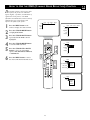
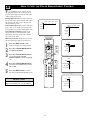
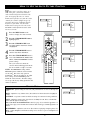
Picture Sound Features Channels
TV
Settings
If a SAP signal is not present with a selected
program, the Alt Audio option cannot be
selected and will appear grayed out in the
onscreen menu.
Demo
Sound Features Channels
Install
TV
Volume
Equalizer
Headphone volume
Sound mode
Alt Audio
Mono/Stereo
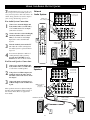
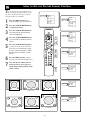
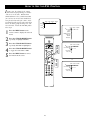
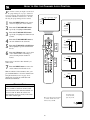
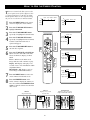
If SAP is available on the tuned channel:
1
2
3
4
5
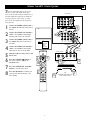
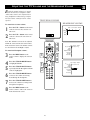
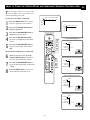
Press the MENU button on the
remote to display the onscreen menu.
Press the CURSOR RIGHT button
repeatedly to highlight SOUND.
Sound Features Channels
2
4
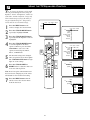
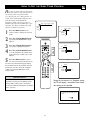
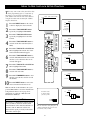
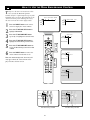
Press the CURSOR DOWN button
repeatedly until the Alt Audio control
is highlighted.
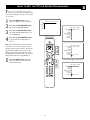
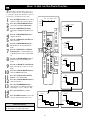
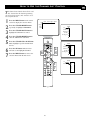
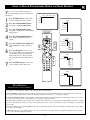
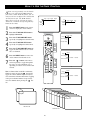
Press the CURSOR RIGHT button
to toggle and select either Main or
SAP.
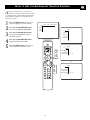
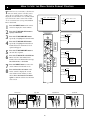
Press the MENU button when finished to remove the onscreen menu
from the TV screen.
3
26
1
5
TV
Volume
Equalizer
Headphone volume
Sound mode
Alt Audio
Mono/Stereo
Main • SAP
OR
Sound Features Channels
TV
Volume
Equalizer
Headphone volume
Sound mode
Alt Audio
Mono/Stereo
SAP • Main