1
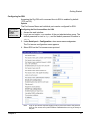
Managing the SNMP Protocol
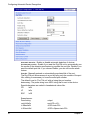
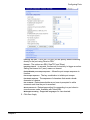
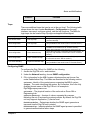
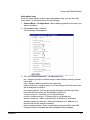
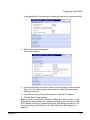
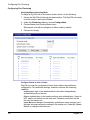
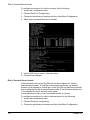
EnableLinkUpTrap. -
Determines whether the SNMP agent generates a trap
each time the network connection comes up.
EnableLoginTrap - Determines whether the SNMP agent generates a trap for
each login.
Note:
Trap values override all other configuration information, meaning all other
authentication failure traps can be disabled with this setting.
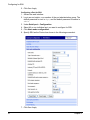
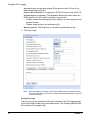
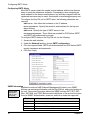
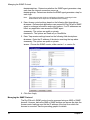
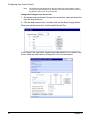
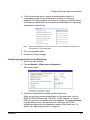
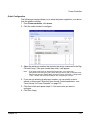
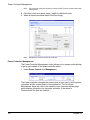
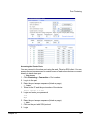
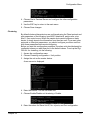
4. Enter Access control settings based on the following field descriptions:
IP Address - Defines what applications can access the Digi CM unit’s SNMP
agent to exchange information and control actions. If no IP addresses are
listed, any application can access the SNMP agent.
Community - The options are public or private.
Permissions - The options are Read only or Read/Write.
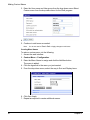
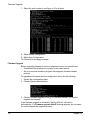
5. Enter Trap receiver settings based on the following field descriptions:
IP Address - Enter the IP address of the device receiving the trap alerts.
Community - The options are public or private.
Version - Choose the SNMP version, either version 1 or version 2c.
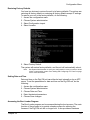
6. Click Save & apply.
Managing the SNMP Protocol
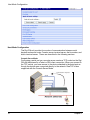
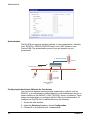
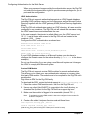
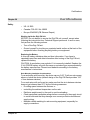
The Digi CM unit’s SNMP protocol can be managed using an NMS or SNMP
browser. However, before the NMS or SNMP browser can access the data, the
Access control settings must list the IP address of the host from which the
browser is executed. See the preceding graphic for details.
64
Chapter 6