1
\
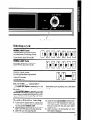
Option
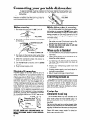
Before starting
Switch
your dishwasher
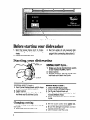
1. Spin the Upper Spray Arm to make
sure nothing
will stop it from turning
freely.
2. Close and latch the door.
Starting
Selector
3. Run hot water at sink nearest
dishwasher until it is hot. Turn it off. (See
page 10 for connecting
instructions.)
your dishwasher
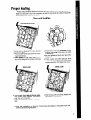
NORMAL
HEAVY Cycle...
Make sure Cycle Control Knob points
to dot marked NORMAL HEAVY.
2. Select option.
3. Without turning it, pull the Cycle Control Knob out to start the Cycle.
1.
RINSE
L “OLD
USEAIRDR”
rinse
NORMAL
LIGHT Cycle...
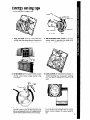
1. Turn Cycle
Control Knob until it stops
at dot marked NORMAL LIGHT.
2. Select option.
3. Without turning it, pull the Cycle Control Knob out to start the Cycle.
Changing
a setting
You can change
a setting anytime
any cycle.
1. Unlatch the door to stop the cycle.
8
during
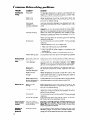
RINSE & HOLD Cycle...
1.
2.
3.
4.
Select AIR DRY Option only.
Unlatch door and open slightly.
Pull Cycle Control Knob out.
Turn Control
Knob clockwise
to dot
marked RINSE & HOLD.
5. Close and latch the door to start the
cycle.
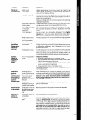
2. With the Cycle Control Knob pulled
out,
turn clockwise
to the cycle you want.
3. Be sure the detergent
dispensers
are filled
properly
for the new cycle.
4. Latch the door to start the cycle.