1
all.book
Page 52
Wednesday, December 11, 2002
11:25 AM
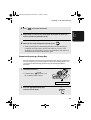
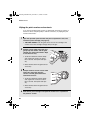
Sending a Fax From Memory
Sending a Fax From Memory
You can scan a document into the fax’s memory and send the document from
memory. This increases transmission speed and allows you to send a fax to
multiple destinations in a single operation. After transmission, the document is
automatically cleared from memory.
Note: If a power failure occurs while sending a fax from memory, you will need
to repeat the operation.
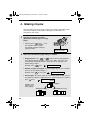
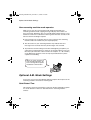
Broadcasting (sending a fax to multiple destinations)
This function allows you to send the same fax to as many as 20 different
destinations in just one operation.
♦ When sending to multiple destinations, only auto-dial numbers can be used
to dial the numbers of the receiving machines.
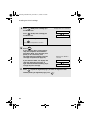
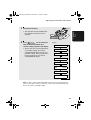
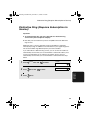
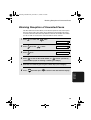
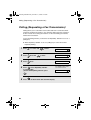
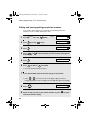
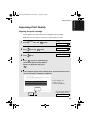
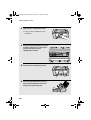
1
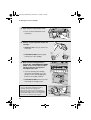
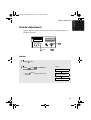
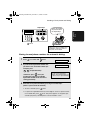
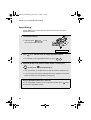
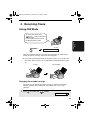
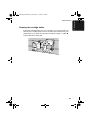
Load the document(s).
• If desired, press
RESOLUTION/
RECEPTION MODE
to set
the resolution and/or contrast.
READY TO SEND
START/
MEMORY
2
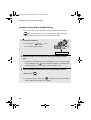
Press
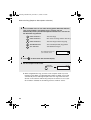
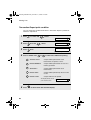
3
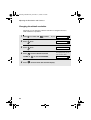
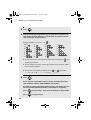
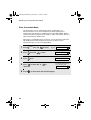
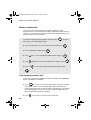
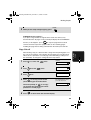
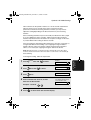
Select a destination using one of the following methods:
.
Press a Rapid Key.
Press
Press
SPEED DIAL
or
and enter a 2-digit Speed Dial number.
until the name of the destination appears in the display
(if no name was stored, the number will appear).
52