1
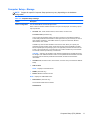
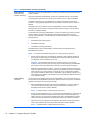
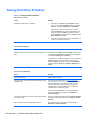
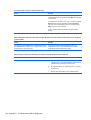
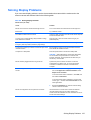
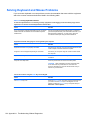
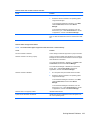
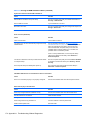
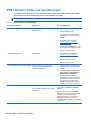
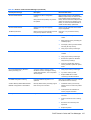
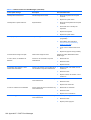
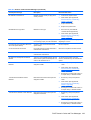
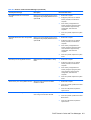
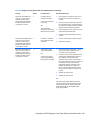
Table A-12 Solving Memory Problems
System will not boot or does not function properly after installing additional memory modules.
Cause
Solution
A memory module is not installed in the DIMM1 or XMM1
socket.
Ensure that a memory module is installed in the DIMM1 or
XMM1 socket on the system board. This socket must be
populated with a memory module.
Memory module is not the correct type or speed grade for
the system or the new memory module is not seated
properly.
Replace module with the correct industry-standard device for
the computer. On some models, ECC and non-ECC memory
modules cannot be mixed.
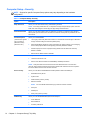
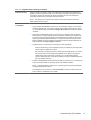
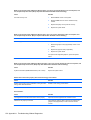
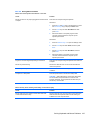
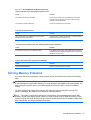
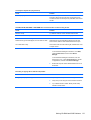
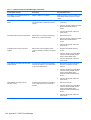
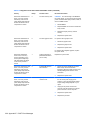
Out of memory error.
Cause
Solution
You have run out of memory to run the application.
Check the application documentation to determine the
memory requirements.
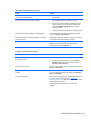
Memory count during POST is wrong.
Cause
Solution
The memory modules may not be installed correctly.
Check that the memory modules have been installed
correctly and that proper modules are used.
Integrated graphics may use system memory.
No action required.
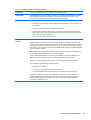
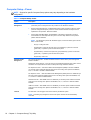
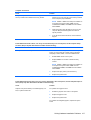
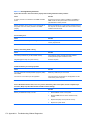
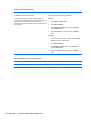
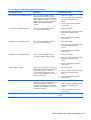
Insufficient memory error during operation.
Cause
Solution
Too many Terminate and Stay Resident programs (TSRs)
are installed.
Delete any TSRs that you do not need.
You have run out of memory for the application.
Check the memory requirements for the application or add
more memory to the computer.
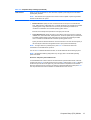
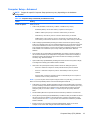
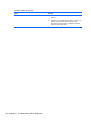
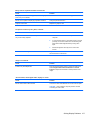
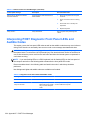
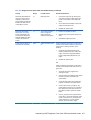
Power LED flashes Red five times, once every second, followed by a two second pause, and the computer beeps
five times. (Beeps stop after fifth iteration but LEDs continue flashing.)
Cause
Solution
Memory is installed incorrectly or is bad.
1.
Reseat DIMMs. Power on the system.
2.
Replace DIMMs one at a time to isolate the faulty
module.
3.
Replace third-party memory with HP memory.
4.
Replace the system board.
172 Appendix A Troubleshooting Without Diagnostics