1
II
10. USB mode operations
This receiver can play a music file stored in a
USB memory.
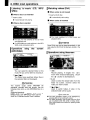
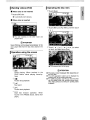
I Disconnecting the USB memory
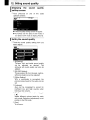
I Listening to music
Disconnect the USB memory parallel to the
USB connector.
Connect the USB memory to the USB
connector.
•
• The mode switches to the USB mode and
playback starts.
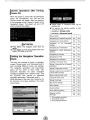
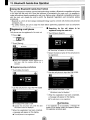
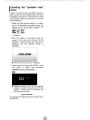
I Operations using the screen
~
,,".Il
CD [List]:
Select the desired folder from the folder
list screen, and select the music file you
want to listen to.
C?> [.... ]/[.~]:
The folder can be switched. Music files in
the selected folder will be played.
-:::------c:--
~ATTENTION
_.
-----._----
Do not disconnect the USB memory during
playback.
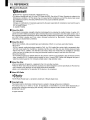
• Playable MP3IWMA File Standards
• MP3
Supported standards:
MPEG-1, MPEG-2, and MPEG-2.5
Supported sampling frequencies:
MPEG-1: 32, 44.1
MPEG-2: 16, 22.05, 24
MPEG-2.5: 8, 11.025, 12
Supported bit rates:
MPEG-1 :32 to 320 K bps
MPEG-2: 8 to 160 K bps
MPEG-2.5: 8 to 160 K bps
• Supported VBR (8 to 320K bps)
• Does not support free format.
Supported channel modes:
Monaural, Stereo, Joint Stereo, Dual-Channel
• WMA
Supported standards:
WMA Ver. 7,8,9
Supported sampling frequencies:
8, 11.025, 12, 22.05, 32, 44.1, 48 (kHz)
Supported bit rates:
8 to 320K bps
• Supported VBR (64 to 320K bps)
• Does not support free format.
Supported channel modes:
Monaural, Stereo