1
Base Settings
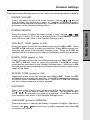
The v 2651 Base unit has several settings that can be adjusted according
To your preference and system requirements.
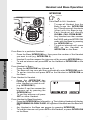
Select Base Ringer Melody:
•
•
•
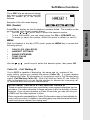
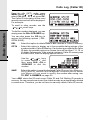
The phone must be off.
Press the star key three times (
). The Base will emit a happy
tone and the IN USE LED will flash.
Press the 1,2,3,4,5, or 6 keys to select the Ringer Melody. After each key
press, the Base will emit a 1- second preview of the selected ringer.
To save the selected ringer (and exit) press # .
To exit without saving press .
***
*
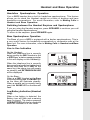
Select Base Ringer Volume (and Volume OFF):
•
•
•
•
•
•
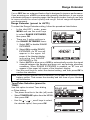
The phone must be off.
Press the star key three times (
). The Base will emit a happy
tone and the IN USE LED will flash.
Press the VOLUME
to adjust the Base Ringer volume. After each
press of the volume keys, the Base will emit the selected Ringer and volume
setting for one second.
To turn the Base ringer OFF, press the VOLUME
until the ringer
preview cannot be heard.
To save the Ringer Volume selection ( and exit ) press # .
To exit without saving press .
***
*
!
Basic Operation
•
•