1
Vario II series
Maintenance and cleaning
10.7 Adjusting printhead
Parallelism
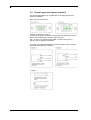
An important characteristic for a high quality print is the parallelism of
the focal line of the thermal printhead to the pressure roll. Because of
the fact that the position of focal line of the printhead depends on
fluctuations caused by production, it is necessary to adjust the
parallelism.
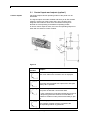
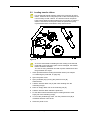
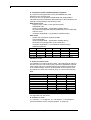
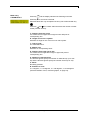
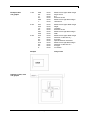
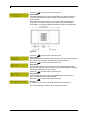
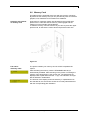
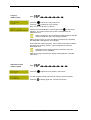
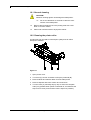
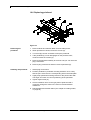
1. Loosen the screws (A, Figure 15) with a hexagon key by approx.
¼ rotations.
2. Adjust the parallelism with the adjusting screws (D, Figure 15).
Clockwise = printhead moves forwards
Counter clockwise = printhead moves backwards
3. Adjust the parallelism as long as the printing result comes up to
your full expectation.
4. Tighten again screws (A, Figure 15).
5. Start a print order with approx. 10 labels and control the correct
passage of transfer ribbon.
Pressure
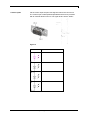
Increasing the head contact pressure leads to an improvement of the
print image density on the corresponding side and to a shifting of the
ribbon feed path in the corresponding direction.
CAUTION!
Damage of printhead by unequal use!
⇒
Change factory settings only in exceptional cases.
The selection of the smallest value can optimise the life cycle of
printhead.
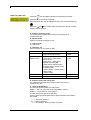
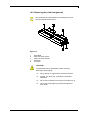
1. Turn pressure screws (E, Figure 15) to change the pressure of
printhead.
2. Turning the pressure screws (E, Figure 15) in clockwise direction
results in a pressure increase.
3. Turning the pressure screws (E, Figure 15) counter clockwise
results in a pressure decrease.
06/10
Operating manual
95