1
Useful adjustment settings
Advanced Option settings
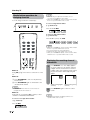
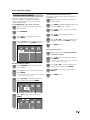
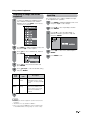
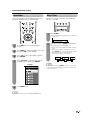
Perform the following steps to set the Option menu
items on this page.
1
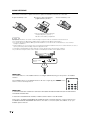
Press MENU to display the MENU screen, and
then press c/d to select “Option”.
2
Press a/b to select a specific adjustment
item, and then press ENTER.
3
Press a/b (or c/d) to select the desired
setting, and then press ENTER.
4
Press MENU to exit.
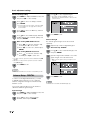
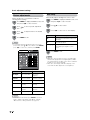
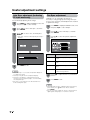
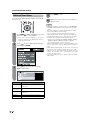
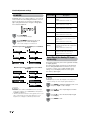
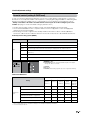
Output Select
Allows you to select what controls the audio output.
Selected item
Description
Fixed
• Sound via speaker is adjusted with
VOL k/l on the remote control
unit or VOLl/k on the TV.
• Sound via the AUDIO OUTPUT
terminal is not adjustable and
outputs at a consistent level.
Variable
• Sound via the AUDIO OUTPUT
terminal is adjusted with VOL k/l
on the remote control unit or VOL
l/k on the TV.
• Sound via speaker is muted.
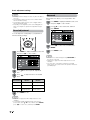
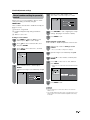
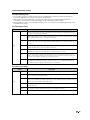
Color System
Select the video signal system compatible with your
equipment from the list below;
— Auto
— NTSC
— PAL-M
— PAL-N
• Skip this step for “Audio Only”.
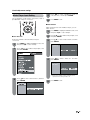
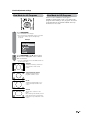
Audio Only
When listening to music from a music program, you
can set the screen off and enjoy audio only.
Selected item
Description
On
Audio is output without screen image.
Off
Both screen images and audio are output.
• “Color System” can only be set for the INPUT 1 VIDEO,
INPUT 2 and INPUT 3.
• If you already set the Secret No., input the 4-digit secret
number here. See page 45 for setting a secret number.
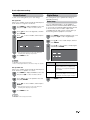
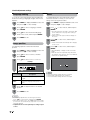
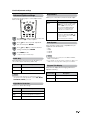
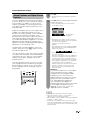
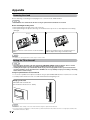
Program Title Display
Select the CH display when changing channels for
digital broadcasting.
Selected item
• The screen image will return to normal when a button
(except those for audio adjustment, such as VOL, MUTE,
SURROUND, AUDIO) is pressed.
Description
Yes
“Program Info.” displays
No
“Program Info.” does not display
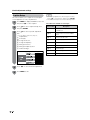
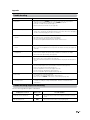
Digital Noise Reduction
Produces a clearer video image.
Selected item
Description
Off
No adjustment
High
For enhanced Digital Noise Reduction
Low
For moderate Digital Noise Reduction
41