1
PREPARING TO INSTALL ADOBE LIVECYCLE ES4 (SINGLE SERVER)
System Requirements
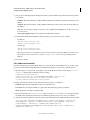
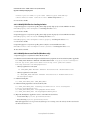
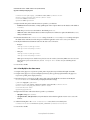
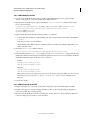
4 Press Enter to proceed. A message such as the following will appear:
installp: Device /dev/cd0 not ready for operation.
Please insert media and press Enter to continue.
5 Insert the appropriate AIX install disk in the disk drive.
6 When the command is complete, exit the SMIT utility and type locale -a to verify that EN_US.UTF-8 is set as
the locale.
Installing UTF-8 on Solaris
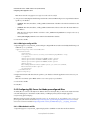
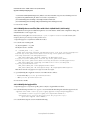
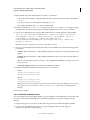
1 Verify the US English UTF-8 locale is not installed by typing locale -a in a command prompt. Verify that the
command output does not contain the entry EN_US.UTF-8.
2 Insert the Solaris install CD #1 in the disk drive and mount it to an appropriate location, for example:
/cdrom/sol_10_807_sparc/s0
3 Type the following command as root: localeadm -a nam -d /cdrom/sol_10_807_sparc/s0
Note: This command installs all locales in the North America (nam) region even if you specify only the en_US.UTF8 locale.
4 When the command is complete, type locale -a to verify that EN_US.UTF-8 is set as the locale.
Note: See this link for FAQs on Solaris Locales.
2.2.3.2 Solaris
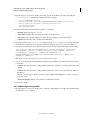
Note: Ensure that X Window libraries are installed on your operating system. This is required for Adobe® LiveCycle® PDF
Generator 11 and Adobe® LiveCycle® Forms Standard 11. See the documentation for your operating system for more
information.
Important: Do not use the Solaris tar command to extract files or errors (such as missing files) will occur. Download the
GNU tar tool and use it to extract all files on a Solaris environment.
2.2.3.3 Linux
On Linux operating systems, ensure the following:
• All Linux distributions: Ensure that X Window libraries are installed on your operating system. This is required
for PDF Generator and Forms. See documentation for your operating system for more information.
• SUSE Linux: You must install the glibc-locale-32bit library that ships with SUSE Linux Enterprise Server;
otherwise, LiveCycle will not generate PDF files. This library file is not installed by default, you must use YaST to
install it. (See the SUSE Linux Enterprise Server documentation for details.)
If you plan to install LiveCycle on SUSE Linux 11, you must also install the libstdc++- libc6.2-2.so.3 libraries. SUSE
Linux 11 does not include these libraries by default. For more information, see this Novell Web page. These libraries
are required for running Adobe Central Pro Output Server
2.2.3.4 Configuring the file limit values on Solaris and Linux
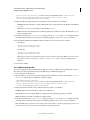
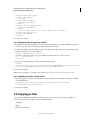
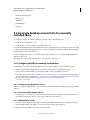
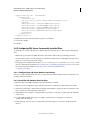
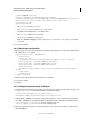
To avoid StuckThread issues on a Solaris or Linux environment, add or increase the rlim values in the /etc/system file.
1 (Linux) Locate and open the /etc/security/limits.conf file.
(Solaris) Locate and open the /etc/system file.
2 (Linux) Add the following lines to the /etc/security/limits.conf file:
Last updated 12/19/2014
7