1
•
Do not listen to your audio device at high volume
when driving, cycling or crossing the road, especially
in heavy traffic, or in any other traffic condition where
such use will hinder safe travel on the roads. We recommend that consumers be extremely cautious
when using this device on the road.
Embedded Battery
• Do not attempt to remove the embedded battery.
The product must be disposed of according to local
environmental regulations. To replace the battery,
return your product to your regional support office.
For product service information,
go to www.creative.com.
• Do not expose to excessive heat such as sunshine,
fire or the like
CAUTION: Risk of explosion if battery is replaced by incorrect types.
Bluetooth Wireless Device
•
•
•
The shortwave radio frequency signals of a Bluetooth
device may impair the operation of other electronic
and medical devices.
Switch off the device where it is prohibited. Do not use
the device in medical facilities, aircraft, refueling
points, close to automatic doors, automatic fire alarms
or other automatically controlled devices
Keep this device at least 20cm from pacemakers
and other medical devices. Radio waves may impair
the operation of pacemakers and other medical
devices.
NOTICE FOR TAIWAN
充電式電池リサイクルについてのご注意
敬告使用者:
クリエイティブの一部製品にはリチウムイオン充電池が使用さ
れています。
1. 本產品使用用時,不致造成違反低功率電波輻射性電機管理
辦法之控制、 調整及開關之使用方法。
2. 本產品不得任意調整更改各項零件或對於發射之功率影響
之作為,若有操作問題
請與本公司人員聯繫;並由本公司負
起監督及維修之責任。
3. 根據交通部低功率電波輻射性電機管理辦法規定:
第十二條
經型式認證合格之低功率射頻電機,非經許可,公司、商號或
使用者均不得擅自變更頻率、 加大功率或變更原設計之特
性及功能。
第十四條
低功率射頻電機之使用不得影響飛航安全及干擾合法通
信;經發現有干擾現象時,應立即停用, 並改善至無干擾時方得
繼續使用。
前項合法通信,指依電信法規定作業之無線電通信。
低功率射頻電機須忍受合法通信或工業、科學及醫療用電波
輻射性電機設備之干擾。
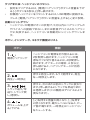
FOR INTEGRATED BATTERY
This product contains a Lithium ion/
polymer battery that should only be
removed by an authorized recycling
centre. By recycling this product at your
local authorized recycling centre or the
place of purchase, the battery will be
removed and recycled separately.
Li - ion
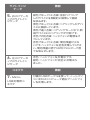
リチウムイオン充電池はリサイクル可能な資源です。
•
クリエイティブ製品に内蔵されている充電池をリサイクルす
るには、充電池の取り外しはお客様ご自身では行わないで下
さい。
リサイクルの方法などのお問い合わせは、
クリエイティ
ブメディア株式会社のカスタマーサービスセンター
http://jp.creative.com/support/contact/
(日本語のみ)
にご相談下さい。
•
取り外しが 可 能 なクリエイティブ 製 品 の 充 電 池 をリ
サイクルするには –
•
安全の為、電力を完全に使い切ってから充電池を取り外し
て下さい。
•
安全の為、充電池の金属端子部分にはセロハンテープなど
の絶縁テープを貼って下さい。
•
安全策を講じた使用済み充電池は、充電式電池のリサイク
ル協力店へお持ち下さい。 充電式電池の回収/リサイクルお
よびリサイクル協力店については、
中間責任法人JBRCのホ
ームページ http://www.jbrc.com/ を参照して下さい。
!
2
注意事项
3
4
1
5
6
7