1
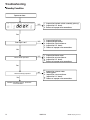
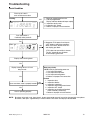
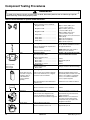
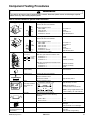
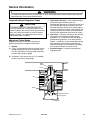
Display Diagnostics
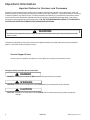
!
WARNING
To avoid risk of electrical shock, personal injury or death; disconnect power to oven and discharge capacitor
before servicing, unless testing requires power.
!
1.
2.
3.
4.
5.
6.
7.
8.
9.
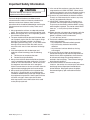
CAUTION
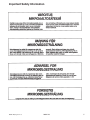
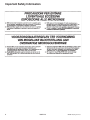
All repairs as described in this troubleshooting section are to be performed only after the caution procedures one through
eight listed below have been followed.
Check grounding before checking for possible causes.
Be careful of the high voltage circuit.
Discharge high voltage capacitor.
When checking the continuity of the switches or the high voltage transformer, disconnect one lead wire from these parts
and then check continuity with the AC plug removed. To do otherwise may result in a false reading or damage to your
meter.
Do not touch any parts of the circuitry on the P.C. Board circuit since static electric discharge may damage this control
panel. Always touch yourself to ground while working on this panel to discharge any static charge in your body.
240/230 VAC is present in the high voltage circuit board, power relay and primary circuit of low voltage transformer.
When troubleshooting, be cautious of possible electrical hazard.
When testing convection operation, convection fan may start at any time or if oven is hot.
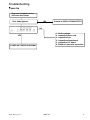
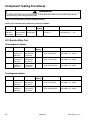
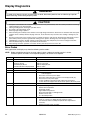
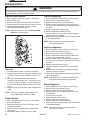
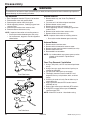
Error Codes
During operation, the display may show the following service codes:
NOTE: Before scheduling service for any error codes, instruct customer to unplug oven for 1 minute,
reconnect power, and retest. If unit operates properly, no service call is required.
Display
Err1
Err2
Err3
Err4
Err5
Description
Failed H.V. Board
Shorted Touch Panel
Failed H.V. Board
Shorted Display Board
Shorted Cable HV to Display Board
Failed H.V. Board
Failed H.V. Board
Shorted Touch Panel
Err6
HOT
Failed H.V. Board
Door
Door Interlock Primary Switch
22
Corrective Action
Replace H.V. board.
Replace Touch Panel.
Replace H.V. board.
Replace Display Board.
Replace Cable.
Replace H.V. board.
Replace H.V. board.
NOTE: If Touch Panel is pressed for more than 30 seconds, this error
code will appear.
1. Disconnect oven from power supply.
2. Disconnect side touch panel connector from display board (J5).
3. Reconnect oven to power supply.
4. If “Err5” reappears after 30 seconds, replace top touch panel.
5. If “Err5” does not reappear after 30 seconds, replace side touch panel.
Replace H.V. board.
•
Open TCO (magnetron).
•
Blower motor inoperative.
•
Restricted air filter.
•
High ambient temperature.
•
Oven operated empty or with light loads.
•
Broken or loose wire.
•
H.V. board inoperative.
•
Verify latch mechanism moves freely on door.
•
Verify J1 connector on display board is properly seated.
•
Test interlock switch assembly and perform door adjustment if
necessary.
•
Replace interlock switch assembly.
16022149
©2005 Maytag Services