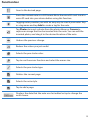
1
5
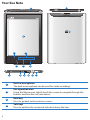
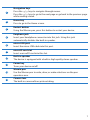
Navigation keys
Press the / keys to navigate through menus.
Press the / keys to go to the next page or go back to the previous page
while reading a book.
6
Home key
Press to go to the Home screen.
7
Restart button
Using the Wacom pen, press this button to restart your device.
8
Earphone jack
Insert your headphone connector into this jack. Using this jack
automatically disables the built-in speaker.
9
micro-USB port
Insert the micro-USB cable into this port.
10
microSD card slot
Insert a microSD card into this slot.
11
Built-in speaker
The device is equipped with a built-in high quality stereo speaker.
12
Power key
Turns your device on/off.
13
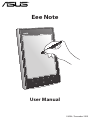
Wacom pen
Use the Wacom pen to write, draw, or make selections on the pen
operation area.
14
Camera lens
The built-in camera allows picture taking.