1
AMD Confidential
User Manual
November 21st, 2008
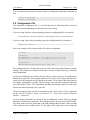
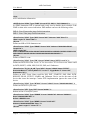
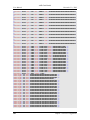
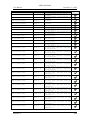
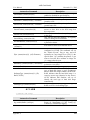
1 simnow> shell.modules
xtrsvc:0
shell:0
Cpu:0
sledgeldt:0
sledgenb:1
sledgenb:0
Cpu:1
Cpu:2
Cpu:3
sledgeldt:1
Cpu:4
Cpu:5
Cpu:6
Cpu:7
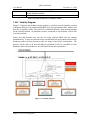
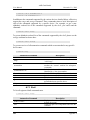
Notice the “shell.modules” list is flat, but the devices are in a tree structure that allows
us to have both a "-> Machine #1 -> 4 core Node #0 -> AweSim Processor #0"
and a "-> Machine #1 -> 4 core Node #1 -> AweSim Processor #0". Also notice that our default
view ignores the tree, and just shows us two devices: "4 core Node #0" and "4 core
Node #1".
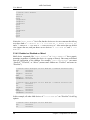
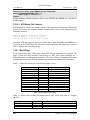
3.3.4.2 Enabled vs. Disabled vs. Mixed
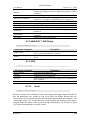
Shell device commands like “shell.Location” or “shell.AddDevice” have generic
meanings (regardless of whether the device is a group or library). But some are defined
from an aggregation of the children. For example, “shell.GetFastPath” can return
“Enabled”, “Disabled”, or “Mixed” (means some children are "Enabled" and some are
"Disabled").
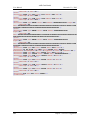
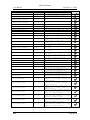
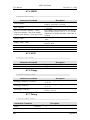
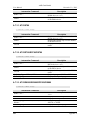
1 simnow> shell.GetLogIO "4 core Node #0 -> AweSim Processor #0"
PCI:
Disabled
IO:
Disabled
IOfpdis:
Enabled
MEM:
Disabled
MEMfpdis: Enabled
GETMEMPTR: Disabled
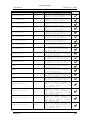
1 simnow> shell.GetLogIO "4 core Node #0 -> AweSim Processor #1"
PCI:
Disabled
IO:
Disabled
IOfpdis:
Disabled
MEM:
Disabled
MEMfpdis: Disabled
GETMEMPTR: Disabled
In this example, all other child devices of "4 core Node #0" are "Disabled" for all log
options.
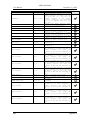
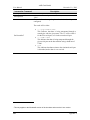
1 simnow> shell.GetLogIO "4 core Node #0"
PCI:
Disabled
IO:
Disabled
20
Chapter 3: Graphical User Interface