1
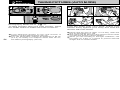
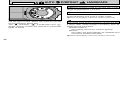
LOADING AND REMOVING THE SmartMedia™
SELECTING THE POWER SUPPLY
4
➀
●
➁
●
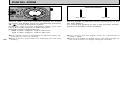
Using the AC Power Adapter
SmartMediaTM
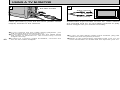
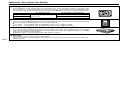
■ Only use 3.3V SmartMedia.
MG-4S (4MB), MG-8S (8MB), MG-16S (16MB),
MG-32S (32MB), MG-64S (64MB)
! Take
●
18
care not to drop the batteries when opening
and closing the battery cover.
! See P.107 for notes on using other power supplies.
●
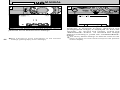
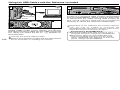
To shoot or play back images without depleting
the battery charge, use the special AC Power
Adapter AC-3V(sold separately).
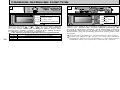
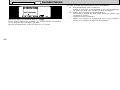
Check that the camera is switched off and then plug
the AC power adapter connector into the “DC IN 3V
socket” on the camera. Then plug the AC power
adapter into the power outlet.
! You cannot charge the batteries by connecting the AC
●
power adapter.
! The socket-outlet shall installed near the equipment and
●
shall be easily accessible.
! The shapes of the plug and socket-outlet depends on the
●
country of use.
! Using AC power adapters other than the AC-3V could
●
damage the camera.
! See P.109 for more information on the AC power adapter.
●
➀
●
➂
●
➁
●
DC IN 3V Socket
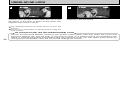
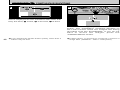
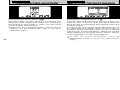
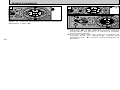
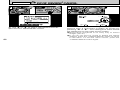
➀ Install the batteries with the correct polarity as
shown.
➁ Close the battery cover as indicated by the
arrow.
Loading the SmartMediaTM
1
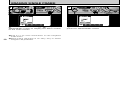
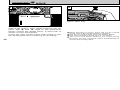
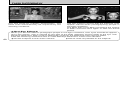
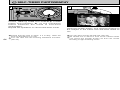
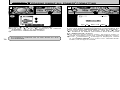
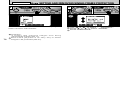
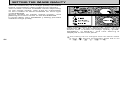
➀ Check that the camera is switched off, release
the slot cover lock and open the cover.
the SmartMedia firmly into the
SmartMedia slot as far as it will go.
➂ Close the slot cover.
➁ Push
! Images
●
cannot be recorded or erased if a writeprotect sticker is affixed to the SmartMedia.
! Operation of this camera is only guaranteed when it
●
is used with Fujifilm SmartMedia.
! Some 3.3V SmartMedia are labelled as “3V ” cards.
●
! See P.110 for more information on SmartMedia.
●
! If
●
you open the slot cover while the camera is
switched on, the camera is automatically switched
off to protect the SmartMedia.
! The SmartMedia will not slide fully into the slot if it is
●
inserted facing the wrong way. Be careful not to
apply undue force to the SmartMedia.
19