1
Basic Operation
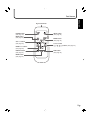
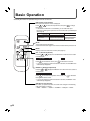
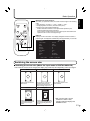
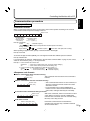
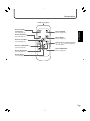
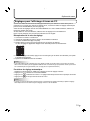
Generally the monitor is operated using the remote control unit.
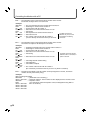
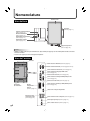
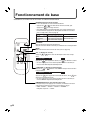
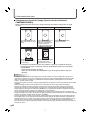
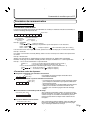
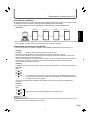
INPUT (Input mode selection)
The input mode selection menu is displayed.
Press
or
to select the input terminal, and press
to change
the terminal.
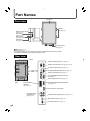
* If the remote control unit is not available, you can select the input
terminal by pressing the input switch on the monitor with a pointed object.
(See page 8)
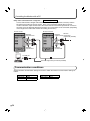
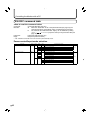
Audio
Video
DIGITAL
ANALOG
COMPONENT
VIDEO
PC digital RGB input terminal
PC analog RGB input terminal
Component video input terminal
Composite video input terminal
PC audio input terminal
Audio input terminals
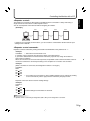
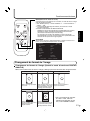
MUTE
Turns off the volume temporarily.
Press the MUTE button again to turn the sound back to the previous level.
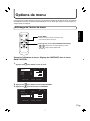
MENU
Displays and turns off the menu screen (see page 23).
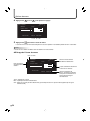
VOL +/- (Volume adjustment)
Pressing
or
displays the VOLUME menu when the menu screen
is not displayed.
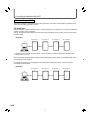
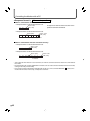
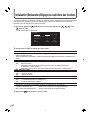
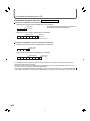
VOLUME
Press
15
to increase the volume, and
to decrease the volume.
* If you do not press any buttons for about 4 seconds, the VOLUME menu
automatically disappears.
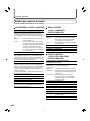
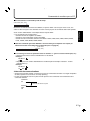
BRIGHT +/- (Backlight adjustment)
Pressing
or
displays the BRIGHT menu when the menu screen is
not displayed.
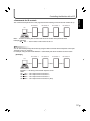
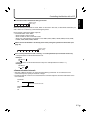
BRIGHT
Press
15
to increase the brightness of the screen, and
to decrease
the brightness of the screen.
* If you do not press any buttons for about 4 seconds, the BRIGHT menu
automatically disappears.
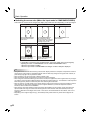
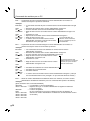
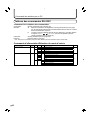
SIZE (Screen size selection)
Each time you press this button, the screen size changes in the following
order (see pages 21 and 22):
• WIDE → ZOOM 1 → ZOOM 2 → NORMAL → DotbyDot → WIDE...
E
20