1
MAP 3397: DDM bay Controller Card Problem
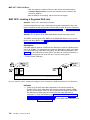
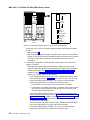
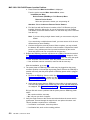
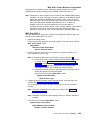
v If verification is successful, the problem is resolved. Return to the
service terminal and Continue Repair Process to return the
resources to the customer and cancel the problem.
v If verification is not successful, repair the problem that was created
by the test.
MAP 3398: Isolating a DDM bay Controller Card Communications
Failure
Attention: This is not a stand-alone procedure.
Customer disruption may occur if microcode and power boundaries are not in the
proper conditions for this service action. Ensure that you start all service activities in
“Chapter 2: Entry MAP for All Service Actions” on page 29 in the Enterprise Storage
Server Service Guide, Volume 1.
Attention: Do not power off the DDM bay unless instructed to do so.
SSA DASD DDM bay controller card communications problem.
Description
The DDM bay controller card has problems communicating with the bypass card or
the passthrough cards in the DDM bay. The cause of the failure may be the
controller card, bypass card, one of the pass through cards, or the DDM bay
backplane.
v Drawer model, SSA DASD DDM Bay
Isolation
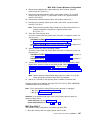
1. Locate the controller card in the FRU list. Select the controller card and
replace it.
After replacement, verify the repair:
v If the problem is resolved, end the call.
v If the problem is not resolved, continue with the next step.
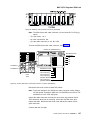
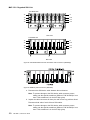
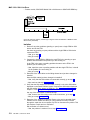
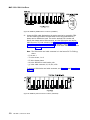
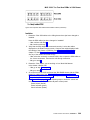
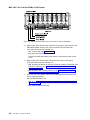
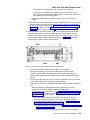
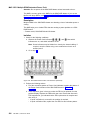
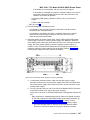
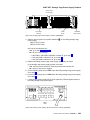
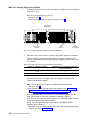
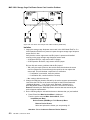
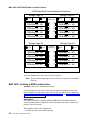
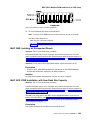
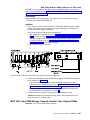
2. Verify that the controller card check indicator is on (amber), see “DDM Bay
Indicators and Switches” on page 12.
v If the check indicator is on, continue with the next step.
v If the check indicator is not on, call your next level of support.
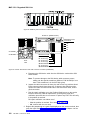
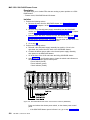
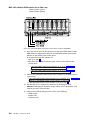
3. Select the bypass card from the FRU list for replacement.
a. Do not disconnect the SSA cables from the bypass card.
b. Follow the service terminal instructions to where you are told to remove the
card.
c. Pull the card out only until it is unplugged from the backplane.
d. Continue with the next step.
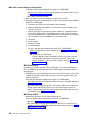
4. Check if the controller card check indicator is off with the bypass card out.
v If the check indicator is off, continue with the next step.
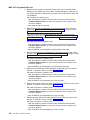
v If the check indicator is still on, plug the bypass card back in and go to step
6 on page 263.
5. Replace the bypass card and run verification. See ″Bypass and Passthrough
Cards, DDM Bay″ in chapter 4 of the Enterprise Storage Server Service Guide,
Volume 2.
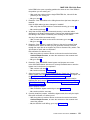
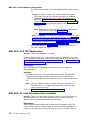
Was the verification successful?
v Yes, the problem is resolved, end the call.
262
VOLUME 1, ESS Service Guide