1
B
System Error Message
Appendix B - System Error Message
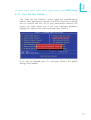
When the BIOS encounters an error that requires the user to correct something, either a beep code will sound or a message will be
displayed in a box in the middle of the screen and the message,
PRESS F1 TO CONTINUE, CTRL-ALT-ESC or DEL TO ENTER
SETUP, will be shown in the information box at the bottom. Enter
Setup to correct the error.
B.1 Error Messages
One or more of the following messages may be displayed if the
BIOS detects an error during the POST. This list indicates the error
messages for all Awards BIOSes:
CMOS BATTERY HAS FAILED
The CMOS battery is no longer functional. It should be replaced.
Caution:
Danger of explosion if battery incorrectly replaced. Replace only
with the same or equivalent type recommended by the manufacturer. Dispose of used batteries according to the battery
manufacturer’s instructions.
CMOS CHECKSUM ERROR
Checksum of CMOS is incorrect. This can indicate that CMOS has
become corrupt. This error may have been caused by a weak battery. Check the battery and replace if necessary.
DISPLAY SWITCH IS SET INCORRECTLY
The display switch on the motherboard can be set to either monochrome or color. This indicates the switch is set to a different setting
than indicated in Setup. Determine which setting is correct, either
turn off the system and change the jumper or enter Setup and
change the VIDEO selection.
FLOPPY DISK(S) fail (80)
Unable to reset floppy subsystem.
FLOPPY DISK(S) fail (40)
Floppy type mismatch.
112