1
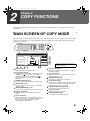
COPY FUNCTIONS
5
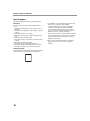
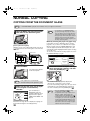
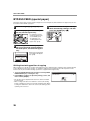
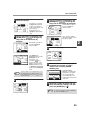
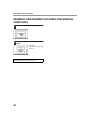
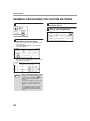
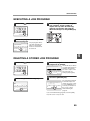
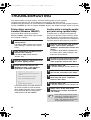
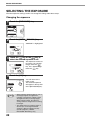
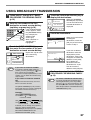
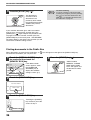
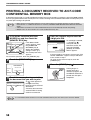
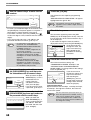
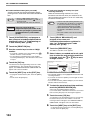
Make sure that a suitable paper size is
automatically selected, or select
another size using the [PAPER
SELECT] key.
7
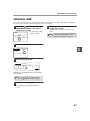
Remove the first original and then place
the original for the back side on the
document glass. Close the RSPF and
then press the [START] key ( ).
To cancel automatic
two-sided copying, press
the [CLEAR] key (
).
EXPOSURE
AUTO
8½x11
PAPER SELECT
100%
6
Select the number of copies and any
other desired copy settings, and then
press the [START] key ( ).
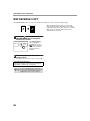
Note
When making two-sided copies of an odd
number of originals, touch the [READ-END]
key after scanning the last original.
The original for the front
side is scanned.
ACC.#-C
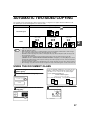
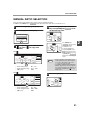
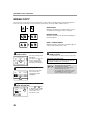
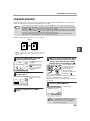
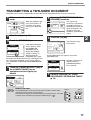
USING THE RSPF
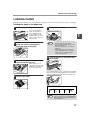
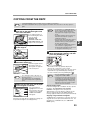
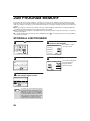
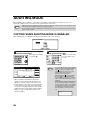
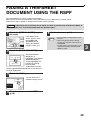
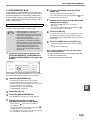
1 Place the original(s) in the document
feeder tray. (p.23)
2
4
Touch the [OK] key.
OK
Touch the [2-SIDED COPY] key.
BINDING
CHANGE
2-SIDED COPY
OUTPUT
3
5
Touch the desired copy mode.
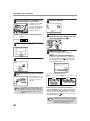
Make sure that a suitable paper size is
automatically selected, or select
another size using the [PAPER
SELECT] key.
EXPOSURE
Y TO COPY.
AUTO
8½x11
PAPER SELECT
D COPY
BIN
CH
100%
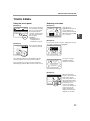
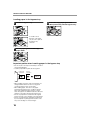
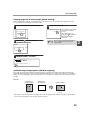
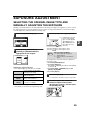
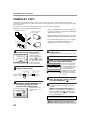
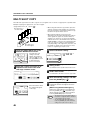
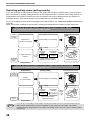
Touch the [BINDING CHANGE] key when making the
tablet binding, or when making automatic two-sided copies
of a one-sided 11" x 17" or 8-1/2" x 14" size portrait
original, touch the [BINDING CHANGE] key.
Portrait-oriented original
(11" x 17" or 8-1/2" x 14" size)
Before [BINDING CHANGE]
6
After [BINDING CHANGE]
ACC.#-C
28
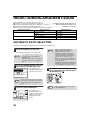
Select the number of copies and any
other desired copy settings, and then
press the [START] key ( ).