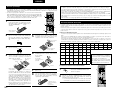
1
ENGLISH
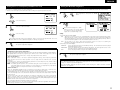
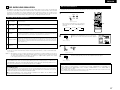
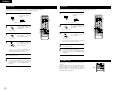
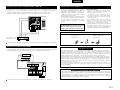
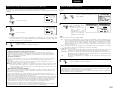
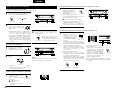
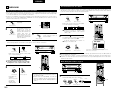
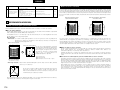
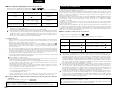
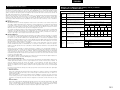
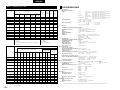
[4] Combining the currently playing sound with the desired image
After starting playback
1
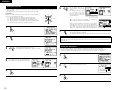
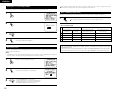
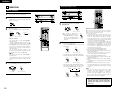
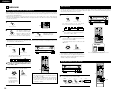
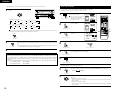
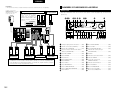
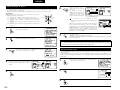
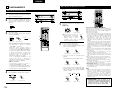
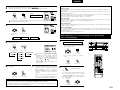
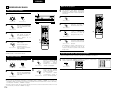
[1] Adjusting the sound quality (TONE)
The tone control function will not work in the Direct mode.
1
The tone switches as follows each time the
TONE CONTROL button is pressed.
B
VOLUME LEVEL
TONE
CONTROL
REMOTE
SENSOR
SIGNAL
STAND BY
BASS
LOCK
DIGITAL
AUTO
INPUT
DIGITAL
PCM
3
With the name of the volume to
be adjusted selected, turn the
SELECT knob to adjust the level.
3
If you do not want the bass and treble to be
adjusted, turn on the tone defeat mode.
TONE DEFEAT
The signals do not pass
through the bass and treble
adjustment circuits, providing
higher quality sound.
(Main unit)
PHONES
B
VOLUME LEVEL
REMOTE
SENSOR
SIGNAL
STAND BY
LOCK
DIGITAL
AUTO
INPUT
DIGITAL
PCM
1
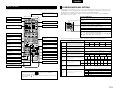
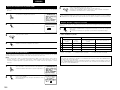
Press the SPEAKER A or B to turn the speaker
off.
1
2
1
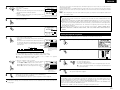
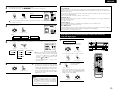
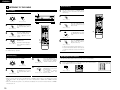
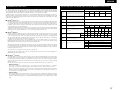
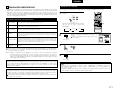
On screen display
ON SCREEN
• Each time an operation is
RETURN
performed, a description of
that operation appears on
the display connected to the (Remote control unit)
unit’s VIDEO MONITOR OUT
jack.
Also, the unit’s operating status can be
checked during playback by pressing the
remote control unit’s ON SCREEN button.
Such information as the position of the input
selector and the surround parameter settings
is output in sequence.
Front panel display
• Descriptions of the unit’s operations are also
displayed on the front panel display.
In addition, the display can be switched to
check the unit’s operating status while
playing a source by pressing the STATUS
button.
STATUS
NOTE:
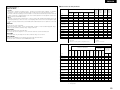
To prevent hearing loss, do not raise the volume level
excessively when using headphones.
• The output to the speaker and pre-out jacks is
turned off and no sound is produced from the
speakers.
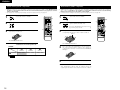
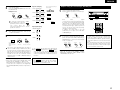
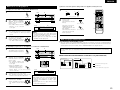
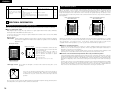
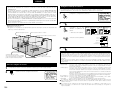
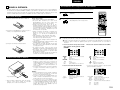
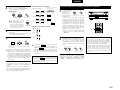
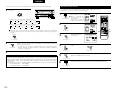
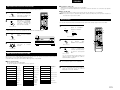
[3] Turning the sound off temporarily (MUTING)
22
MUTING
Use this to turn off the audio
output temporarily.
Press the MUTING button.
Cancelling MUTING
(Remote control
mode.
Press the MUTING button again.
SPEAKER
DOLBY / DTS
SURROUND
DSP SIMULATION 5CH / 6CH STEREO
DIRECT
STEREO
MASTER VOL.
INPUT MODE
unit)
ANALOG
AUDIO
AVR/AVC
CD
VIDEO
EXT.IN
TAPE CDR/MD
MULTI
DVD
TV
VDP VCR
MUTING
1
STATUS
DISPLAY
(Main unit)
(Main unit)
1
DIGITAL
INPUT
DIGITAL
PCM
1
Cancelling simulcast playback.
• Select “SOURCE” using the VIDEO
SELECT button.
• Switch the program source to the
component connected to the video input.
21
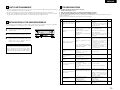
[2] Listening over headphones
2
SIGNAL
LOCK
AUTO
[5] Checking the currently playing program source, etc.
• To increase the bass or treble: Turn the control
clockwise. (The bass or treble sound can be
increased to up to +12 dB in steps of 2 dB.)
• To decrease the bass or treble: Turn the
control counterclockwise. (The bass or treble
sound can be decreased to up to –12 dB in
steps of 2 dB.)
Connect the headphones to
the PHONES jack of the front
panel.
VOLUME LEVEL
REMOTE
SENSOR
STAND BY
SELECT
(Main unit)
1
B
(Main unit)
TREBLE
(Main unit)
2
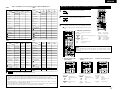
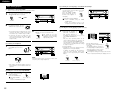
Simulcast playback
Use this switch to monitor a video source other
than the audio source.
VIDEO SELECT
Press the VIDEO SELECT
button repeatedly until the
desired source appears on
the display.
(Remote control unit)
SYSTEM
SETUP
TUNING
SURROUND
PARAMETER
VOLUME LEVEL
MENU/GUIDE
TITLE
BAND
RDS
MODE
PTY
MEMORY
RT
CH SELECT
ENTER
SELECT
USE/LEARN T.TONE
STATUS
ON SCREEN
DISPLAY
RETURN
MULTI
DVD
SET UP
1
1
1
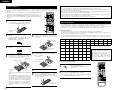
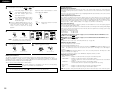
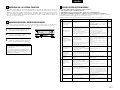
Using the dimmer function
• Use this to change the brightness of
the display.
The display brightness changes in
four steps (bright, medium, dim and
off) by pressing the remote control
unit’s DIMMER button repeatedly.
DIMMER
(Main unit)
The brightness changes in 3 steps each time the
button is pressed, and finally the display turns off.