1
USING SIMPLESAFE
RUNNING SIMPLESAFE
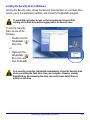
Starting the SimpleSafe Program
To start the SimpleSafe, you must logged onto Windows as the administrator
or a member of the administrator’s group.
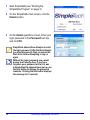
1 Plug your flash drive into the computer’s USB port.
2 If you have not already done so, copy the SimpleSafe application file to your
flash drive.
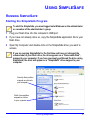
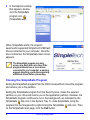
3 Open My Computer and double-click on the SimpleSafe drive you want to
access.
If you are running SimpleSafe for the first time and have not changed the
volume label of your flash drive, the drive appears as a “Removable Disk”,
mapped to your computer. If you have previously partitioned the drive using
SimpleSafe, the drive will appear as a “SimpleSafe” drive mapped to your
computer.
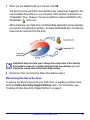
Security Area partition
mapped as a drive to
your computer
Public Area partition
mapped as a drive
to your computer
Running SimpleSafe
3