1
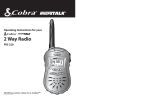
Operating Instructions for your
2-Way Radio
FRS 120
BATT LOW
Nothing comes close to a Cobra™
How to Use Your Cobra®
2-Way Radio
Family Radio Service
Family Radio Service
Contents
Ever wish you could talk to someone who wasn’t
within earshot? Like contacting ski partners back
at the lodge? Or letting a friend know how to find
you in a busy mall? Cobra®’s microTALK® FRS 120
is a great way for friends or family to have fun and
be safe by staying in touch while on the go.
Features ..........................................................................1
Family Radio Service ................................................A1
FCC Warnings
Included Accessories
Controls & Indicators................................................A2
Our Thanks to You......................................................A3
Customer Support ...................................................A3
Operating your microTALK®
Battery Installation...................................................2
Turning On..................................................................3
Illuminating the Display ........................................3
Auto Squelch .............................................................4
Maximum Range Extender/Auto Monitor ......4
Select Channel ..........................................................5
Calling Another Party .............................................6
Talking To Another Party .......................................7
Roger Beep Confirmation Tone...........................8
Listening For Another Party .................................8
microTALK® Range...................................................9
Making Life Easier And Safer ...............................10
microTALK® SNAP™ Removable Front .............11
External Microphone/Speaker Jack...................12
Caring for Your microTALK®..................................14
Frequency Ranges .....................................................16
microTALK® Specifications ....................................16
Limited Two Year Warranty....................................18
Optional Accessories ................................................19
Order Form ....................................................................20
If You Think You Need Service.............Back Cover
The FCC (Federal Communications Commission)
has created 14 license free frequency bands,
or channels, called Family Radio Service (FRS)
frequencies. These channels are in the UHF
(Ultra High Frequency) band which means great
penetration through buildings, thick forests, hills,
and other dense structures. They are also FM
(Frequency Modulation) signals which means
crystal clear reception even in crowded, noisy
environments.
FCC Warnings
Replacement or substitution of transistors, regular
diodes or other parts of a unique nature, with
parts other than those recommended by Cobra®,
may cause a violation of the technical regulations
of part 95 of the FCC Rules, or violation of Type
Acceptance requirements of Part 2 of the Rules.
Included with your microTALK®
1. Belt Clip
2. Wrist Strap
3. Two microTALK® SNAP™™ removable fronts.
A1
Features of This Product
• Two-way radio with
up to a 2 mile range
• 14 channels
• Backlit LCD
• Roger beep confirmation
tone
• Call feature
• SuperFlex™ antenna
• Speaker/Microphone
jacks
• Belt clip
• Wrist strap
1
Controls and Indicators
Our Thanks to You
1. Antenna
2. Microphone/Speaker
Jack
3. On/Off Volume Switch
1
2
4.L LCD Display Panel
5.? Light/Max Range Button
6. Channel Select Button
7. Speaker
8.
Battery Compartment
1
9. Talk Button
Customer Support
Properly used, this Cobra® product will give you
years of reliable service. Should you encounter
any problems with the product or not
understand its many features, please refer to this
owner’s manual. If, after referring to the manual,
you still need help, call Cobra® Customer Service
at 773.889.3087.
10. Call Button
11. microTALK® SNAP™
Removeable Front
3
4
9
3
Thank you for purchasing the Cobra® FRS 120
2-Way Radio. Your microTALK® radio comes with
the new microTALK® SNAP™ removable front,
which allows you to customize the appearance
of your radio! Several color choices are included
with your purchase. For instructions on removing
the microTALK® SNAP™ front, see page 11.
For additional color choices available as
accessories (sold separately), please see the
brochure and order form included.
BATT LOW
Cobra® Customer Service
Live operators are available
M-F 8:00 am - 6:00 pm CST
at: 773.889.3087
Automated Technical
Assistance available 24
hours a day, seven days a
week. E-mail questions to:
[email protected]
Cobra® on the World Wide
Web: Frequently Asked
Questions (FAQ) can be
found on-line at:
www.cobra.com
6
5
6
call
10
9
Talk
5
7
8
11
A2
A3
Operation
Operation
Turning On Your microTALK®
Install Batteries
Battery
Installation
Turning
On Your
microTALK®
TURN
SWITCH
Note
Batteries are not included
with microTALK® 2-way
radio. Always use 3 high
quality AA alkaline batteries
or optional battery pack
(sold separately).
Note
Whenever the unit is on
you can receive
communications.
BATT LOW
1
+ - +
Note
Turn the On/Off/Volume switch. An audible
“tone” will call
indicate the unit is on.
- + -
Illuminating
the Display
Illuminating the Display
When batteries are low the
indicator willblink.
Note
1
Visit Cobra® Electronics
(www.cobra.com) for
information about optional
battery pack and desktop
charger accessories.
Pull lock tab down
to remove battery
cover.
2
Insert three “AA”
batteries. Position
batteries according
to polarity markings.
1
2
Push and release
LIGHT/MAX RANGE
button to illuminate display for ten seconds.
3
Operation
Operation
Auto Squelch
Auto Squelch
Your microTALK® is equipped with Auto Squelch,
which automatically shuts off weak transmissions
and unwanted noise due to terrain conditions or
if you have reached your range limit.
Maximum
Range
Extender
Select Channel
1
Select
Channel
Turn on the microTALK® 2-Way Radio.
Note
Units must be tuned to the
same channel number in
order to communicate.
Maximum Range Extender
Auto Squelch can be temporarily removed to allow
all signals to enter (Maximum Range Extender).
BATT LOW
Note
call
To learn more about the
range of your microTALK®,
see page 9.
Range is dependent on
battery condition and
geographic terrain.
1
Push and hold
LIGHT/MAX RANGE
button to allow all signals to enter.
2
Select any of the 14 channels by pushing the
channel up or down buttons.
Auto Monitor
Auto Monitor
When the signal you want to hear is consistently
weak, you may place the radio in Maximum
Range mode without having to constantly hold
the button: Press and hold the Maximum Range
Extender button for five seconds. Two beeps
confirm Auto Monitor is on. To return to normal
operation, momentarily press the Maximum Range
Extender button again or change channels.
4
5
Operation
Operation
Calling Another Party
Calling
Another
Party
Talking To
Another Party
Talking To Another Party
To alert another party that you wish to
communicate:
Note
While the TALK button is
depressed you cannot
receive incoming calls.
BATT LOW
Note
Both units must be ON and
tuned to the same channel.
call
Your incoming “Call” signal
volume is dependent on the
unit volume setting.
1
1
2
The TX/RX indicator
will be displayed.
4
Release TALK
button and listen
for response.
call
Push and release call CALL button. The unit
you are calling will hear a two second ringing
tone.
3
6
Push and hold
TALK button.
Hold mic about
2 inches from
mouth. Speak in
a normal voice.
7
Operation
Operation
Roger Beep
Confirmation
Tone
Roger Beep Confirmation Tone
Your listener will hear an
audible tone when you
release the TALK button.
microTALK® Range
microTALK®
Range
Your microTALK® Radio has a range of up to
2 miles. This effective range can be shortened
under some conditions.
Note
To achieve maximum
range the auto squelch
can be overridden. Refer to
Maximum Range Extender
section on page 4.
BATT LOW
call
This alerts the other party
that you are finished talking
and it’s OK for them to begin
talking.
Listening For Another Party
Listening For
Another Party
When finished talking:
1. Under flat, open
conditions you
will experience
the microTALK®’s
maximum range.
2. Range can be
reduced by
buildings and
foliage in the
path of the signal.
Note
While the TALK button
is depressed you cannot
receive incoming calls.
1
Release TALK button to receive incoming
transmissions.
Your microTALK® is always in listening mode
when the TALK button is not pressed.
2
8
3. Range will be
further reduced by
dense foliage and
hilly terrain.
Adjust volume by turning the On/Off Volume
Switch
9
Making Life Easier and Safer
microTALK®
2-Way Radio
Can Make
Life Easier
and Safer
microTALK® 2-Way Radio Can Make Life
Easier and Safer
As you become familiar with your microTALK®
Radio you will find many of your own uses for the
unit.
Some suggestions include:
5. Checking on
traveling
companions in
another car.
6. Agree on a meeting
spot after an event.
microTALK® SNAP™ Removable Front
1. Talking with fellow
hikers.
2. Keeping track
of the kids in a
shopping mall.
Your microTALK® Radio comes with the new
microTALK® SNAP™ removeable front.
3. Communicating
between basement
and first, second or
third floor.
4. Talking to a
neighbor or a
friend.
TO REMOVE: Use the
slight indentation
between the SNAP™
front and bottom front
of the unit to lift it off.
10
microTALK®
SNAP™
Removable
Front
TO ATTACH: First
engage the tabs into
the top of the unit.
Next snap in the
middle tabs. Finally
snap in the bottom tab.
11
External Microphone/
Speaker Jack
External Microphone/
Speaker Jack
External
Microphone/
Speaker Jack
External Microphone/Speaker Jack
Your microTALK® 2-Way Radio can be fitted with
an external microphone/speaker, freeing your
hands for other tasks.
To attach the external microphone/speaker:
Note
External microphone/
speaker is not included with
the unit. See page 19 for
optional accessories.
1
12
Open Spkr/Mic tab on top of unit.
2
Insert plug into the Spkr/Mic jack.
13
Caring for Your
Caring
for Your
microTALK®
Radio
Radio
Caring for Your microTALK® Radio
The microTALK® 2-Way Radio will give you years
of service if cared for properly.
Here are some suggestions:
Note
Modifying or tampering
with the radio’s internal
components can cause
malfunction and will
invalidate the warranty.
If your radio is not
performing as it should,
please call Cobra at
773.889.3087.
Do not return the unit to
the retailer.
1. Handle unit gently.
14
2. Keep away
from dust.
3. Never place the
unit in water or in
a moist place.
4. Avoid exposure
to extreme
temperatures.
15
Specifications
Specifications
C. TRANSMITTER
I. GENERAL SPECIFICATIONS
A. FREQUENCIES
CHANNEL ASSIGNMENT
CH 1: 462.5625MHz
CH 2: 462.5875MHz
CH 3: 462.6125MHz
CH 4: 462.6375MHz
CH 5: 462.6625MHz
CH 6: 462.6875MHz
CH 7: 462.7125MHz
CH 8:
CH 9:
CH 10:
CH 11:
CH 12:
CH 13:
CH 14:
467.5625MHz
467.5875MHz
467.6125MHz
467.6375MHz
467.6625MHz
467.6875MHz
467.7125MHz
B. RECEIVER
16
2. CARRIER FREQ. STABILITY
UNIT
mW
+_ Hz
3. MODULATION LIMITING
KHz
2.5
4. CARRIER ATTACK TIME
mS
30
5. AUDIO FREQUENCY RESPONSE
@ 300 HZ
@ 2500 HZ
dB
dB
-10
4
6. AUDIO DISTORTION
%
3
7. HUM NOISE
dB
38
8. TRANSIENT FREQ. BEHAVIOR
a) TX ON
b) TX OFF
mS
mS
30
5
1. EFFECTIVE RADIATED POWER
UNIT
NOMINAL
1. SENSITIVITY
FOR 12 DB SINAD
FOR CALL SIG. DETECTION
dBm
dBm
-119
-121
2. MAX. AUDIO OUTPUT @10% THD
mW
150
3. MAX. S/N RATIO @ 1mV RF INPUT
dB
45
4. SQUELCH
a) SENSITIVITY
b) ATTACK TIME
c) CLOSING TIME
dB m
mS
mS
-121
150
200
5. AUDIO FREQUENCY RESP.
@ 300 HZ
@ 2500 HZ
dB
dB
-3
-10
6. SIGNAL DISPLACEMENT BW
+/-KHZ 5
7. ADJACENT CH. REJECTION
dB
8. INTERMODULATION REJECTION
dB
55
9. SPURIOUS RESPONSE REJECTION
dB
65
NOMINAL
500
500
D. POWER SUPPLY
1. BATTERY LIFE (1:1:18 RATIO)
HR
24
2. BATTERY OPERATING RANGE
V
3.2 - 4.5
55
17
Limited Two Year Warranty
Wa
ar rra
nty
2 Ye
COBRA® ELECTRONICS CORPORATION warrants that
its COBRA® FRS Radios, and the component parts
thereof, will be free of defects in workmanship and
materials for period of two (2) years from the date of
first consumer purchase. This warranty may be enforced
by the first consumer purchaser, provided that the
product is utilized within the U.S.
QUALITY SEAL
Cobra® Electronics
Corporation
6500 West Cortland Street
Chicago, Illinois 60707 USA
COBRA® will, without charge, repair or replace, at its
option, defective FRS radios, products or component parts
upon delivery to the COBRA® factory Service Department,
accompanied by proof of the date of first consumer
purchase, such as a duplicated copy of a sales receipt.
You must pay any initial shipping charges required to
ship the product for warranty service, but the return
charges will be at Cobra®'s expense, if the product is
repaired or replaced under warranty.
Optional Accessories
Vox Headset Mic
VOX (Voice Operated
Transmitter) headset and
microphone allows
hands-free operation.
MA-VOX
Ear Bud Mic with PTT
Compact earbud and microphone
with Push-to-Talk switch.
MA-EBM
Lapel Speaker/Microphone
Remote microphone/speaker
with Push-to-Talk switch.
MA-SM
FA-AA
Insert with charging contacts
below facing out
This warranty gives you specific legal rights, and you
mayalso have other rights which vary from state to state.
Exclusions: This limited warranty does not apply;
1) to any product damaged by accident; 2) in the event
of misuse or abuse of the product or as a result of
unauthorized alterations or repairs; 3) if the serial
number has been altered, defaced or removed;
4) if the owner of the product resides outside the U.S.
All implied warranties, including warranties of
merchantability and fitness for a particular purpose are
limited in duration to the length of this warranty.
COBRA® shall not be liable for any incidental,
consequential or other damages; including, without
limitation, damages resulting from loss of use or cost
of installation.
Some states do not allow limitations on how long an
implied warranty lasts and/or do not allow the exclusion
or limitation of incidental or consequential damages, so
the above limitations may not apply to you.
18
NiMH Rechargeable
Battery Pack
High performance Nickel
Metal Hydride battery pack for
multiple charging.
FA-AA
2 Port Desktop Charger
Charges two NiMH battery packs.
Battery pack must be removed
from FRS120 for recharging.
Replacement Belt Clip
(Note: appearance may vary)
FA-BC2
FA-CS
You Can Find These Fine Accessories At Your Local Cobra® Dealer
If you wish, you can order directly from Cobra®.
Order by phone
Call 773.889.3087 (Press 1 from the main menu) 8 a.m.-6 p.m. M-F CST. )
Order by mail or fax
Call 773.889.3087 for pricing. Fill out order form on next page, and mail/fax directly to Cobra®.
Order over the Web
www.cobra.com
19
Accessory Order Form
Shipping & Handling
Amount
of Order
Shipping/
Handling
$25.00 and under
$25.01 - $40.00
$40.01 - $80.00
$80.01 - $120.00
$120.01 - $160.00
$160.01 and up
$4.75
$6.95
$9.25
$10.25
$11.75
$14.50
For AK, HI and PR please
add an additional $15.00
for UPS shipments.
Item #
Description
MA-VOX
MA-EBM
MA-SM
FA-AA
FA-CS
FA-BC2
Vox Headset Mic
Ear Bud Mic with PTT
Lapel Speaker/ Microphone
Battery
Charger
Replacement Belt Clip
Prices subject to change without notice.
Tax Table
Illinois residents add 8.75%
Indiana residents add 5%
Michigan residents add 6 %
Ohio residents add 5%
Wisconsin residents add 5%
For credit card orders fill out order form
and fax to: 773.622.2269
or call 773.889.3087
(Press 1 from the main menu)
8:00 am - 6:00 pm, M-F, CST.
Cost Ea.
Qty.
Amount
Subtotal
(Tax if applicable)
Shipping/handling
Total
Make check or money order (no stamps)
payable to:
Cobra® Electronics
Attn: Accessories Dept.
6500 West Cortland Street
Chicago,IL 60707 USA
Please print clearly
Name
Address (No P.O. Box)
City
State
Zip
Telephone (
)
Credit Card No.
Exp. Date
Customer Signature
Circle One: Visa MasterCard Discover
Allow 2-3 weeks for delivery. Offer valid in Continental U.S. only.
20
Cobra® Electronics Corporation
6500 West Cortland Street
Chicago, IL 60707 USA
The Cobra® line of quality products
also includes:
If You Think You Need Service
For technical assistance, please call our Automated Help Desk which can assist
you by answering the most frequently asked questions about Cobra® products.
•
•
•
•
•
Citizens Band Radios
microTALK® Radios
Radar/Laser Detectors
GPS
SafetyAlert®
Traffic Warning Systems
• Accessories
• HighGear™ Accessories
Nothing comes close to a Cobra™
(773) 889-3087
24 hours a day, 7 days a week.
A Consumer Service Representative can be reached through this same number
8:00 am - 6:00 pm, Monday through Friday, CST.
Technical assistance is also available on-line in the Frequently Asked Questions (FAQ) section at
www.cobra.com or by e-mail to [email protected]
If you think you need service call 773.889.3087
“If your product should require factory service please call Cobra® first before sending your
unit in. This will ensure the fastest turn-around time on your repair.”
You may be asked to send your unit to the Cobra® factory. It will be necessary to furnish the
following in order to have the product serviced and returned.
1. For Warranty Repair include some form of proof-of-purchase, such as a mechanical reproduction
or carbon of a sales receipt. If you send the original receipt it cannot be returned.
2. Send the entire product.
3. Enclose a description of what is happening with the unit. Include a typed or clearly printed name
and address of where the unit is to be returned.
4. Pack unit securely to prevent damage in transit. If possible, use the original packing material.
5. Ship prepaid and insured by way of a traceable carrier such as United Parcel Service (UPS) or First
Class Mail to avoid loss in transit to: Cobra® Factory Service, Cobra® Electronics Corporation,
6500 West Cortland Street, Chicago, IL 60707 USA.
6. If the unit is in warranty, upon receipt of your unit it will either be repaired or exchanged
depending on the model. Please allow approximately 3 to 4 weeks before contacting us for
status. If the unit is out of warranty a letter will automatically be sent informing you of the
repair charge or replacement charge. If you have any questions, please call 773.889.3087 for
assistance.
© 2002 Cobra® Electronics Corporate
Printed in Thailand.
Part No. 480-370-P-001