1
6.3.3
Deleting a RAID set
Take caution when deleting a RAID set. You will lose all data on the hard disk
drives when you delete a RAID set.
To delete a RAID set
1.
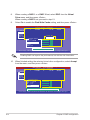
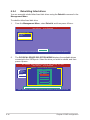
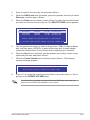
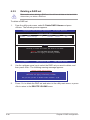
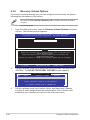
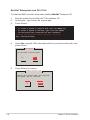
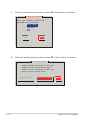
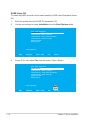
From the utility main menu, select 2. Delete RAID Volume and press
<Enter>. The following screen appears.
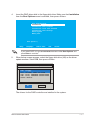
Intel(R) Matrix Storage Manager option ROM v8.9.0.1023 PCH-D wRAID5
Copyright(C) 2003-09 Intel Corporation. All Rights Reserved.
[ DELETE VOLUME MENU ]
Name
Volume0
Level
RAID0(Stripe)
Drives
2
Capacity
298.0GB
Status
Normal
Bootable
Yes
[ HELP ]
Deleting a volume will reset the disks to non-RAID.
WARNING: ALL DISK DATA WILL BE DELETED.
(This does not apply to Recovery volumes)
[↑↓]-Select
2.
[ESC]-Previous Menu
[DEL]-Delete Volume
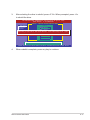
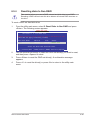
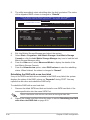
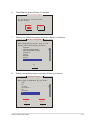
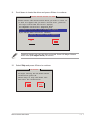
Use the up/down arrow key to select the RAID set you want to delete, and
then press <Del>. The following warning message appears.
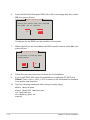
[ DELETE VOLUME VERIFICATION ]
ALL DATA IN THE VOLUME WILL BE LOST!
(This does not apply to Recovery volumes)
Are you sure you want to delete volume “Volume0”? (Y/N):
3.
6-28
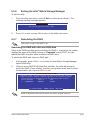
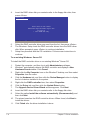
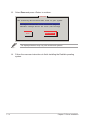
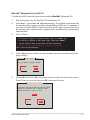
Press <Y> to delete the RAID set and return to the utility main menu, or press
<N> to return to the DELETE VOLUME menu.
Chapter 6: RAID configuration