1
USER’S GUIDE
Downloading from a UNIX Host Computer using TFTP
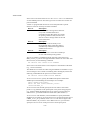
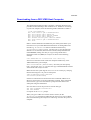
To download the print server firmware from a UNIX host using tftp, first
copy the load file e.g. Firmname.bin to that host. Make sure that tftp is
started by checking the appropriate files on your system (generally
speaking, tftp must be enabled in your /etc/services file and possibly
in another configuration file, such as /etc/inetd.conf). Refer to your
UNIX system documentation or man pages for additional information.
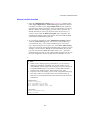
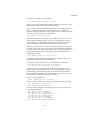
Now log into the print server remote console using, and execute the
following commands:
SET LOAD IP unixhost-ipaddress
SET LOAD SOFTWARE "pathname"
SET LOAD ENABLE
EXIT
where unixhost-ip address is the IP address of the UNIX load host and
pathname is the full path name for the Firmname.bin file (e.g.,
/tftpboot/Firmname.bin). Note that some tftp implementations
require that the load file be located in the /tftpboot directory. Be sure
to put the path name in quotes and remember that UNIX names are casesensitive. Also, make sure that your file protection allows general access to
the boot directory.
When you type a CTRL-D or EXIT to exit the remote console, the file
Firmname.bin will then be loaded into the print server. The red TEST
LED will blink during the load process and will go out when the process is
complete.
If the LED does not go out after about two minutes, check to make sure
that you correctly entered all parameters and that your network connections
are good. Then power the print server off and then on again, enter the SET
LOAD ENABLE command, and exit the remote console to retry the
download.
A-16