1
12NF(E)body.fm
Page 18
Thursday, October 19, 2000
5:44 PM
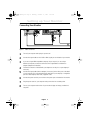
Adjusting Your Monitor
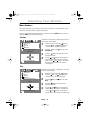
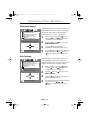
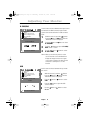
Sharpness
Adjusts the sharpness of the overall image.
RGB
Screen
F
Clear Moire
Focus
Purity
Convergence
Sharpness
Recall
: Access Function
Sharpness
Nor mal
: Previous
1
With the menu off, push the
button.
Push the button or button until the
“screen” is displayed.
2
Push the button or
Sharpness.
3
Use the button or
Nomal or Text.
button to select
button to adjust
Text
Menu
Recall
RGB
Screen
F
Clear Moire
Focus
Purity
Convergence
Sharpness
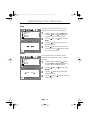
Recall
: Access Function
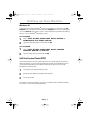
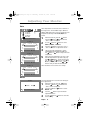
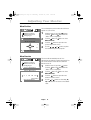
Use the recall feature to reset Screen settings to
their original level.
1
With the menu off, push the
button.
Push the button or button until the
screen is displayed.
2
Push the
Recall.
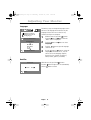
3
Push the
button to open the Recall
adjustment screen.
4
Use the button or
recall setting.
button or
button to select
Screen
YES
: Previous
NO
Menu
English
18
button to adjust the











![[U2.05.04] Notice d`utilisation pour le calcul de charge](http://vs1.manualzilla.com/store/data/006367682_1-b11bc4d44ba03a3631d8ed47808e9773-150x150.png)