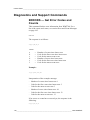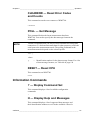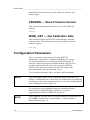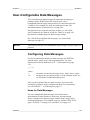
1
User's Guide ______________________________________________________________________
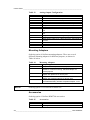
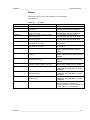
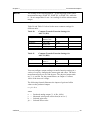
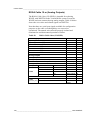
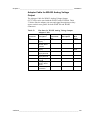
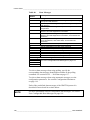
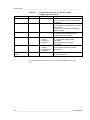
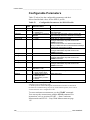
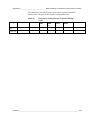
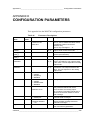
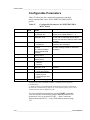
Table 13
Analog Output Configuration
Selection
1
2
3
4
5
6
7
8
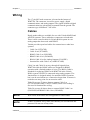
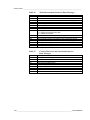
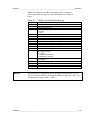
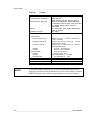
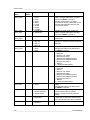
Cable type
No cables
Cable 2 m, cable connector, open leads on one end
Cable 10 m, cable connector, open leads on one end
MAWS cable 10 m
AWS520 cable 10 m. Shield connected to PE pin
Adapter cable for WS425 serial
Adapter cable for WS425 analog frequency output
RS485 cable 2 m, cable connector, open leads on one
end
RS485 Cable 10 m, cable connector, open leads on one
end
Adapter cable for WS425 analog voltage output
AWS520 cable 10 m. Shield not connected to PE pin.
ROSA analog cable 10 m, cable connector, open leads on
one end
Junction Box with Cable 2 m
Cable 15 m, cable connector, open leads on one end
Cable 26 m, cable connector, open leads on one end
9
A
B
C
D
E
F
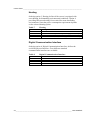
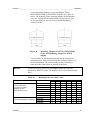
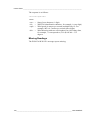
Mounting Adapters
Ordering option 10 defines mounting adapters. There are several
different mounting adapters for different purposes, as shown in
Table 14 below.
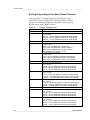
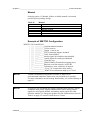
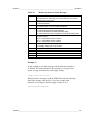
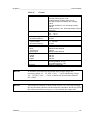
Table 14
Mounting Adapters
Option
A
B
Adapter Type
Adapter 228869 only. Standard adapter, no fix
Adapter 228869 with WMT70FIX70 fixing mechanics. Also
suitable for inverted mounting. Standard adapter for
general purpose
Adapter 228869 with WMT700FIX60-POM. Standard
adapter with plastic fix for 60 mm pole
Adapter 228869 with WMT700FIX60-RST Standard
adapter with stainless steel fix for 60 mm pole
Adapter 22877 only (used for old WS425
FIX30/WS425FIX60), WS425-compatible adapter, no fix
C
D
E
NOTE
Ordering option 11 is reserved for future use.
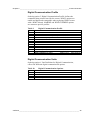
Accessories
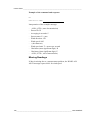
Ordering option 12 defines WMT700 accessories.
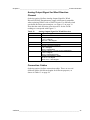
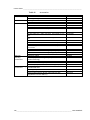
Table 15
Option
A
B
Accessories
Accessories
No accessories
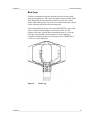
Bird cage WMT70BirdKit
28 ___________________________________________________________________ M211095EN-E