1
PHOENIX1
CHANGING THE CYCLE/DWELL TIME IN AUTO MODE
You can change the dwell/cycle time (time interval to switch between cameras) so that the video switches more or less
frequently:
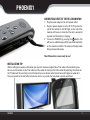
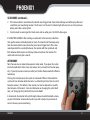
a) Press and hold down the M and A buttons simultaneously. You will hear the monitor begin to beep.
b) The first beep will signify one second and every beep afterwards increases the dwell time by one second. For
example, if you would like the dwell/cycle time to be 12 seconds you will have to hold down the M and A buttons
until you hear the monitor beep 12 times.
c) When you reach the desired number of seconds, release the
M and A buttons.
d) You will hear the monitor beep again at a quicker rate. This
will confirm the new duration of the dwell/cycle time (12
beeps equal a 12 second cycle dwell time).
e) To change the duration time again, press and hold down the
M and A buttons until you reach a desired interval time.
f) When you are finished setting a new duration press the A
button again to view video with your new dwell cycle time.
Note: Every time you power off the PHOENIX1, the dwell/cycle defaults back
to four seconds.
CONNECTING TO A TV/VCR/DVR
You can connect to a TV for viewing or to a VCR/
DVR for recording.
In order to view and record video from your
PHOENIX1 system, your TV/VCR/DVR must have
video input jacks.
PHOENIX1
14