1
39
Chapter 4. Browsing and playing
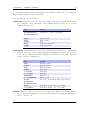
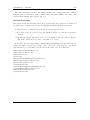
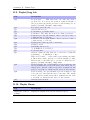
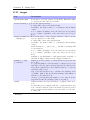
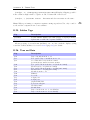
Queue Shuffled. Queue track(s) in a random order.
Queue Last Shuffled. Queue tracks in a random order at the end of the playlist.
Play Next. Replaces all but the current playing track with track(s). Current playing
track is queued.
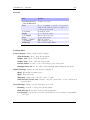
The Playlist Submenu can be used to add either single tracks or entire directories
to a playlist. If the Playlist Submenu is invoked on a single track, it will put only
that track into the playlist. On the other hand, if the Playlist Submenu is invoked
on a directory, Rockbox adds all of the tracks in that directory to the playlist.
Note: You can control whether or not Rockbox includes the contents of subdirectories
when adding an entire directory to a playlist. Set the Settings → General Settings
→ Playlist → Recursively Insert Directories setting to Yes if you would like
Rockbox to include tracks in subdirectories as well as tracks in the currently-selected
directory.
b
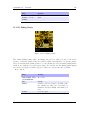
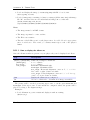
Dynamic playlists are saved so resume will restore them exactly as they were before
shutdown.
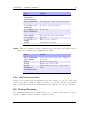
Note: To view, save or reshuffle the current dynamic playlist use the Playlist sub
menu in the WPS context menu or in the Main Menu.
4.4.4. Modifying playlists
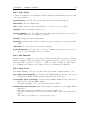
Reshuffling
Reshuffling the current playlist is easily done from the Playlist sub menu in the WPS,
just select Reshuffle.
Moving and removing tracks
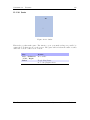
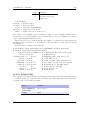
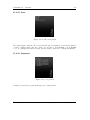
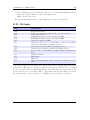
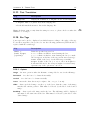
To move or remove a track from the current playlist enter the Playlist Viewer by
selecting View Current Playlist in the Playlist submenu in the WPS context
menu or the Main Menu. Once in the Playlist Viewer open the context menu on
the track you want to move or remove. If you want to move the track, select Move in
the context menu and then move the blinking cursor to the place where you want the
track to be moved and confirm with Select or Right. To remove a track, simply select
Remove in the context menu.
4.4.5. Saving playlists
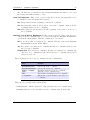
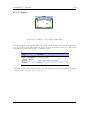
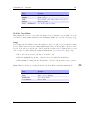
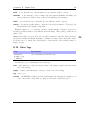
To save the current playlist either enter the Playlist submenu in the WPS Context
Menu (see section 4.3.3 (page 33)) and select Save Current Playlist or enter the
Playlist Options menu in the Main Menu and select Save Current Playlist.
Either method will bring you to the Virtual Keyboard (see section 4.1.3 (page 27)),
enter a filename for your playlist and accept it and you are done.
The Rockbox manual
(version rUnversioned directory-150516)
Sansa
e200 and e200R Series
b