1
Samsung iDCS500
DCS (Euro) Keyset User Guide
Note: If the Hot Keypad feature has been turned off, you must first lift the handset
or press the SPEAKER key before you begin dialling.
n
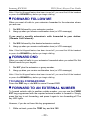
FORWARD FOLLOW ME
When you want all calls to your extension forwarded to the extension where
you are now:
1.
2.
Dial 605 followed by your extension number.
Hang up when you receive confirmation tone (or LCD message).
If you want a specific extension’s calls forwarded to your station
(‘Remote Call Forward’):
1.
2.
Dial 605 followed by the desired extension number.
Hang up when you receive confirmation tone (or LCD message).
Note: If the Hot Keypad feature has been turned off, you must first lift the handset
or press the SPEAKER key before you begin dialling.
n
FORWARD DND
When you want all calls to your extension forwarded when you select Do Not
Disturb mode for your keyset:
1.
2.
Dial 607 plus the extension or group number.
Hang up when you receive confirmation tone (or LCD message).
Note: If the Hot Keypad feature has been turned off, you must first lift the handset
or press the SPEAKER key before you begin dialling.
TO CANCEL FORWARD DND
Press the DND key or dial 400 to cancel Forward DND.
n
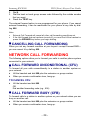
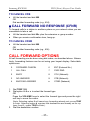
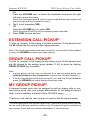
FORWARD TO AN EXTERNAL NUMBER
To forward outside calls to another outside number, you can use the FWRD
EXT key programmed with the required external number to forward to. Simply
press this key to set forwarding, and press it again to turn forwarding off. The
key LED lights.
However, if you do not have this key programmed:
1.
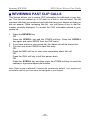
While on-hook, press the TRSF key and dial 102.
– 23 –







![AudioBox AB64 ABEdit Software User Manual [PDF Format]](http://vs1.manualzilla.com/store/data/005983205_1-2265185b3c4bf7986bc4222e13230c75-150x150.png)