1
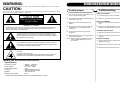
WARNING: CAUTION: Connecting Optional Equipment To reduce the risk of fire or electric shock, do not expose this appliance to rain or moisture. Use of controls or adjustments or performance of procedures other than those specified may result in hazardous radiation exposure. CAUTION RISK OF ELECTRIC SHOCK DO NOT OPEN CAUTION: TO REDUCE THE RISK OF ELECTRIC SHOCK, DO NOT REMOVE COVER (OR BACK). NO USER - SERVICEABLE PARTS INSIDE. REFER SERVICING TO QUALIFIED SERVICE PERSONNEL. The lighting flash with arrowhead symbol, within an equilateral triangle, is intended to alert user to the presence of uninsulated "dangerous voltage" within the product's enclosure that may be of sufficient magnitude to constitute risk of electric shock to persons. Auxiliary Input 1 You can connect external components to your unit by using the Auxiliary Input. There is no Power 1 The AC plugged is not well connected. 2 Plug Auxiliary cable into the LINE IN Jack (26) on the back of your unit. 2 Make sure the Power Button is pushed in. 3 Switch the LINE IN Switch (27) to the ON position. 4 Plug the other end of the Auxililary cable into the output jack on your desired external component. 5 Check the volume level of your external component. 6 See operators manual for correct operation of the external component. NOTE: When not using the Auxiliary Input, make sure the LINE IN Switch (27) is in the OFF position. The exclamation point within an equilateral triangle is intended to alert user to the presence of important operating and maintenance (servicing) instruction in the literature accompanying the appliance. Troubleshooting There is no Sound 1 Check the volume level by turning the volume knob. 2 Make sure the LINE IN SWITCH is in the OFF position if the LINE IN JACK is not being used. Turntable will not work 1 Make sure the function switch is set to phono. 2 Make sure the protective needle cover is removed. CD does not play 1 Check to make sure CD is inserted correctly (label side facing up). 2 Check that the surface of the CD is clean 3 Make sure function switch is set to CD. CAUTION For Compact Disc Units Only: INVISBLE LASER RADIATION WHEN OPEN AND INTERLOCK FAILED OR DEFEATED. AVOID DIRECT EXPORSURE TO LASER BEAM. Marking plate was located on bottom enclosure Specification Frequency Range Power Supply Power Consumption Antennas Speaker Replacement Needle * : : : : : : : : AM 530 - 1700 KHz FM 88 - 108 MHz AC 120V ~ 60Hz 18W External antenna for FM Built-in ferrite bar for AM 4 8 ohm 5W x 2 NP4 DESIGN AND SPECIFICATIONS SUBJECT TO CHANGE WITHOUT NOTICE. 11