1
Linksys E800
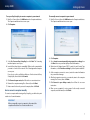
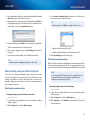
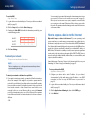
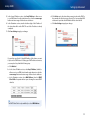
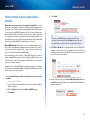
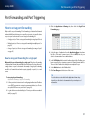
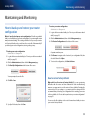
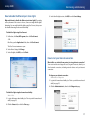
8. Click Save Settings at the bottom of the screen to accept your changes.
9. Click the Administration tab, then click the Management page and take
note of the Internet IP Address and the Remote Management Port settings.
You will use this information to access your router remotely.
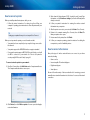
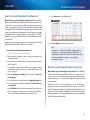
To access your router remotely:
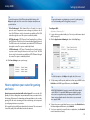
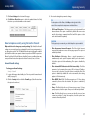
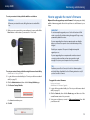
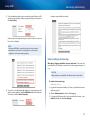
1. Open a web browser and enter the Internet address of your router, then
press Enter.
•• If you selected HTTP for your Access via setting, enter http:// then the
IP address.
Setting Up: Advanced
How to enable Voice over IP on your
network
Do I need to configure Voice over IP? VoIP (Voice over Internet Protocol) is a
technology for using the Internet as an interface for telephone communications.
To use VoIP, you need to get an account with a VoIP service provider. The VoIP
service provider typically provides you with a telephone adapter (TA) that
connects to your network. If you do not use your network to make phone calls,
you don’t need to change the default settings.
The SIP (Session Initiation Protocol) ALG (Application Layer Gateway) feature
allows SIP packets, used by some VOIP service providers, to traverse (go
through) your router’s firewall.
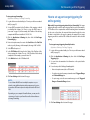
To configure the router for VoIP:
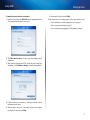
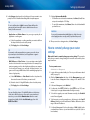
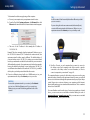
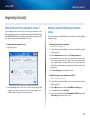
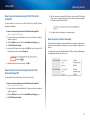
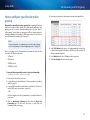
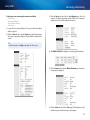
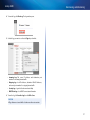
Administration > Management
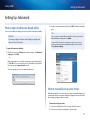
1. Log into the browser-based utility (see “How to open the browser-based
utility” on page 25).
– OR –
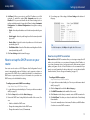
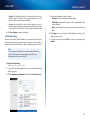
2. Click the Administration tab, then click the Management page.
•• If you selected HTTPS for your Access via setting above, enter https://
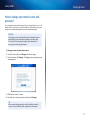
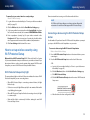
3. If your VoIP service uses SIP, select Enabled next to SIP ALG.
then the IP address.
2. Add a colon (:), then the Remote Management Port number. Example:
https://69.192.16.170:8080
TIP
If you enabled the Dynamic Domain Name Service (see “How to
find your network on the Internet” on page 14), you could type in
your domain name in place of your router’s Internet IP address. For
example:
https://BronzeEagle953.linksysnet.com:8080
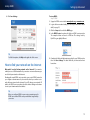
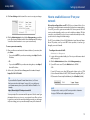
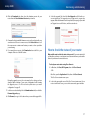
You are prompted for a user name and the password. Use the same login
information that you use to access your router at home. After you have
logged into your router’s browser-based utility remotely, you can change
any router setting, just as you would normally from your local network.
– OR –
If your VoIP service uses other NAT traversal solutions such as STUN
(Session Traversal Utilities for NAT), TURN (Traversal Using Relay NAT), or
ICE (Interactive Connectivity Establishment), select Disabled (default).
NOTE
You may need to contact your VoIP service provider to determine
the type of NAT traversal configuration they use.
18