1
9.1.1
Switching from Normal mode to Super Speed mode
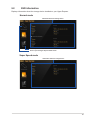
To switch from Normal mode (default) to Super Speed mode:
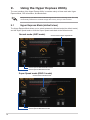
1. From the Hyper Express Mode screen, click the Super Speed icon
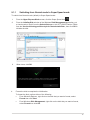
2. From the Initialize Disk window of the Windows Disk Management application, put
a check mark on Disk 0 from the Select disks pane, tick GPT (GUID Partition Table)
from the Use the following partition style for the selected disks:, then click OK to
initialize the disk.
3. When done, click OK.
4. .
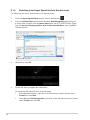
Format the disk to complete the initialization.
To format the disk, perform either of the following:
•
From Windows Explorer, right-click on the disk that you want to format, select Format then click Start.
•
From Windows Disk Management, right-click on the disk that you want to format,
select Format then click OK.
17