1
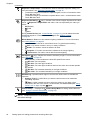
Video Quality (
only)—Sets resolution and compression for video clips. The setting
remains in effect until it is changed, even when you turn off the camera.
•
•
•
Best (Default)—For outdoor action video clips or printing individual video frames up
to 10.2 by 15.2 cm (4 by 6 in).
Better —For indoor video clips or printing individual video frames up to 7.6
by 12.7 cm (3 by 5 in).
Good —For capturing longer video clips or e-mailing shorter clips.
Shooting Mode (
only)—For selecting a shooting mode. For information about
shooting modes and another way to select them, see “Using the shooting modes”
on page 17.
Flash Setting (
only)—For selecting a flash setting. For information about flash
settings and another way to select them, see “Setting the flash” on page 16.
Self-Timer—For capturing images or recording video after a 10-second delay (see
“Using the Self-Timer settings” on page 21). The setting resets to Off after the image
is taken.
•
•
•
Off (Default)—Disables Self-Timer.
On—For taking one delayed shot or video clip.
On-2 Shots (
only)—For taking two delayed shots.
Steady Photo (
only)—For minimizing blur in pictures. This setting remains in effect
until it is changed, even when you turn off the camera.
Off (Default), On
Adaptive Lighting (
only)—Balances the relationship between light and dark areas.
For more information, see “Adaptive Lighting” on page 22.
•
•
Off (Default)
On
Image Quality (
only)—Sets resolution and compression for images. The greater the
number, the higher the resolution. The setting remains in effect until it is changed, even
when you turn off the camera.
•
•
•
•
•
8MP Best—For enlarging or printing images greater than 41 x 51 cm (16 x 20 in).
Normal (8MP) (Default)—For printing images up to 41 x 51 cm (16 x 20 in).
5MP—For printing images up to 28 x 36 cm (11 by 14 in).
2MP—For printing images up to 13 x 18 cm (5 by 7 in).
VGA—For sending images via e-mail or posting them to the Internet.
Burst (
only)—For taking two or more shots quickly in succession (see “Using the
Burst setting” on page 21).
•
•
Off (Default)
On
Tag—Applies a tag to pictures and video clips as they are taken or recorded. The setting
remains in effect until it is changed, even when you turn off the camera.
To select a tag to apply, touch a tag, then touch OK.
For more information about tags, see “Tagging images” on page 27.
Date & Time Imprint (
only)—Imprints date in lower left corner of image. The setting
remains in effect until it is changed, even when you turn off the camera.
• Off (Default)—No date or time imprinted on the image.
•
•
Date Only—Date permanently imprinted.
Date & Time—Date and time permanently imprinted.
Using the Picture Capture and Video Record menus
19