1
AL7024S Quick Start Manual
3.8
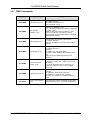
SMS Commands
Command
AT Manual pages
Function
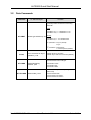
AT+CMGS
Send message, p.178
Send SMS. Example:
AT+CMGS=”0764537865”<cr>
This is test SMS <ctrl-Z>
New message
indication, p.164
Example: AT+CNMI=2,1,0,0,0
Now, if an SMS is arriving, the following is displayed:
AT+CMTI: “SM”,2
Meaning: SMS was stored in location 2 of “SM”memory on SIM-Card. The memory used for
receiving SMS can be changed with the AT+CPMS
command. (see below)
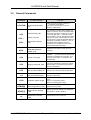
Read message, p.171
Read message from memory selected with
AT+CPMS command
Example: AT+CMGR=2 : read the second SMS in
memory
List message, p.169
Read messages from memory selected with
AT+CPMS command.
Example:
AT+CMGL=”ALL” list all messages
AT+CMGL=”REC UNREAD” list unread received
msg.
There are more possible parameters for this
command
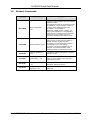
Preferred Message
Storage, p.160
The storage memory for messages can be selected.
Example: AT+CPMS=”SM” (“SM” being the most
usual mem.)
For a list of all possible memory areas see “AT
Commands Interface Guide”, p.70 (AT+CPBS
command)
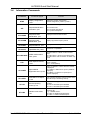
AT+CMGD
Delete message, p.176
Delete message from preferred message storage.
Example:
AT+CMGD=2 : delete second message
AT+CMGD=1,1: delete all read messages
For exact use, consult “AT Commands Interface
Guide”
AT+CSCA
Service center address,
p.162
Enter the phone number of the SMS service center
(network operator). E.g.: AT+CSCA=”0796664444”
AT+CNMI
AT+CMGR
AT+CMGL
AT+CPMS
No. AL7020S-QSM-101
Altec Electronic AG
Seite 15 / 18