1
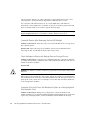
sdc 8:32
[active][ready] \_
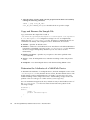
round-robin 0 [prio=1][enabled] \_ 4:0:0:0
[active][ghost]
sdb
8:16
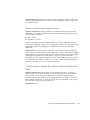
In this example, the multipath device node for this device is /dev/mapper/mpathp
and /dev/dm-0. The following table lists some basic options and parameters for the
multipath command.
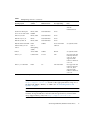
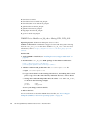
TABLE 10
Options and Parameters for the multipath Command
Command
Description
multipath -h
Prints usage information
multipath -ll
Shows the current multipath topology from all available
information (sysfs, the device mapper, path checkers, and so on)
multipath -f map
Flushes the multipath device map specified by the map option, if
the map is unused
multipath -F
Flushes all unused multipath device maps
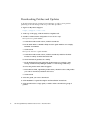
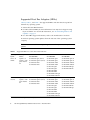
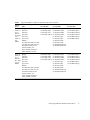
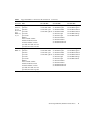
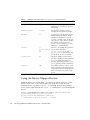
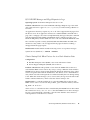
Troubleshooting the Device Mapper
TABLE 11
Troubleshooting the Device Mapper
Situation
Resolution
Is the multipath daemon,
multipathd, running?
At the command prompt, enter the command:
/etc/init.d/multipathd status.
Why are no devices listed
when you run the
multipath -ll
command?
At the command prompt, enter the command: #cat
/proc/scsi/scsi. The system output displays all of the
devices that are already discovered.
Verify that the multipath.conf file has been updated with
proper settings.
Sun Storage 6180 Array Hardware Release Notes
21