1
ENGLISH
Contents
DVD Camcorder: Basic Recording ....................44
DVD Camcorder ...................................................64
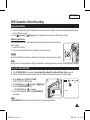
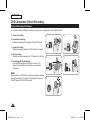
Making your First Recording .............................................. 44
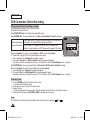
Recording with Ease for Beginners (EASY.Q Mode) .......... 45
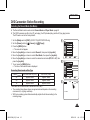
Zooming In and Out ............................................................ 46
Using the Fade In and Out (FADE) .................................... 47
Using Back Light Compensation Mode (BLC) .................... 48
Using the Color Nite ........................................................... 49
Using the LIGHT (SC-DC173U/DC175/DC575 only) ......... 50
Playing Title Scenes .......................................................... 64
Adjusting the Volume ......................................................... 64
Various Functions while in Player Mode ............................ 65
Deleting a Title Scene (Delete) .......................................... 67
Deleting a Section of a Title Scene (Partial Delete) ........... 68
DVD Camcorder: Advanced Recording.............51
Creating a New Playlist (New Playlist) .............................. 69
Playing the Playlist ............................................................ 70
Deleting a Playlist (Delete) ................................................ 71
Adding Scenes to Playlist (Scene-Add) ............................. 72
Changing the Order of Scenes within a Playlist
(Scene-Move) .................................................................... 73
Deleting Scenes from a Playlist (Scene-Delete) ............... 74
Deleting a Section of a Playlist (Scene-Partial Delete) ..... 75
Cutting Off Wind Noise (Wind Cut) ..................................... 51
Setting the Shutter Speed & Exposure (Shutter/Exposure).. 52
Auto Focus / Manual Focus ................................................ 53
Programed Automatic Exposure Modes (Program AE) ...... 54
Setting the White Balance .................................................. 56
Applying Digital Effects ....................................................... 58
Setting the 16:9 Wide mode (16:9 Wide) ........................... 60
Setting the Digital Image Stabilizer (DIS) ........................... 61
Zooming In and Out with Digital Zoom (Digital Zoom) ....... 62
DVD Camcorder: Thumbnail index and Playlist ..63
What is the Thumbnail Index? ............................................ 63
What’s a Playlist? .............................................................. 63
DVD Camcorder: Playlist ....................................69
DVD Camcorder: Disc Manager .........................77
Disc Information (Disc Info) ............................................... 77
Editing the Disc Name (Disc Info-Rename) ....................... 78
Formatting a Disc (Disc Format) ........................................ 79
Finalizing a Disc (Disc Finalize) ........................................ 80
Playing Back on a PC with DVD drive ................................ 81
Playing back a finalized disc on a DVD Player/Recorder .. 81
Unfinalizing a Disc (Disc Unfinalize) ................................. 82
3
AD68-01230A_US_R2.indb
3
2007-03-14
ソタタ・9:58:56