1
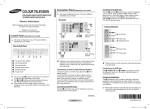
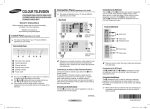
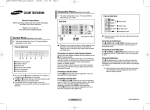
Selecting the Sound Mode (depending on the model) The DUAL I-II button displays/ controls the processing and output of the audio signal. When power is switched on, the mode is automatically preset to either “Dual-I ” or “Stereo”, depending on the current transmission. ◆ NICAM Stereo Type of broadcast On-screen indication Regular broadcast (Standard audio) Mono (Normal use) Regular + NICAM Mono Mono NICAM NICAM Stereo Stereo NICAM NICAM Dual-I/II ↔ Mono (Normal) ↔ Mono (Normal) Dual-I Dual-II Mono NICAM ↔ NICAM ↔ (Normal) ◆ A2 Stereo Type of broadcast On-screen indication Regular broadcast (Standard audio) Mono (Normal) Bilingual or Dual-I/II Dual-I ↔ Dual-II Stereo Stereo ↔ Easy View - Channel Minimizer Cleaning and Maintaining Your TV Easy View Feature is a combination of audio and video functions, which significantly ease the viewing of television channels. Please follow the guidelines to get the maximum performance from your TV. Channel Minimizer is a function, which represents a wide choice of channels for simultaneous viewing! Channel Adding To add a channel to the Favourite Channels list you can just choose the wanted channel. Placement Easy View Channel Grouping Channel Minimizer Channel Scheduler Music Mode Half Mute Move Enter ► ► ► ► ► Exit Scroll Select ▲Add ▼Delete P14 P20 Scroll P35 Select ▲Add ▼Delete Method: ▲: adding the current channel to the Favourite Channels list. ➢ You can repeate the operation to add up to six channels. Channel Deleting You can delete a channel from the Channel Minimizer list by pressing ▼ button. ➢ You can open the Favourite Channels menu by pressing ◄/►/▲ button. ➢ Do not open the Favourite Channels menu by pressing ▲ button, when six channels are added. ➢ Favourite Channels function is always active, so you do not need to press "Easy view" button. Continued... Mono (Forced mono) Do not Place the TV near extremely hot, cold, humid or dusty places. Do not place TV near appliances with electric motor that create magnetic fields, such as vacuum cleaners. Keep the ventilation openings clear; do not place TV on a soft surface, such as cloth or paper. Place the TV in a vertical position only. Liquids Do not handle liquids near or on the TV. Liquid that spills into it can cause serious damage. Cabinet Never open the cabinet or touch the parts inside. Wipe your TV with a clean, dry cloth. Never use water, cleaning fluids, wax or chemicals. Do not put heavy objects on top of the cabinet. Temperature If your TV suddenly move from a cold to a warm place, unplug the power cord and allow at least two hours for moisture that may have formed inside the unit to dry completely. Using Your TV in Another Country If you plan to take the TV with you to a foreign country please be aware of a different television systems that are in use around the world. A TV designed for one system may not work properly with another system due to differences in the TV channel frequencies. Note: Main plug serves as the disconnect device during ➢ servicing and shall be readily operable. ➢ ◆ If the receiving conditions deteriorate, listening will be easier if the mode is set to the Mono. ◆ If the stereo signal is weak and an automatic switching occurs, then switch to the Mono. ◆ When receiving a mono sound in the AV mode, connect to the “AUDIO-L” input connector on the panel (front or side). If the mono sound comes out only from left speaker, press the DUAL I-II button. English - AA68-04001A-00Eng_0707.indd 6 2008-07-07 오전 11:54:58