1
Weidmuller Wireless Ethernet Modem & Device Server WI-MOD-E-G/A User Manual
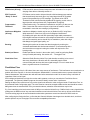
If more than one interface is added to a VLAN group, a separate bridge will be created for the VLAN Group. The
configured interfaces for the VLAN Group will then be configured as ports on the bridge.
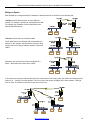
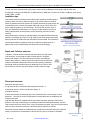
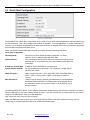
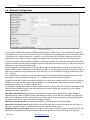
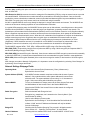
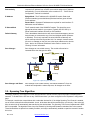
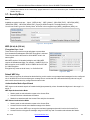
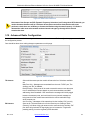
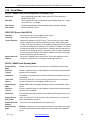
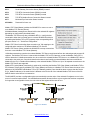
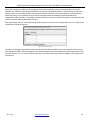
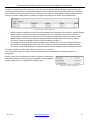
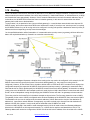
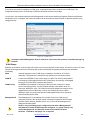
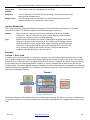
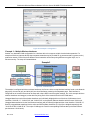
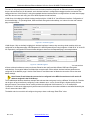
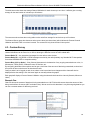
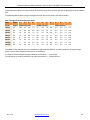
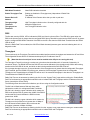
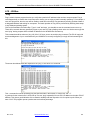
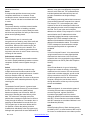
You will see in the screenshot below that the Management VLAN has two interfaces configured, Ethernet and Wireless
and both are set to “Untagged”, this means the module can be accessed by either Ethernet or Wireless networks using
untagged frames.
Figure 57 - VLAN Aware
Leaving the default Management VLAN is advised as it will ensure the module is accessible through any
interface.
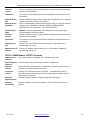
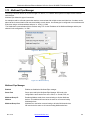
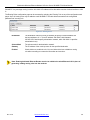
VLAN Group
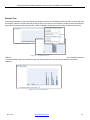
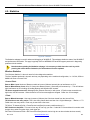
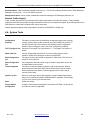
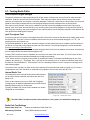
Enabling “VLAN Aware” on the module will require one or more configurable VLAN Groups. A maximum of up to 10 VLAN
Groups can be supported. Each VLAN Group will contain the following configurable parameters and associated
functionality.
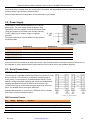
Name
A textual description of the VLAN Group, consisting of a maximum of 32 ASCII
characters. This parameter is descriptive only and serves no functional purpose.
VLAN ID
A valid 12 bit IEEE802.1Q VID, with a range of 1-4095. The VLAN ID will be added
to all outgoing VLAN tagged frames for this VLAN Group. All incoming VLAN tagged
frames for the VLAN Group must have this VLAN ID.
VLAN Priority
An IEEE802.1Q compatible, 3 bit Priority Code Point, with a range of 0-7 where
seven is the highest priority, one is the lowest and zero is the default, which is a
mid-range “Best Effort” value. The VLAN Priority will be added to all outgoing VLAN
tagged frames for this VLAN Group. Further, the VLAN priority will be used to
determine which of 4 priority radio queues VLAN tagged frames will be queued on
when transmitted via the radio.
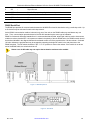
Management IP
The Management IP is the address of the module if only one VLAN group is
configured. Access to the modules internal web based configuration and IP based
functions (Serial Gateway, Modbus Server, etc.) is done via this Management IP
Address and Subnet Mask.
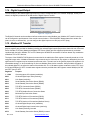
NOTE: If only one VLAN group is configured it must have a Management IP
and Netmask. If further VLAN Groups are configured, i.e. groups 2-9 they only
need a Management IP and Subnet if access to the modules IP based
functions, i.e. Modbus, web pages, etc. is required.
Rev. 2.16 www.weidmuller.com 65