1
Cleaning
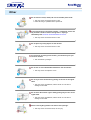
When cleaning the monitor case or the surface of the CDT, wipe with a
slightly moistened, soft fabric.
Do not clean Flat monitor with water. Use a water-diluted mild
detergent.
(Some detergents contain significant amounts of alcohol-based solvents,
which can damage (color change) or crack the monitor case. The
antiglare/anti-static surface coating on the CDT may also be affected.)
Dilute the detergent (1:10 ratio) with water before using.
Do not spray detergent directly on the monitor.
Use the recommended detergent with a smooth cloth.
z
z
You can prevent the coated CDT from being damaged or the
monitor cabinet from being dissolved, cracked or discolored.
You can buy a recommended detergent at any Samsung Service
Center.
If the connector between the plug and the pin is dusty or dirty,
clean it properly with a dry cloth.
z
A dirty connector can cause an electric shock or fire.
Do not set a glass of water, chemicals or any small metal objects
on the monitor.
z
z
This may cause damage, electric shock or a fire.
If a foreign substance gets into the monitor, disconnect the plug
and then contact a service center.