1
Charging of the Handset Battery
The handset of your cordless telephone is powered by
rechargeable battery. It charges automatically whenever the handset is in base unit or charger. Average talk
time on a fully charged battery is about nine hours
depending on environmental conditions, standby time is
approximately four days.
You should charge the battery for 10-12 hours when
you first receive your phone. You will know the battery needs charging when:
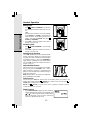
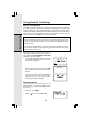
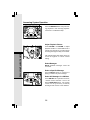
• The low battery message is displayed:
• The handset seems completely dead, the LCD is completely clear and does not
activate when you press the keys.
NOTE: When in LOW BATTERY mode, the keypad sounds, backlighting and speakerphone features will not work. When your battery has been charged, your features will
return to their normal function.
IMPORTANT:
1 If the phone will not be used for a long period of time, remove the batteries to prevent
possible leakage.
2. Do not dispose of batteries in a fire, they might explode.
3. Do not open or mutilate the batteries. Toxic substances may be released, causing
harm to eyes or skin.
4. Exercise care in handling batteries in order to prevent an accidental short of the
charge contacts, potentially causing the batteries to overheat.
5. Do not dispose of these batteries into household garbage, they should be properly
recycled.
6. Do not charge the batteries with other electrical devices.
Connecting to Phone Line
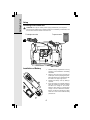
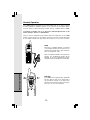
Plug one end of the telephone line cord into the jack at the bottom of the base unit. Then
plug the other end of the cord into the wall jack. Please see the illustration on page 6.
Checking for Dial Tone
After the batteries are charged, press
/FLASH on the handset. Your should hear a dial
tone. If not, see In Case of Difficulty.
IMPORTANT! FOR MAXIMUM PERFORMANCE
OF YOUR CORDLESS TELEPHONE SYSTEM:
1. Choose a central location for your base unit.
2. Install your base unit and extension handsets
away from electronic equipment, such as personal computers, television sets and
microwave ovens.
3. In locations where there are multiple cordless
telephones, separate the base units as far
away as possible.
4. Install your telephone equipment away from
heat sources and sunlight.
5. Avoid excessive moisture, dust or extreme
cold.
7
Getting Started
Setup