1
MS-AE32
Connecting Power
Connecting the AC Power
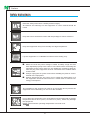
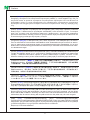
Step 1. Unpack the package to find the AC/DC adapter and AC power cord.
Step 2. Assemble the AC/DC adapter and the AC power cord.
Step 3. Plug the DC end of the adapter to the AIO PC, and the male end of the
AC power cord to the electrical outlet.
Important
We suggest that you connect the AC/DC adapter to your AIO PC first and then
connect the AC power cord to the socket-outlet for safety concerns.
Disconnecting the AC Power
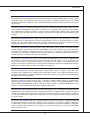
Step 4. Unplug the AC power cord from the electrical outlet first.
Step 5. Unplug the connector from the AIO PC.
Step 6. Disassemble the AC power cord and the AC/DC adapter.
Important
When unplugging the AC power cord, always hold the connector part of the cord.
Never pull the cord directly!
2
1
3
4
5
6
2-13